


SDL 2017 unable to retrieve segments from MyMemory and TMs

Hi there,

Studio 2017 is unable to retrieve translated segments from my personal translation memories and neither from MyMemory PRO. I did uninstall Studio 2014/2015 because I no longer use them and I don´t know if that is the cause of the problem.

Please help, also when opening Windows Explorer the icons look somewhat different, like washed white. Here is a screen-pic:
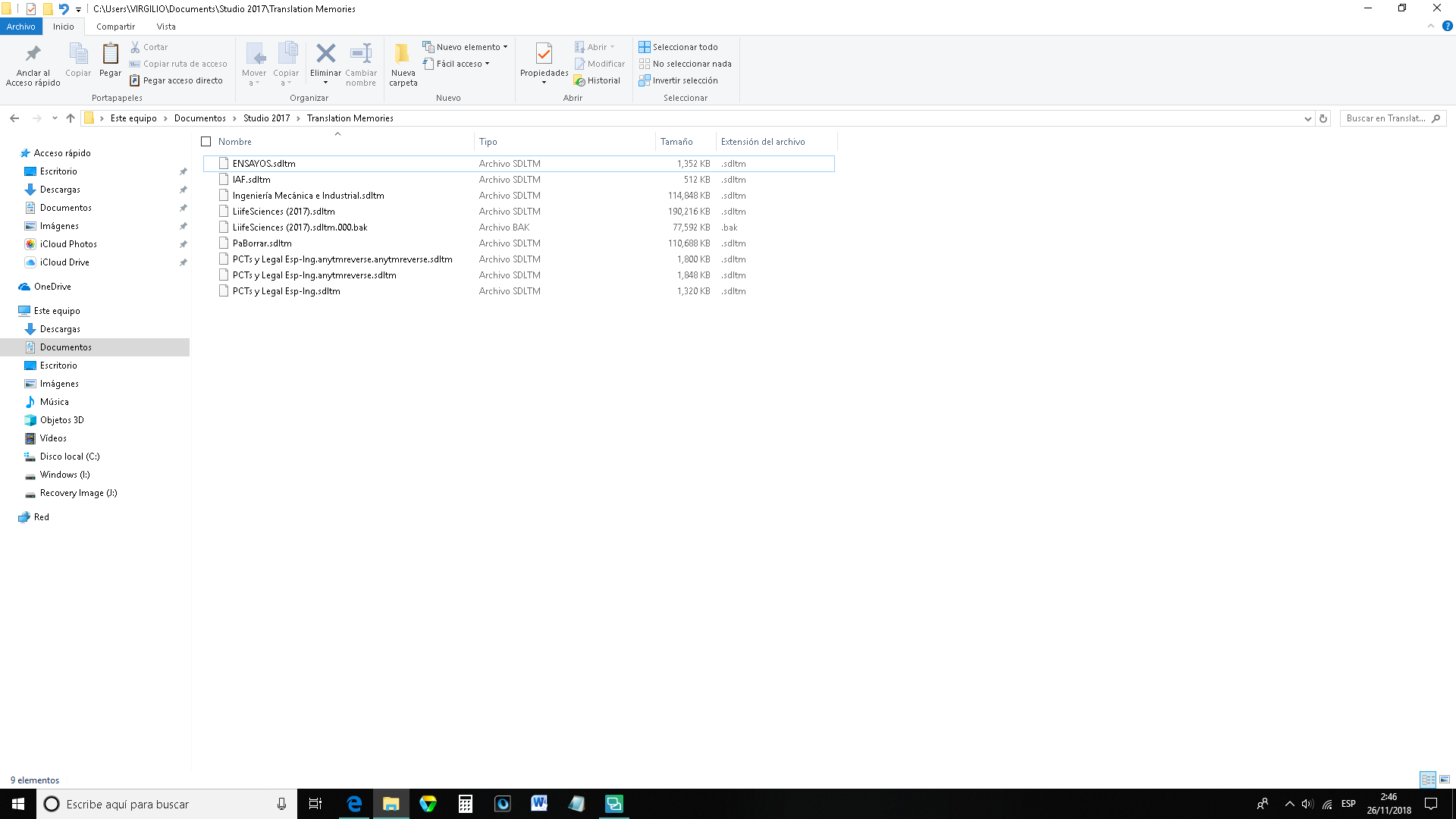
Screenshot of Windows Explorer showing files with washed-out white icons, indicating a possible display or icon corruption issue.


Generated Image Alt-Text
[edited by: Trados AI at 5:37 AM (GMT 0) on 6 Mar 2024]
emoji
  • Hi 

    Firstly, the reason that the icons look white is because there is no program associated with opening them. Usually, installation of the latest version of a program will automatically be allocated as the means for opening all files that can be used by a program. This doesn't always happen correctly for various reasons and that is what must have happened here.

    When I uninstalled Studio 2019 prior to installing a beta version, the files looked like this if I looked at them in Windows Explorer or in the Open... dialog in Studio 2017.

    The 'Open with' setting in Windows can be reapplied to the correct program quite easily via Settings > Choose default applications by file type. Details below:

    Windows Settings > Apps > Default Apps > Choose default applications by file type. (If you don't know how to find the Windows Settings, type 'Settings' in the 'Type here to search' line by your Windows button bottom left of your screen and the Windows Settings will appear at the top of the pop up list.)

    Or, you would I believe achieve the same more easily and also reset anything else that could have been affected by running a Windows Repair on Studio.

    To run a Windows Repair of Studio and/or MultiTerm, via Control Panel...
     
    Close all SDL applications.
     
    Open the Control Panel:
    Windows Vista/7: Start > Control Panel > Programs > Programs and Features.
    Windows 8: Right-click on the screen at bottom-left corner and choose Control Panel > Uninstall a Program.
    Windows 10: Right-click on Start > Control Panel > Select View by: Small Icons > Programs and Features.
     
    Click/highlight the relevant SDL product from the list (e.g. SDL Trados Studio 2017 SR1/SDL MultiTerm SR1 Desktop) and click Repair.
     
    Restart Studio/MultiTerm.
     
    I actually repair all components of MultiTerm then Studio,  periodically. It's worth the time it takes, especially after a Windows automatic update.
    The same goes for other complex software, Microsoft Office for example.
     
    Secondly, if you're not getting results from the TM, could it be that you're working in a project but you added the TM via File>Options rather than via Project settings? Project settings take precedence over Profile settings (i.e. those set via File>Options).
     
    I've explained this in detail in the following post:
     
     
    It was in reply to someone asking about the TM in 2014 but the principles are the same. There are screenshots that should help you navigate.
     
    This may not be the reason you're having issues but it's worth a look. The same could be happening with MyMemory Pro, i.e. you've added it to your Profile settings but it isn't added to the Project settings of the project you're working on. Any translation source has to be added to the project settings if you're working with a project. This is explained in more detail in the above link.
     
    Hope this helps,
    All the best,
    Alison