
 Translate



Hello
I have created a project with the new Multilingual Excel File type (1.0.2.0) on Studio 2022 CU1.
After defining all the placeholders with a plain text embedded content processor (in preview everything works fine) I started a batch file with Conversion, Copy to target file and Import Multilingual Excel file. The first two steps worked smoothly, with the last I got the error, that the embedded content processor I am using no longer exists, which is wrong, because I just created it (and if it no longer existed I could not have converted and created the sdlxliff files). In fact, if I open the sdlxliff file, everything is ok:
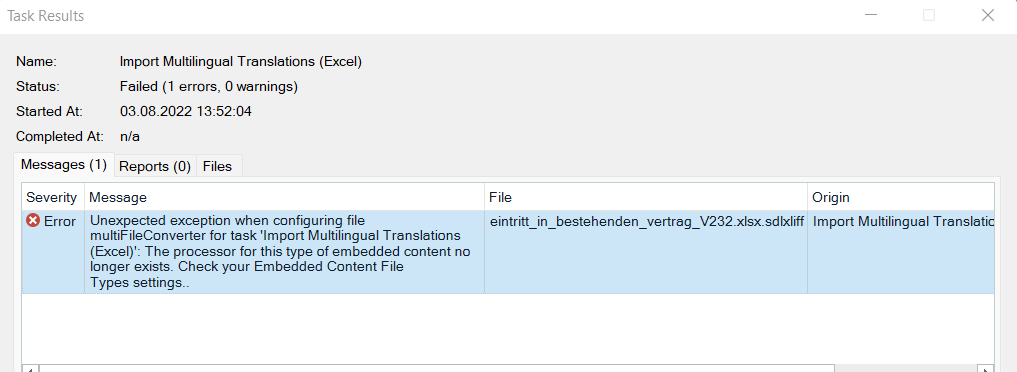
I exported all the settings and reimported them in the default plain text embedded content processor and I do not get this error. Somehow the file type has problems if you use a new created content processor with another name.
Do you also encountered this problem?
Thanks, Angelo


