
 Translate



Hello.
I am using Trados 2022 SR1 CU8 and the latest version available of the Multilingual Excel Plugin.
I have a Multilingual Excel file with HTML embedded content. I have prepared the project with these settings:
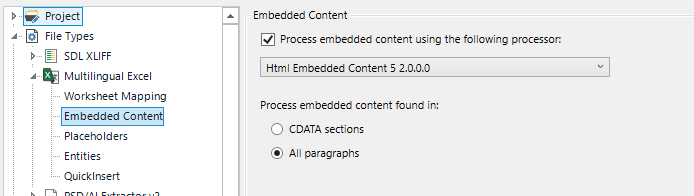
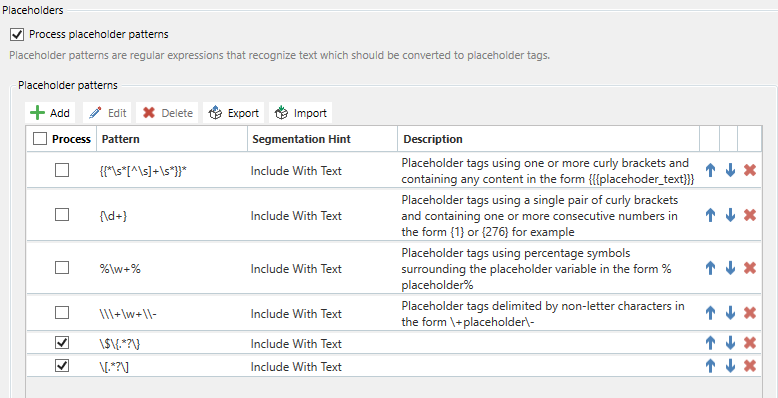
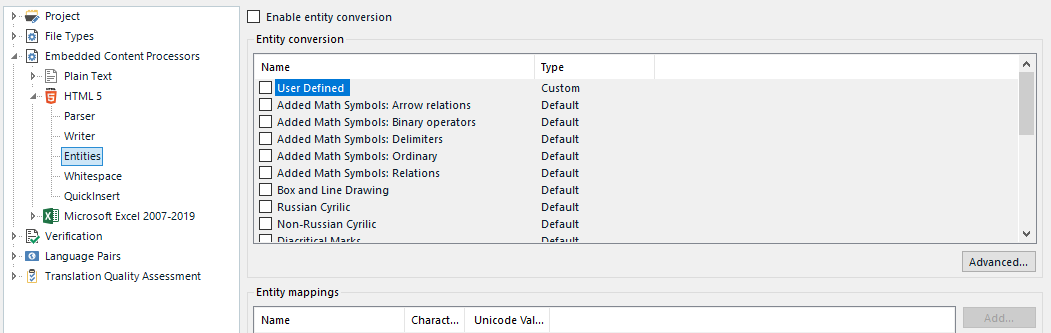
I have also run the batch task to Import the multilingual translations from the Excel file into the sdlxliffs.
However, when generating the target file without changes, the output Excel file has the following issues:
- Embedded content tags (the ones defined as Placeholders, not the HTML embedded content processor ones) are duplicated at the beginning or at the end of some segments. The sdlxliff looks good, but the target file duplicates this content. This is similar to another issue that was found a while ago in Trados and was fixed.
- Non-ANSI characters are lost. I have two rows with Czech in the file, and characters like "ň" are replaced with "n", etc.
I cannot share the files over here because this is from a client. If anyone wants to have a look, please get in touch with me via email.
If this has been reported already, I'd like to have the CRQ number.
Thanks!
typo
[edited by: Arturo Vazquez Rodriguez at 12:20 PM (GMT 1) on 17 Jun 2024]




