 Translate



I got this message at start on Trados 2024 in a large window which open and close after a few seconds.
I have no idea about what to do to use this warning?

Generated Image Alt-Text
[edited by: RWS Community AI at 3:21 PM (GMT 1) on 11 Sep 2024]


I got this message at start on Trados 2024 in a large window which open and close after a few seconds.
I have no idea about what to do to use this warning?
You mean like this?
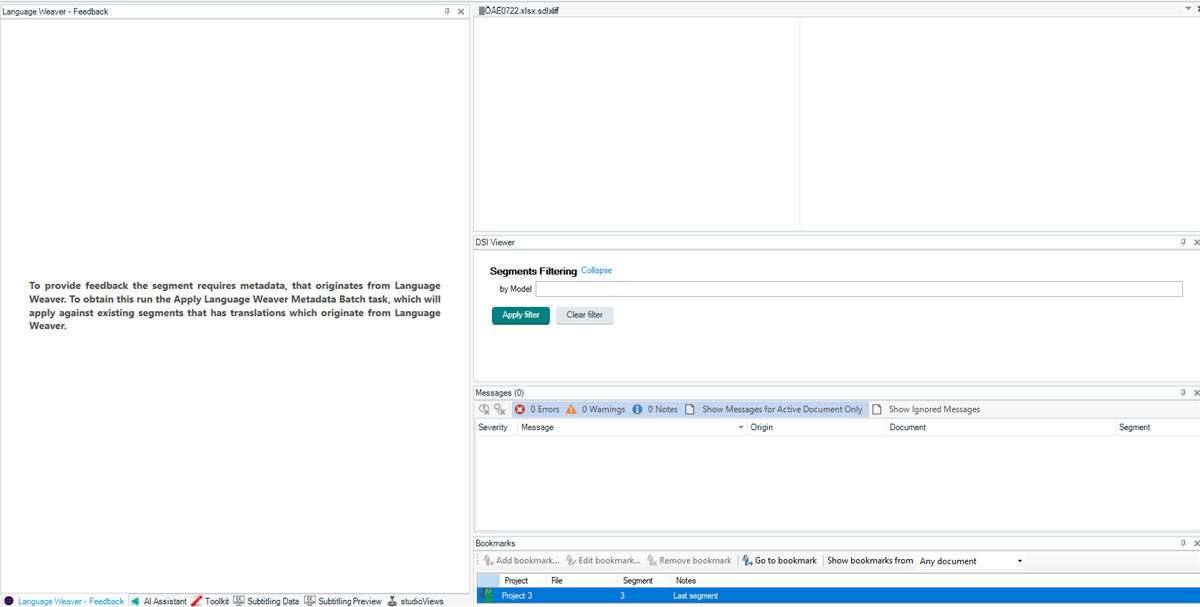
Trados Studio 2024 opens all the windows whether they are docked or not for plugins that you have installed. They hang for a few seconds and then settle into the place where they should be. I'm not sure why this happens ( Daniel Brockmann fyi ), probably related to changes in the plugin framework under the hood, but it's nothing to worry about.
That specific message relates to a feature in Language Weaver that supports sending feedback to Language Weaver to help improve its training. This is not an automatic thing, it does require you having the appropriate access in a paid account and wanting to do this on purpose.
Paul Filkin | RWS
Design your own training!
You've done the courses and still need to go a little further, or still not clear?
Tell us what you need in our Community Solutions Hub


Paul,
Thanks for the explanation of this issue with the temporary opening of Language Weaver.
That did not happen in Studio 2022.
I wish I can get rid of that annoyance if possible.
Anyway, about this message, I still do not know how to answer to the comment posted and run this mysterious batch.
I am using alternatively Cloud-based resources and they must be the same as I believe it is (https://bit.ly/3Xpp9qK).
If this is the simplest way to go, I will just stop using Language Weaver in Studio 2024 and might not get the benefit of the feedback from Language Waiver based on my previous work.
Pau Patruno

That did not happen in Studio 2022.
Indeed.
I wish I can get rid of that annoyance if possible.
It only happens, in my experience, when you start Studio and open your first project. After that it seems to be settled. But I agree, it would be smoother if it didn't do that at all.
Anyway, about this message, I still do not know how to answer to the comment posted and run this mysterious batch.
Given you don't know what this is for I don't know why you want to use this. If you did understand it, and had been using it, then you would have seen this message before as it would appear when you open the view that supports it. I think the stuttering opening of the apps on startup is just exposing you to features you didn't know were there, hadn't used before, and probably don't need. But if you review the documentation of this you can learn a little about it:
https://appstore.rws.com/Plugin/240?tab=documentation
I am using alternatively Cloud-based resources and they must be the same
Certainly Cloud-based resources can be used to get Language Weaver translations. If you're not doing anything more than simply using MT to support you then you can use either, but the plugin offers support for more features. In reality, it is used more by users/companies who have paid accounts for Language Weaver and have need of the support it offers.
and might not get the benefit of the feedback from Language Waiver based on my previous work.
You never did get this... not really. The feedback is intended for users to actually review and check the MT and send back feedback with commentary. This commentary is reviewed to help the development team identify where things could be improved. The feedback is not something you are using to ensure that changes you made to your translations will be reflected in the next project you work on.
This feature has been available for some years. I think the only reason you are asking about this now is because of the stuttering start up that exposes the windows for this task. Probably best ignored, and I hope a future release of Studio will ensure a smoother operation when opening your projects.
Paul Filkin | RWS
Design your own training!
You've done the courses and still need to go a little further, or still not clear?
Tell us what you need in our Community Solutions Hub

Dear Paul
I think that I have the same problem as Paul Patruno. I bought SDL Trados 2024 recently and could use Language Weaver for a while, then temporarily stopped using it. I then tried to use it again. I created a project and in the projet settings I selected "Language Weaver" under "Any TM": 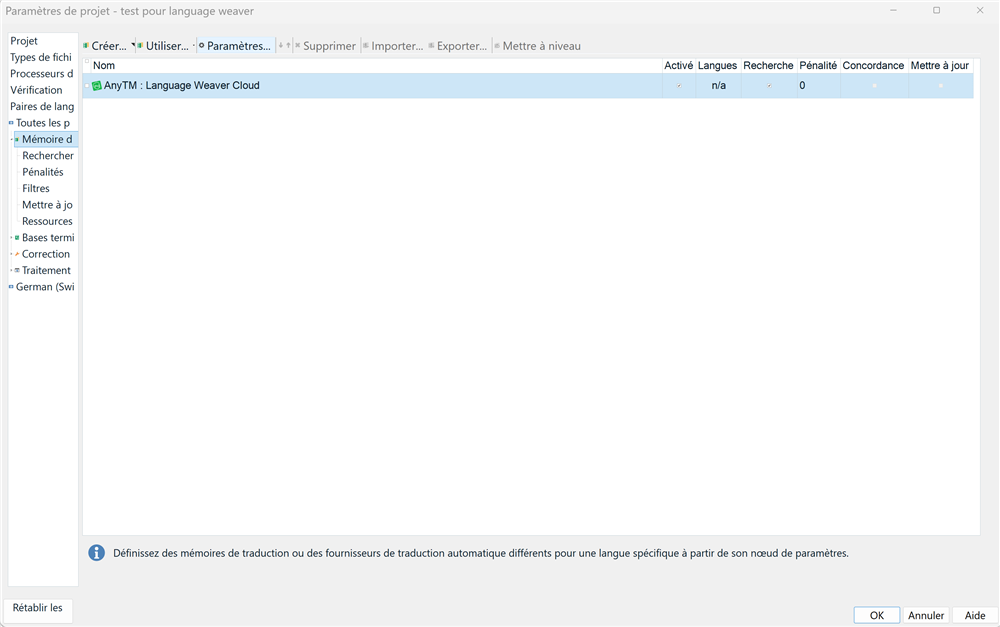
Here is the desired language mapping:

Although I have bought the SDL Trados 2024 license and am logged on to my Trados account, this message appears on my screen:

Then, when I try to open the project, this message pops up and the software shuts down after a few seconds without being able to open the project:

What should I do to be able to use Language Weaver again?
Thank you very much in advance!
Best regards,
Magdeleine Vialle
I think that I have the same problem as Paul Patruno.
You don't. Paul was just querying the presence of that message, he didn't report an error. I suggest you create a new thread and provide the details you gave here, but this time share the full error message and not just a screenshot of the headline:

I selected "Language Weaver" under "Any TM"
Why? Why wouldn't you select Language Weaver either via the plugin or through Cloud-based Resources?
But please explain all this in a new post so we don't have two topics in one thread that is as good as closed already.
Paul Filkin | RWS
Design your own training!
You've done the courses and still need to go a little further, or still not clear?
Tell us what you need in our Community Solutions Hub