
 Translate



We are using Trados Studio 2022_SR2 and the DeepL plugin v6.2.4.0.
When applying MT with the DeepL provider, all segments appear in Draft status indicating that MT was applied.
However, some of the segments remained empty. I mainly noticed this behaviour with segments including formatting tags.
I also noticed that previously it was not necessary to activate the opton "Preserve formatting"
This happened when using the standard plugin settings and glossaries.
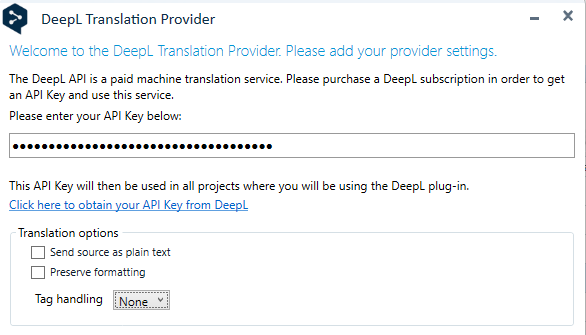
I then tried out the options available related to formatting and tag handling.
In my case, the format of the files is XLIF, but the tags are based on markdown language, so I chose HTML in the tag handling
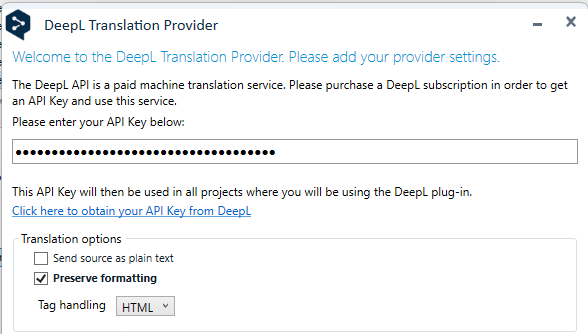
Using the these new settings, MT was correctly applied to all segments.
However, we have noticed some extra spaces inserted before/after tags in some cases.
I share the above in case it helps the community folks, or some experience the same issue but resolved it differently.
Generated Image Alt-Text
[edited by: RWS Community AI at 9:36 AM (GMT 1) on 4 Sep 2025]




