Number Verifier

Hi, 

I have tested Number Verifier on Studio 2015 SR2 12.2.5099.5

Please find some questions/doubts:

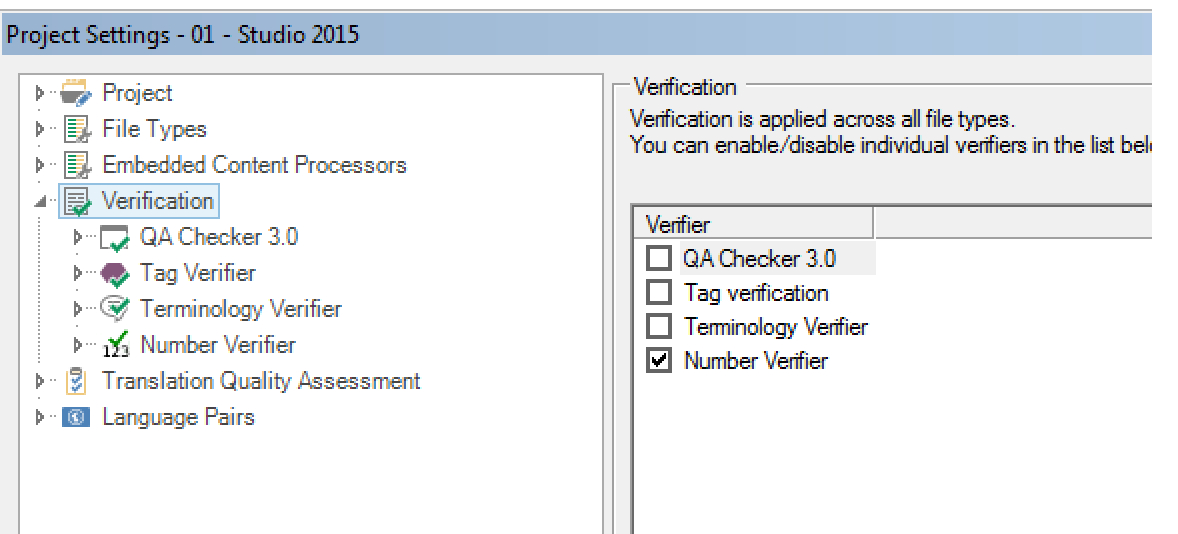
1 - Number Verifier to work seems to need that "Check numbers" inside Verification -> QA Checker 3.0 -> Number in enabled 
It seems it is not enough to enable the "Number Verifier" check inside Verification list :

if I set Studio 2015 like this
and Number Verifier like this:
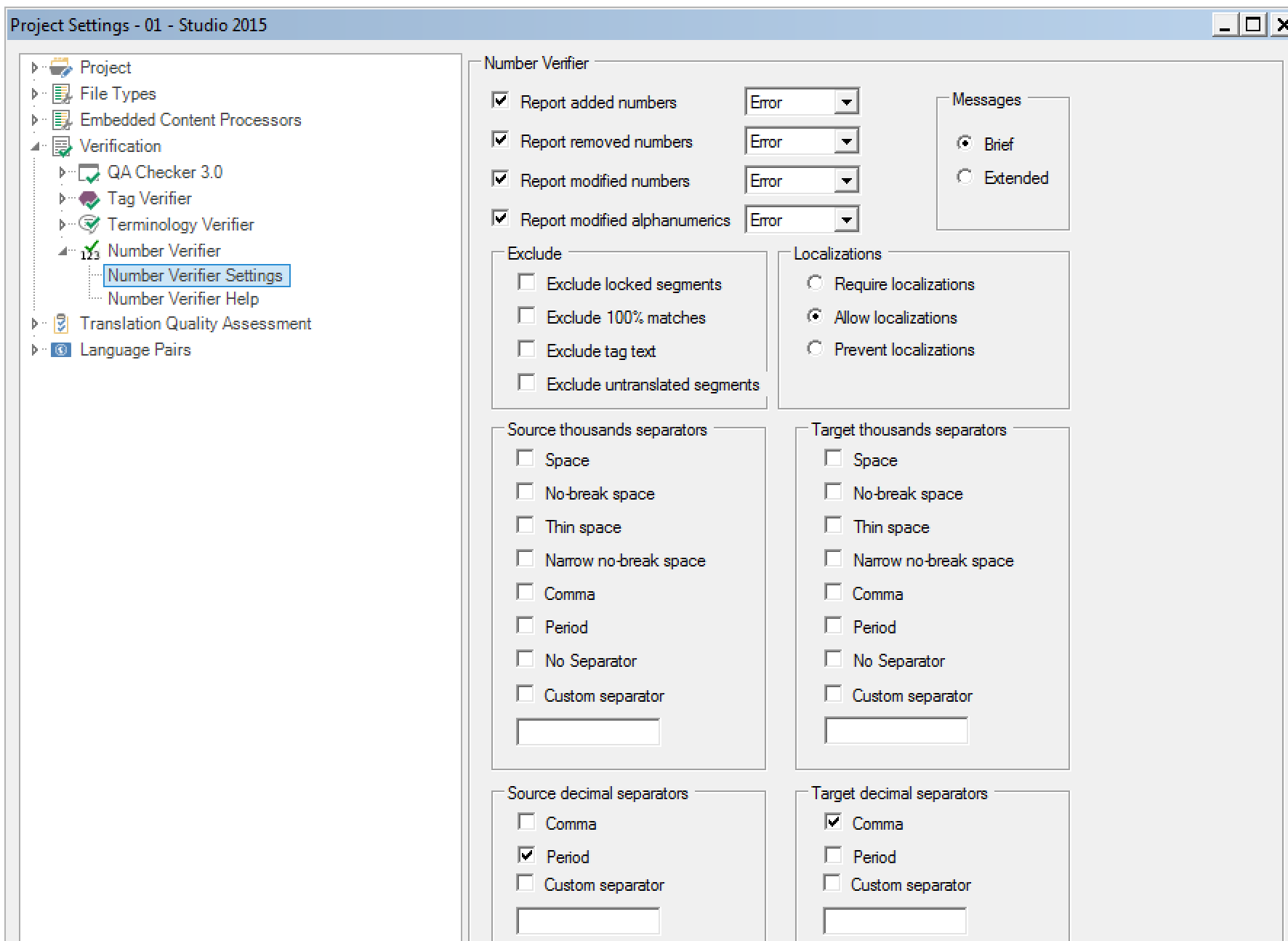
when I launch the Verify from Studio I don’t get any error message in this test I made:



I have opened a tkt to SDL support and they suggested to post a request to you.


2 - Can you confirm that to set how Number Verifier works I need to change it from File -> Options -> Verification -> Number Verifier -> Number Verifier Settings 
In this case I see the same settings each time I open Number Verifier from a project 
This means that depending on the source and target language for that specific project I need to change the settings accordingly (for example I need to change "Source thousands separators" and "Target thousands separators" in a different way project by project, language by language (it doesn't automatically recognize the languages)

3 - Is tere a chance to define a sort of setting related to the source and target language and import it when I have to deal with a multilingual project in order to avoid to set it manually?

Thanks for your help

Francesca

  • Hi Francesca,

    There is no link between the Number Verifier and the out of the box settings.  In fact most users would disable the out of the box if they are using Number verifier.

    On your example, which is a very strange test, you have no settings at all apart from decimal.  I doubt this was ever tested since we would have expected something to be setup.  You've also checked "Allow localizations" which is quite loose in what will be allowed.  And of course you added the numbers as text as opposed to them being numbers (although this probably should not matter).

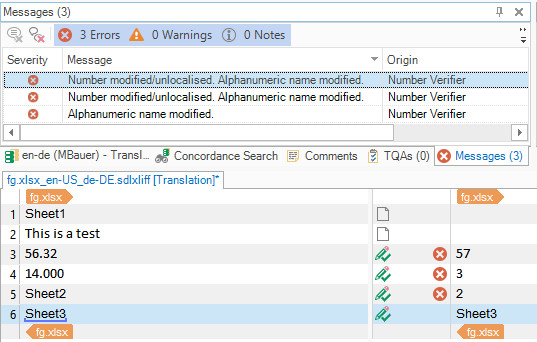
    I set up the verifier exactly the same as you did and I get this:

    You seem to have the latest version so I'm not sure what's happening for you there.  Maybe uninstall and make sure you do have the latest version 1.1.4.0

    On your last question.

    Unknown said:
    3 - Is tere a chance to define a sort of setting related to the source and target language and import it when I have to deal with a multilingual project in order to avoid to set it manually?

    I'm not sure we will do this any time soon, but I agree it's a good idea.  Why not get a developer to look at this yourself?  The source code for this app is here:

    Paul Filkin | RWS

    Design your own training!
    You've done the courses and still need to go a little further, or still not clear? 
    Tell us what you need in our Community Solutions Hub