
 Translate




With Update 3 we continue building on the foundation laid in previous releases. This update introduces version compare, an updated translation job editor, and a set of UX improvements that reflect ongoing customer feedback. We've also extended the UI Extensions framework with new capabilities.
Let me zoom in on these features in more detail.
Version compare
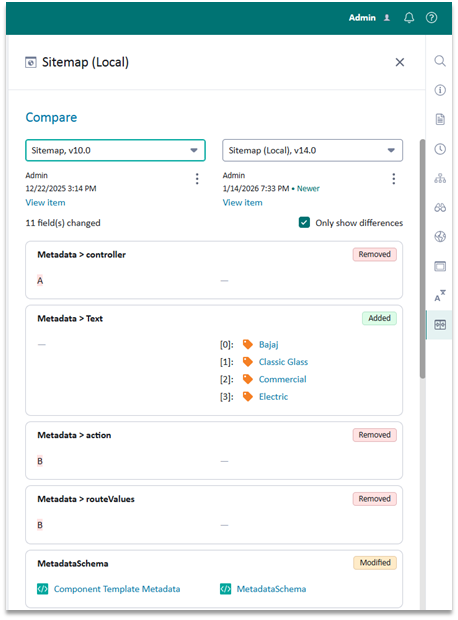
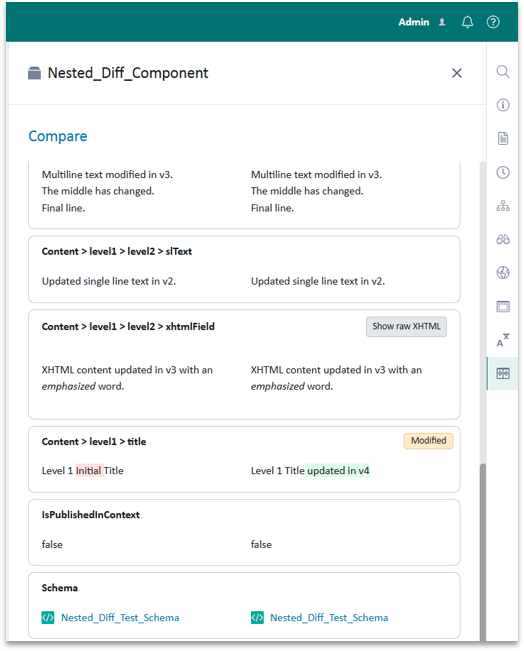
One of the headline features in this update is version compare. Editors can now compare components, pages and other items across versions and blueprint levels side by side, making it much easier to understand what changed and when.
By default, only properties and fields that differ between versions are shown, keeping the view focused and readable. For those working with rich text, there's a toggle between rendered and raw XHTML views. Item links such as components, schemas and keywords remain navigable within the comparison view, and options can be filtered by name, version or URI for quick access when many versions are available.
Version compare also supports comparison between localized organizational items, such as folders and structure groups, and their parent items. From the comparison view, you can open, roll back to, or delete a historical version directly, and we've improved performance for items containing large blocks of text.
Examples version compare
Translation job editor
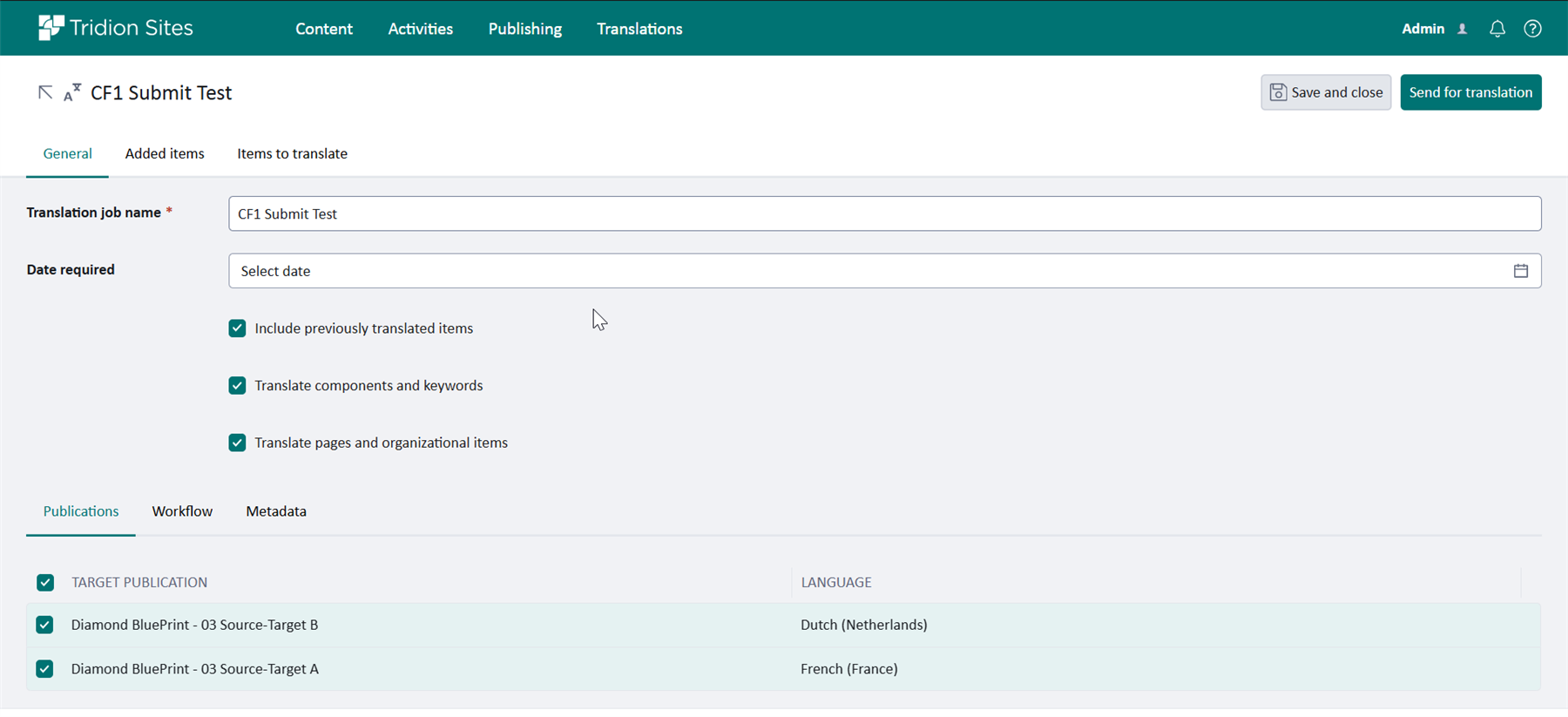
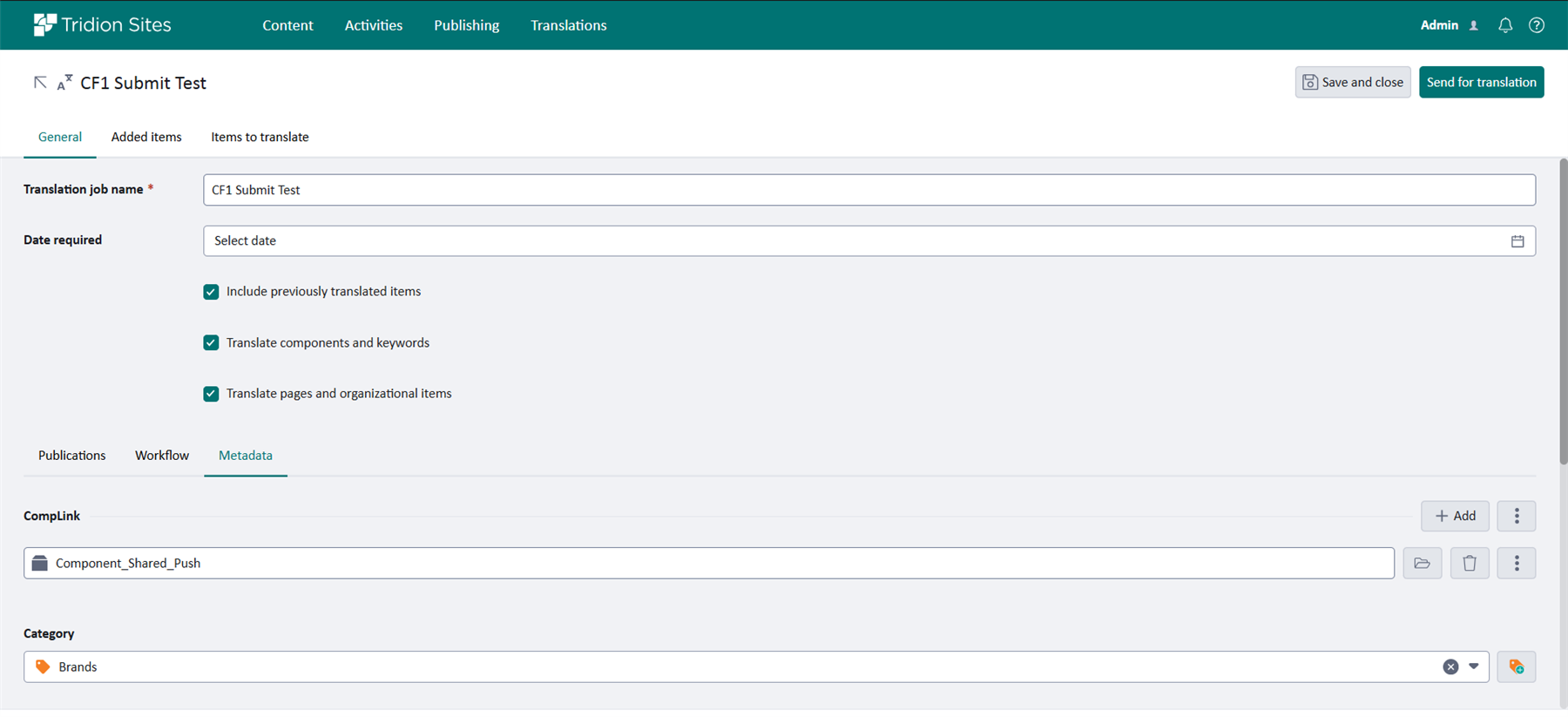
An updated Translation job editor (which can be opened in a separate tab) supporting editing of custom metadata. Instead of the popup in the previous version, it will now open the full-page editor. We added the "Items to translate" tab in the editor. This list updates dynamically in response to changes in the check boxes on the General tab.
Example Translation job editor
Example showing updated editor which enables adding metadata to translation management job
Enhancements and updates to the UI Extensions framework
Based on customer feedback, we've added two new extension points in this update. The first allows you to add, remove or reorder editor tabs. Some teams have a preferred tab order or want to hide tabs that aren't relevant to their workflow, and this is now possible through the extensions framework. The second introduces support for fully customizing multi-value fields, giving developers control over how these fields are rendered and behave in the editor. Together, these additions give customers more flexibility in shaping the editing experience for their users.
Additional improvements and updates
In this update we introduce the following enhancements and bug fixes.
- Accessibility updates: improved contrast, spacing and focus states
- UX improvements based upon customer feedback, such as:
- User-resizable keyword fields
- Localized descendants toggle: Option to show all localized descendants
- Breadcrumb navigation: Added breadcrumb, with support for navigation, to all Experience Space item editors
- Renamed 'Resolved items tab' and associated URL to "Items to translate“
- Increased space for displaying error messages in translation notifications
- Custom application setting to enable the possibility to create/update multimedia components that use external URLs
- Group membership visibility
For more information see Changes introduced in Tridion Sites 10.1 Update 3