


[Help needed] Trados Studio 2022 API Error only in Japanese: The type initializer for 'Sdl.Core.LanguageProcessing.ICU2.WordBoundaryFinder' threw an exception.

Dear  -san,

This is rkoide and we are having the exact same error in Trados Studio 2022 API that we had in Trados Studio 2021 and this error occurs only when we process a Japanese file.
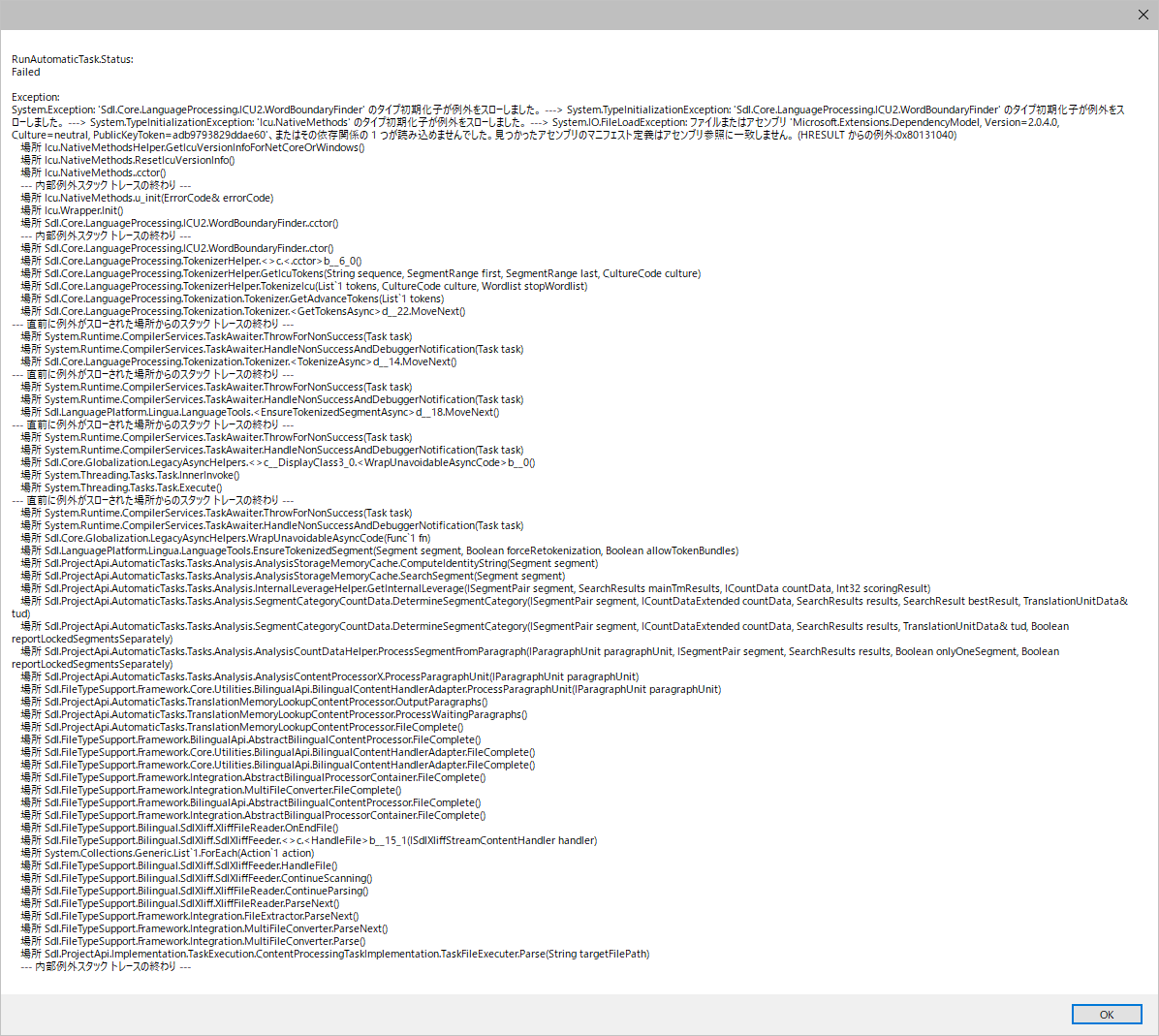
Error message in Trados Studio 2022 showing a System Initialization Exception and a File Load Exception related to ICU Word Boundary Finder when processing a Japanese file.

Back then, I sent you a sample code and you were kind enough to take a look at it and helped me solve this problem.

Would you mind if I sent you another sample code in Trados 2022 for you to take a look at it again?

Thank you.


Generated Image Alt-Text
[edited by: Trados AI at 1:41 PM (GMT 0) on 5 Mar 2024]
Parents
  • Hi , take a look here to understand all of the changes needed to ensure you are compatible with the latest release.

    let me know how it goes,

    Patrick Andrew Hartnett | Developer Experience | Team Lead | RWS Group

  • Thank you,  -san, for the webpage. Our programmer has already gone through the documentation there and is quite familiar with the latest release. That's how she got the app running. However, just like with the previous issue in Trados 2021, we're encountering the same issue with a Japanese file. I'm pretty sure that it won't take much of your time to identify the issue.

    Would it be possible for me to send you a simple sample program for review? I'd greatly appreciate it. Thank you.

  • Hi , understood, yes pls upload a sample program somewhere and send me the link phartnett@rws.com so that I can download/review.  That would help me a lot; apprecaited it (y)

    Patrick Andrew Hartnett | Developer Experience | Team Lead | RWS Group

  • Dear  -san, thank you for your consideration.
    I just sent you an email with the URL to our sample program. Thank you.

  • Hi  , thank you for providing the source code sample, it really helps on this side to speed track reproducing these issues.

    I've been able to reproduce and identify how to resolve.  You'll need to include the following assembly bindings with your project.

    Please test this & confirm; I'll then update the public documentation.

    Fullscreen
    1
    2
    3
    4
    5
    6
    7
    8
    9
    10
    11
    12
    13
    14
    15
    16
    17
    18
    19
    20
    21
    <?xml version="1.0" encoding="utf-8" ?>
    <configuration>
    <startup>
    <supportedRuntime version="v4.0" sku=".NETFramework,Version=v4.8" />
    </startup>
    <runtime>
    <NetFx40_PInvokeStackResilience enabled="1" />
    <legacyCorruptedStateExceptionsPolicy enabled="true" />
    <ThrowUnobservedTaskException enabled="true" />
    <assemblyBinding xmlns="urn:schemas-microsoft-com:asm.v1">
    <dependentAssembly>
    <assemblyIdentity name="Microsoft.Extensions.DependencyModel" publicKeyToken="adb9793829ddae60" culture="neutral" />
    <bindingRedirect oldVersion="0.0.0.0-6.0.0.0" newVersion="6.0.0.0" />
    </dependentAssembly>
    <dependentAssembly>
    <assemblyIdentity name="System.Memory" publicKeyToken="cc7b13ffcd2ddd51" culture="neutral" />
    <bindingRedirect oldVersion="0.0.0.0-4.0.1.2" newVersion="4.0.1.2" />
    </dependentAssembly>
    <dependentAssembly>
    <assemblyIdentity name="Microsoft.Data.SqlClient" publicKeyToken="23ec7fc2d6eaa4a5" culture="neutral" />
    <bindingRedirect oldVersion="0.0.0.0-5.0.0.0" newVersion="5.0.0.0" />
    XXXXXXXXXXXXXXXXXXXXXXXXXXXXXXXXXXXXXXXXXXXXXXXXXX

    Really appreciate yr support; no.1

    Patrick Andrew Hartnett | Developer Experience | Team Lead | RWS Group

  • Dear  -san, thank you for your super-quick response. We have confirmed that your solution has solved the issue.

    Thank you so much for the help this time again!

    Best regards, 

Reply Children