Translate


Hello,
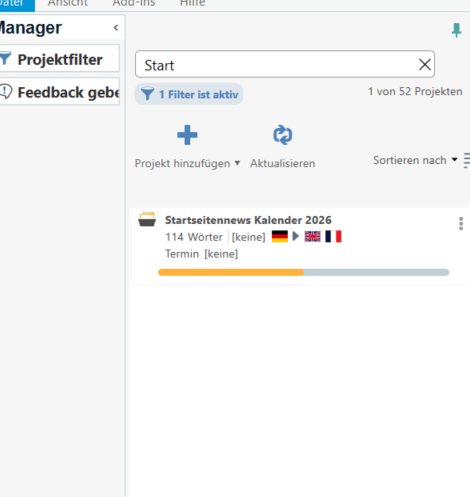
I don’t quite understand why it isn’t possible to remove a target language from a project already created. In the Manager’s view, the projects with the “missing” translation in the target language keep being displayed and it’s quite confusing, because it seems that I have forgotten the translation in the second target language, and then I notice that a translation into French, e.g., is not needed in the specific project. So, in those cases, it would be useful to be able to remove a target language, as sometimes, it is not predictable which target languages are needed at the end, and it turns out that only a translation DE-EN is required, but not into French anymore.
Thank you for considering my idea!
Kind regards,
Christin Fries