
 Translate



Hi
I've been able to install and activate one Trados 2019 licence on my laptop. However, I've installed the programme on my PC and when I try to activate it, I get the message:
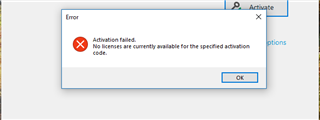
I figured this might be because I'm still running Trados 2015 on my computer and the second licence is still attached to that. However, that programme won't let me deactivate the licence. I attempted a force return last night, which was reported as successful, however now the Trados 2015 has vanished from my list of licences in my account and Trados 2015 is still showing as activated. When I try to deactivate again, I am asked to enter the 2015 activation code manually and receive this error:
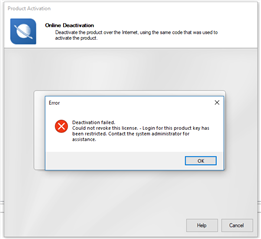
My licences list is showing as follows:

Help appreciated! :)
Generated Image Alt-Text
[edited by: RWS Community AI at 1:13 AM (GMT 0) on 15 Nov 2024]


