 Translate



Somehow I cannot start a new project from the studio
With looking through the posts in help communities
It seems my Window itself has something to do with it
I have no idea how to log a case on this except license issue.
Would someone please help?

Somehow I cannot start a new project from the studio
With looking through the posts in help communities
It seems my Window itself has something to do with it
I have no idea how to log a case on this except license issue.
Would someone please help?

Hello @희옥 박
So that we can help you- we need to know what the issue is and whether you get any error messages.
You can post any errorstacks as follows-
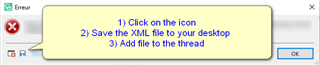
Providing screenshots also helps us to visualize what might be causing the problem.
Also please tell us what version of Studio (Help-About Trados Studio) you are running and what Windows operating system you have.
The more information you provide, the easier it is to help you.
Oana Nagy | QA Engineer | RWS Group

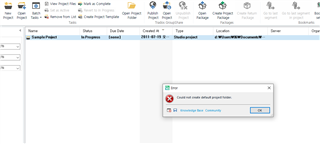
and the version of my trados is ... SDL Trados Studio 2019 Professional (Network SN)
And i am running Windows 10
Hello @희옥 박
Thank you for the screenshot.
This error appears to originate from the path which contains invalid/illegal characters
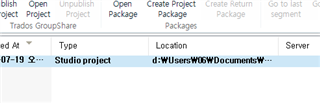
The path is also indicating the project is on the D drive and not the default C drive.
Please try to create a local project on C:/ for example
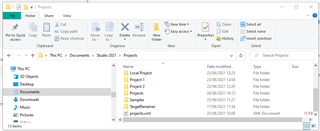
Does this help?
Oana Nagy | QA Engineer | RWS Group

Hi Steven,
Thanks for your support
But it currently hasn't resolved yet
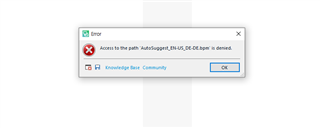
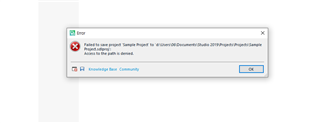
these two screenshots i uploaded after following your instruction
and tried to make a new project
Guess something from the basic setting has some irregular
Would you help me with this too? if you don't mind?
Hi Steven,
Thanks for your support
But it currently hasn't resolved yet
these two screenshots i uploaded after following your instruction
and tried to make a new project
Guess something from the basic setting has some irregular
Would you help me with this too? if you don't mind?
