SR2, can't access Deepl, can't reinstall it

Hello
after installing Trados 2021 SR2,
1 Deepl was no longer accessible.
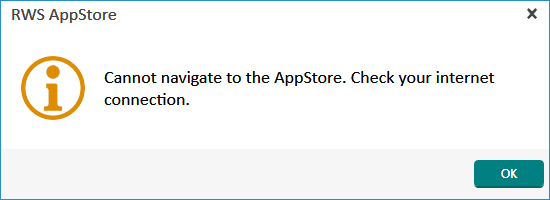
2 when trying to access the AppStore from Trados: inaccessible. "Check your internet connection". Yet I can access RWS from the browser all right.
There, the installation exe fails


It is accessible from my (fortunately kept) Trados 2019.
This is impacting various projects; I have a large job due in a week.


Thanks for help


JFD

emoji
Parents
  • Hello Oana,


    I applied 1) (repair): NOK
    I applied 2) (reset basis settings): NOK.

    In both cases, it refuses to connect to the AppStore.

    My internet connection is fine.
    My license is fine.

    ###

    The only proposed version of the DeepL api is the same. The one and only for Trados 2021, irrespective of the SR.
    I can't figure why installing SR2 bugs it .

    ###

    I've been using Studio 2019 instead since the problem appeared.


    Error message in RWS AppStore saying 'Cannot navigate to the AppStore. Check your internet connection.' with an information icon and an OK button.


    ###

    I do have access to the site of the AppStore directly from the browser.
    I log in, choose the DeepL plugin version for Trados 2021, download the exe
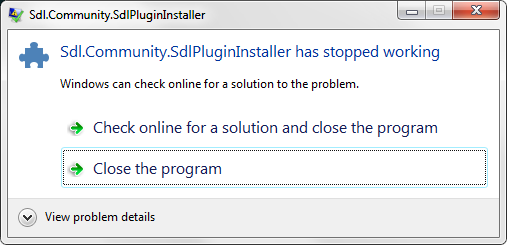
    and... the installer crashes, systematically.

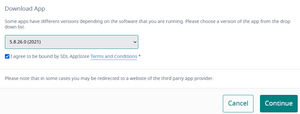
    Download App screen with a dropdown menu for selecting the version 5.18.0.0 (SR1) and a checkbox agreeing to AppStore terms and conditions.

    Error dialog box stating 'Sdl.Community.SdlPluginInstaller has stopped working' with options to check online for a solution or close the program.

    What can it be, then?

    JF

    emoji


    Generated Image Alt-Text
    [edited by: Trados AI at 1:09 PM (GMT 0) on 4 Mar 2024]
Reply
  • Hello Oana,


    I applied 1) (repair): NOK
    I applied 2) (reset basis settings): NOK.

    In both cases, it refuses to connect to the AppStore.

    My internet connection is fine.
    My license is fine.

    ###

    The only proposed version of the DeepL api is the same. The one and only for Trados 2021, irrespective of the SR.
    I can't figure why installing SR2 bugs it .

    ###

    I've been using Studio 2019 instead since the problem appeared.


    Error message in RWS AppStore saying 'Cannot navigate to the AppStore. Check your internet connection.' with an information icon and an OK button.


    ###

    I do have access to the site of the AppStore directly from the browser.
    I log in, choose the DeepL plugin version for Trados 2021, download the exe
    and... the installer crashes, systematically.

    Download App screen with a dropdown menu for selecting the version 5.18.0.0 (SR1) and a checkbox agreeing to AppStore terms and conditions.

    Error dialog box stating 'Sdl.Community.SdlPluginInstaller has stopped working' with options to check online for a solution or close the program.

    What can it be, then?

    JF

    emoji


    Generated Image Alt-Text
    [edited by: Trados AI at 1:09 PM (GMT 0) on 4 Mar 2024]
Children