OGIN ISSUE TO APP STORE https://appstore.rws.com/

Strangely I never successfully logged on to the above URL with standard web browsers like Chrome. I can easily log on to my own RWS account, but still redirected to the same "account login "screen again and again - is there any issue with website?

thanks for your help inadvance

emoji
Parents
  • We will be pleased to help you with this problem so have logged a support case on your behalf. You will be contacted at the email address used for this Community. Support Case Id : 00684764 .

    Paul Filkin | RWS

    Design your own training!
    You've done the courses and still need to go a little further, or still not clear? 
    Tell us what you need in our Community Solutions Hub

    emoji
  • Hi Paul,

    Many thanks for the support ticket, but I need to explain more details (sorry about this, I was a bit in rush because file format support suddenly changed on the date of promised delivery).

    The license issue is related to subtitle app available on Appstore.

    I went to Appstore to download the subtitling app,

    because the native .srt file format support on Studio suddenly no longer worked - I really do not understand this, it was certainly working a few days ago,

    until I switched to Trados Studio 2022, both 2021 and 2022 no longer supported .srt format).

    I thought I should try subtitling app instead of native support, 

    pulldown of the app store told me "you do not have Studio 2022 license, so you can't download this app"

    - my issue started after upgrading to and installing Studio 2022, so it is not likely I do not have 2022 license. 

    In any case, it is not installation issue of Studio 2022 itself, it is about license recognition of Studio 2022 on Appstore - Am I still entitled to use the support ticket? 

    emoji
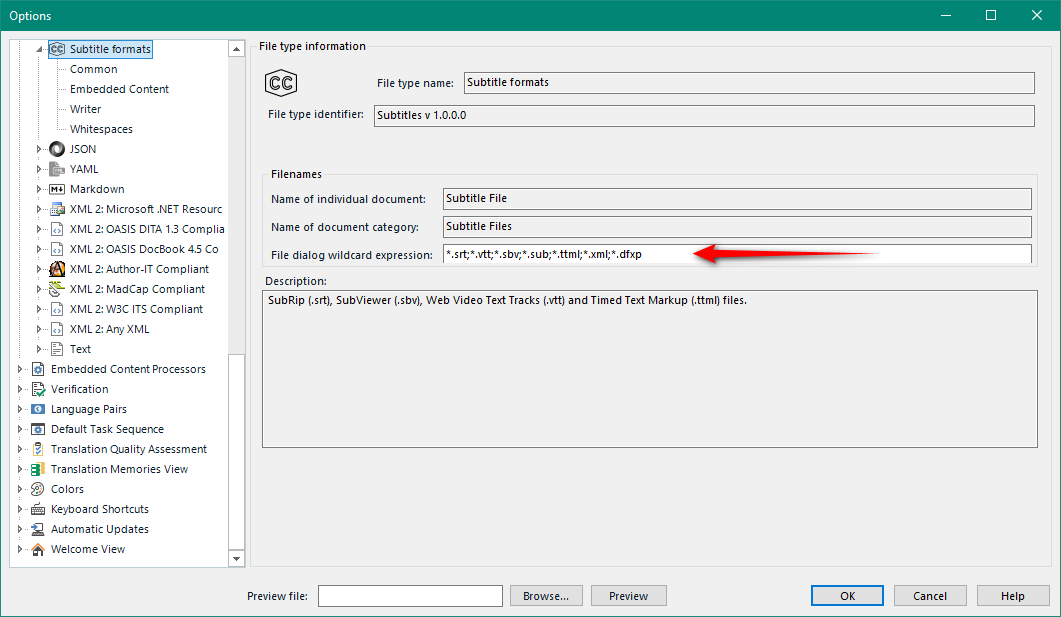
  • ok - in this case you do not have a problem really. The SRT filetype on the appstore is for 2019 only.  It will not work in 2021 or 2022.  The reason is because 2021 and 2022 support SRT out of the box using this filetype:

    Trados Studio options window showing Subtitle formats with a file dialog wildcard expression listing supported file types including srt, vtt, sbv, sub, ttml, xml, and dfxp.

    This one filetype supports many formats and they all work with the subtitling app which you still get from the appstore.

    In any case, it is not installation issue of Studio 2022 itself, it is about license recognition of Studio 2022 on Appstore

    You don't have 2019... this is why you get the message.

    Paul Filkin | RWS

    Design your own training!
    You've done the courses and still need to go a little further, or still not clear? 
    Tell us what you need in our Community Solutions Hub

    emoji


    Generated Image Alt-Text
    [edited by: Trados AI at 1:25 PM (GMT 0) on 4 Mar 2024]
  • Hi Paul,

    thank you so much, in my understanding, both 2021 and 2022 has native support  of .srt format ,

    In reality it did not and this is why I am asking.

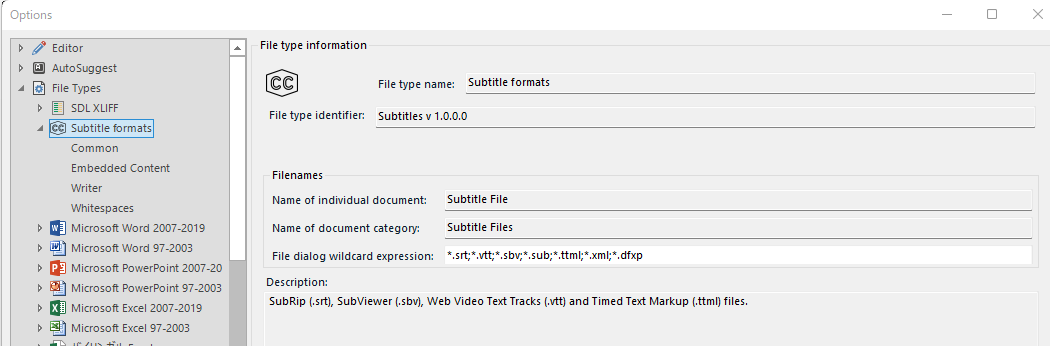
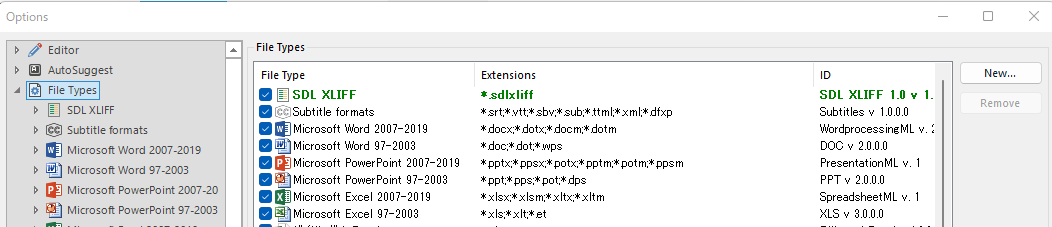
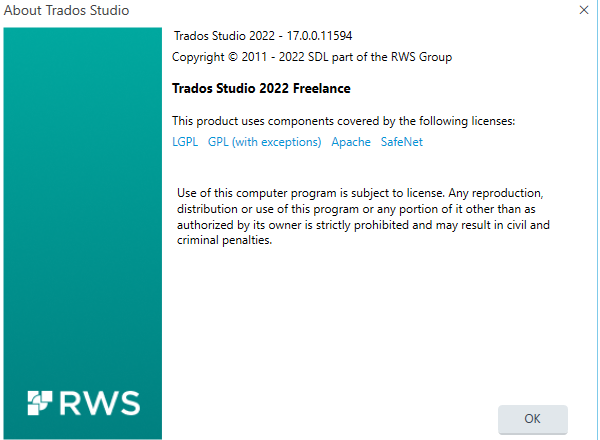
    Please find attached screenshot from 2022 "options" screen

    - I checked this more than ten times today so far,

    and this setting does NOT recognize.srt.

    If it does not, I have no idea than using subtitling app,

    I really do not understand because it was working before I installed 2022 yesterday.,

    Screenshot of Trados Studio 2022 options screen showing 'Subtitle formats' under 'File Types' with file type name and identifier, supporting .srt format.Screenshot of Trados Studio 2022 options screen displaying a list of file types including 'Subtitle formats' with extensions such as .srt, .vtt, .sbv, .sub, .ttml, .xml, .dfxp.Screenshot of Trados Studio 2022 'About' dialog box showing version 17.0.0.11594 and copyright information, indicating it is the Freelance edition.

    emoji


    Generated Image Alt-Text
    [edited by: Trados AI at 1:25 PM (GMT 0) on 4 Mar 2024]
Reply Children