
 Translate



Hello everybody,
Unfortunately, I got a problem with my Trados Studio 2021.
I am currently working on a very big Groupshare file. In the beginning I did NOT have this problem, it only occurred now that I am halfway through the file. Every time I want to safe the file it shows me this message:
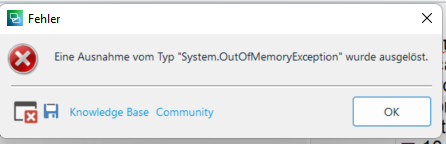
I looked it up and I know that this message is actually about too little RAM. But the thing is that there is actually NOT a problem with the RAM, but with the CPU! As you can see on this screenshot:

The laptop I got Trados installed on has a RAM of 16 GB and it will not let me safe the file even if I have no other program running other than Trados.
Every time I try to safe the CPU goes up to 100 % and then when it can't go higher Trados shows me the error message. The program doesn't crash though, it just won't safe. But I don't want to close the program because probably all new changes since the last saving will be gone then - as also the automatic saving doesn't work. When I just go on working without saving, the program wants to safe from time to time as usual. But now it then always also shows that message.
I really hope anybody can help me with this.
Thank you already in advance for all of your support!
Best regards
Verena Horter
Generated Image Alt-Text
[edited by: RWS Community AI at 12:00 AM (GMT 0) on 15 Nov 2024]

