 Translate



I am working with a Windows 7 machine and I cannot activate the licence of Trados Studio 2022. It keeps saying that there is not connection. I activated also the firewalls of the program but I did not solve the problem.


I am working with a Windows 7 machine and I cannot activate the licence of Trados Studio 2022. It keeps saying that there is not connection. I activated also the firewalls of the program but I did not solve the problem.
Hello Elsa Gabrieli
Please note that Windows 7 is not a supported operating system anymore so the best thing to do is to upgrade it to Windows 10 or 11.
Can you send a screenshot with the error message you get when trying to activate the license? Maybe we can do something to help even on Windows 7.
Thank you,
Sorin

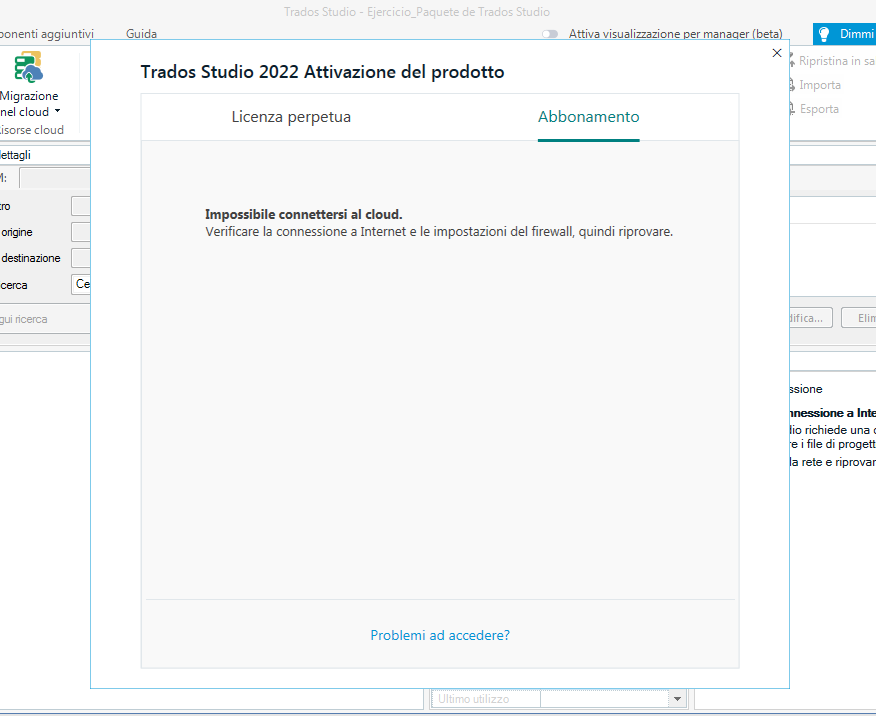
Thank you Sorin for answering! Here is the screenshot of the windows. As I said before, it says that is impossible to find a connection and that firewall settings should be checked. There I should be finding the access to the licence offered by my university. I will use Trados only these months for a university course and I would be very grateful if there were another way to use it that is not buying a new computer or damaging this one with a new system.
Thanks for your help!
Elsa
Hello Elsa Gabrieli
Please try the solution from this article: https://gateway.rws.com/csm?id=kb_article_view&sysparm_article=KB0034859
Thank you,
Sorin

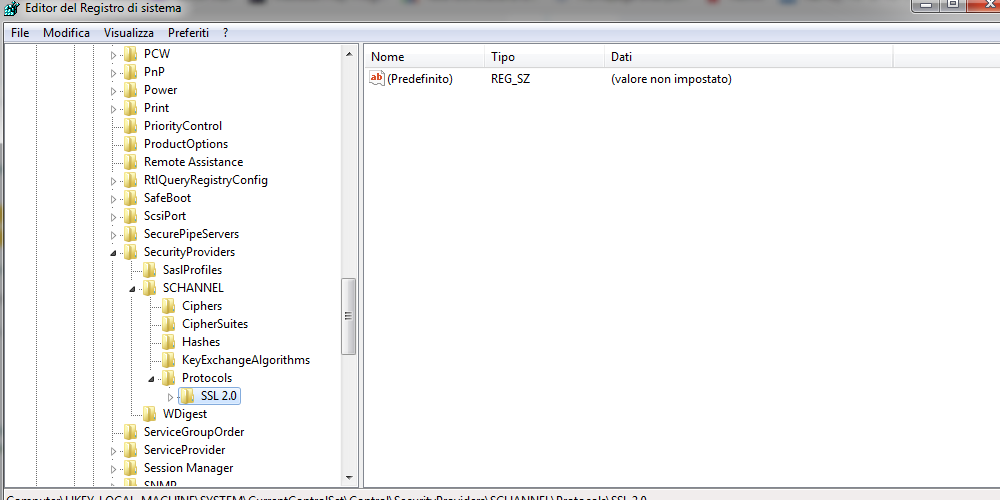
I followed the steps you suggested but it didn't work. As you can see in the screenshot, in the Registry editor I have another protocol and also deleting it, nothing has changed.
Elsa

Hello Elsa Gabrieli
Can you also try the contents of this article: gateway.sdl.com/.../communityknowledge and check if you can activate Studio?
If the error message still occurs in the notification box "no internet connection" it`s just a visual notification and the cloud integration should not be affected.
If you are still not able to activate Studio 2022 on Windows 7, please have in mind to upgrade it to Windows 10 or 11
Thank you,
Dorin
Hello!
Thank you for helping me! It works!
Thank you,
Elsa