


Cloub subscription window not available

Hi,

I've subscribed to the freelance edition L1 subscription, and have access to the cloud. However, when I try to log in on my desktop software, the window is empty.
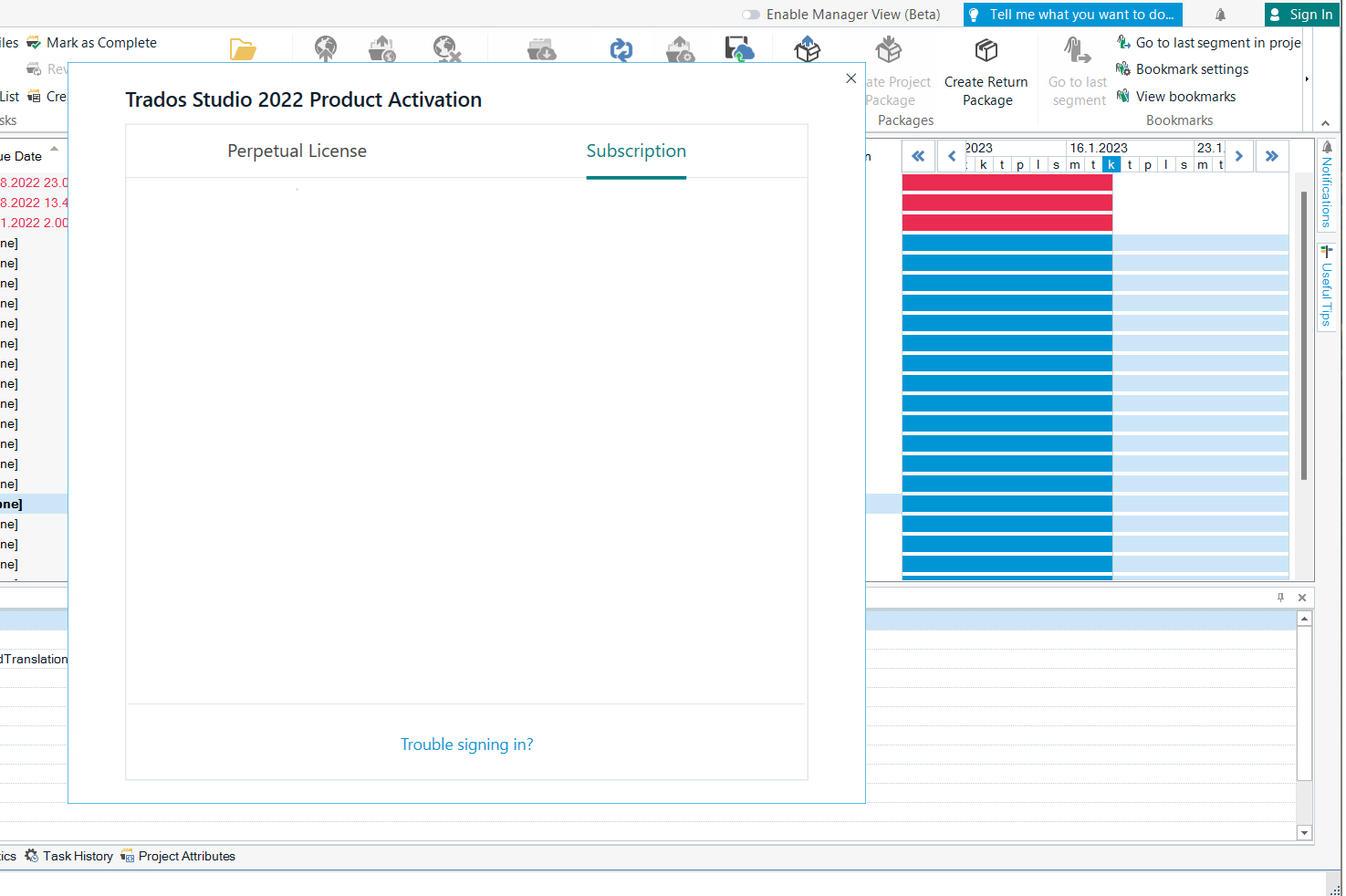
Trados Studio 2022 Product Activation window showing two tabs: Perpetual License and Subscription. The Subscription tab is open but the content is blank with no login option visible.

As you can see, there isn't even an option to log in at all.

I'm using the latest Trados 2022 with Win 11, previous license Starter.

So far I have:

- Removed and reinstalled the software

- Deactivated my old Starter version, tried to log in again, and activated Starter again. Nothing.

- Restarted my PC and the software

- Made sure the software is not restricted by Norton 360 firewall

- Tried signing in from the upper right button

- Been in contact with the client support chat, but it's useless

- In the end, I even turned off my antivirus and resetted Trados according to https://gateway.rws.com/csm?id=kb_article_view&sysparm_article=KB0033669

So at this point I'm open to all suggestions.

best

Tuomas


Generated Image Alt-Text
[edited by: Trados AI at 1:52 PM (GMT 0) on 4 Mar 2024]

emoji
Parents Reply
  • Hi Ana,

    this support case was closed without resolving the issue. I received an e-mail stating that I can't reply to the support answer. Do you really want me to open an identical support case again, or can we discuss the problem?

    Your support renewed our Started license and asked to try again, nothing.

    We’ve tried activating the subscription again, but the problem persist. Please refer to the image attached. It seems that the Trados 2022 version we’re using is completely missing the log in function, which to me can only mean a bug in the software.

    Frankly I don’t see how the started license would matter, since the new subscription should be unrelated. And connected to our account rather than the previous license. Am I correct?

    best

    Tuomas

    emoji
Children

