Translate



I need to deactivate my Studio on my desktop so I can activate my Studio on my laptop when I am traveling.
Problem 1: I am unable to deactivate online because my Studio 'Could not establish SSL/TLS secure channel'. This has been a persistent problem over the past two years, and I was told to deactivate offline. The off-line deactivation process (clicking on the link on my account page) used to work, but dear Lord is it slow.
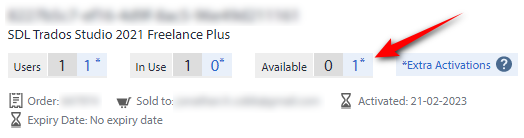
Problem 2: I am now unable to deactivate off-line, because I get a message 'An error has occurred'. I understand from the Knowledge base that I can "reset" my license, but there is no button to reset this for my Studio 2021 -- only for my inactive Studio 2011.
I first tried the above steps to deactivate last night, in preparation for my business trip this morning. Having run into the two problems above, I figured that SDL/RWS were having server problems, so decided to wait until this morning, but unfortunately I am still having the exact same problems.
I hope this message reaches someone at SDL/RWS - Can anyone help me to fix Problem 2, and hopefully also Problem 1?
Many thanks in advance, Jonathan