
 Translate



Hi SDL Trados Support,
I am moving Trados from my old laptop to a new one, so my first step is to Deactivate my licence from my old computer.
I have followed the Wizard for Online Deactivation and the below message is displayed. I have a strong internet connection.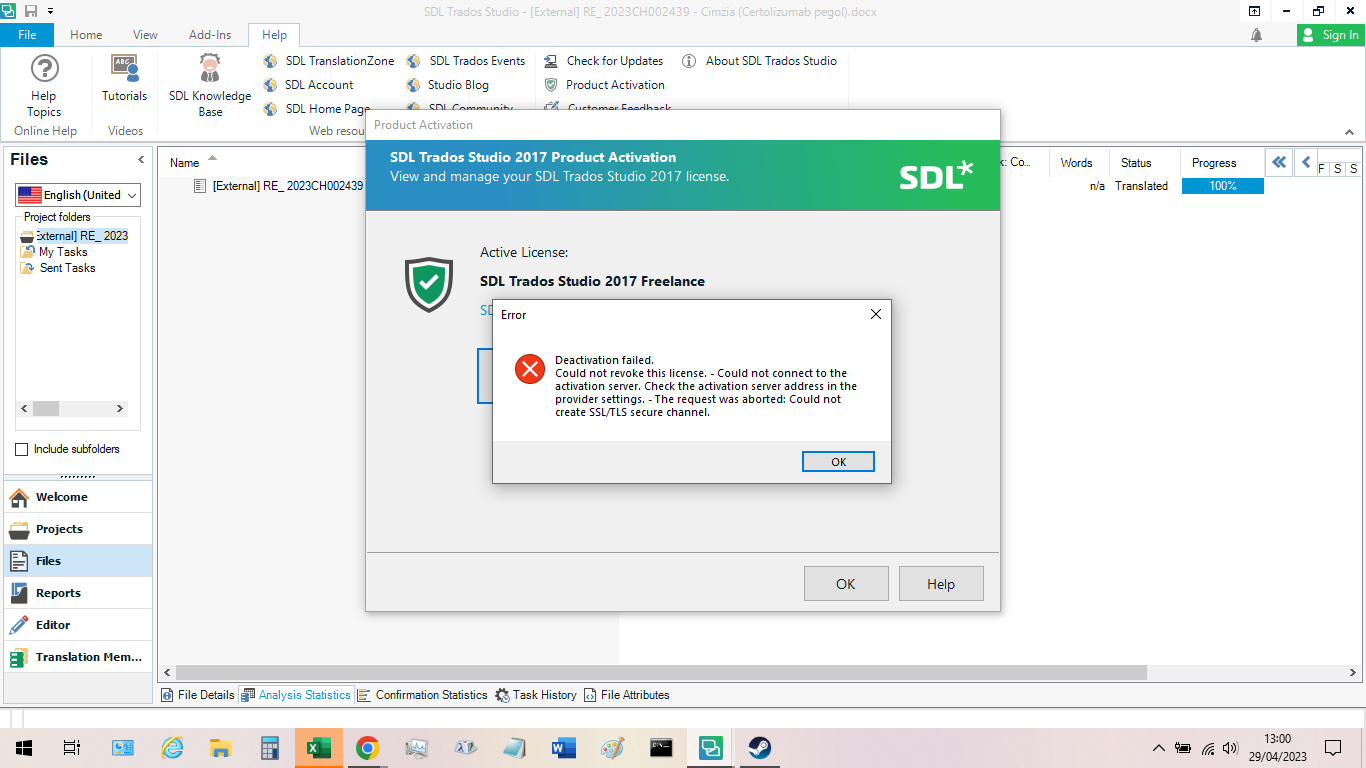
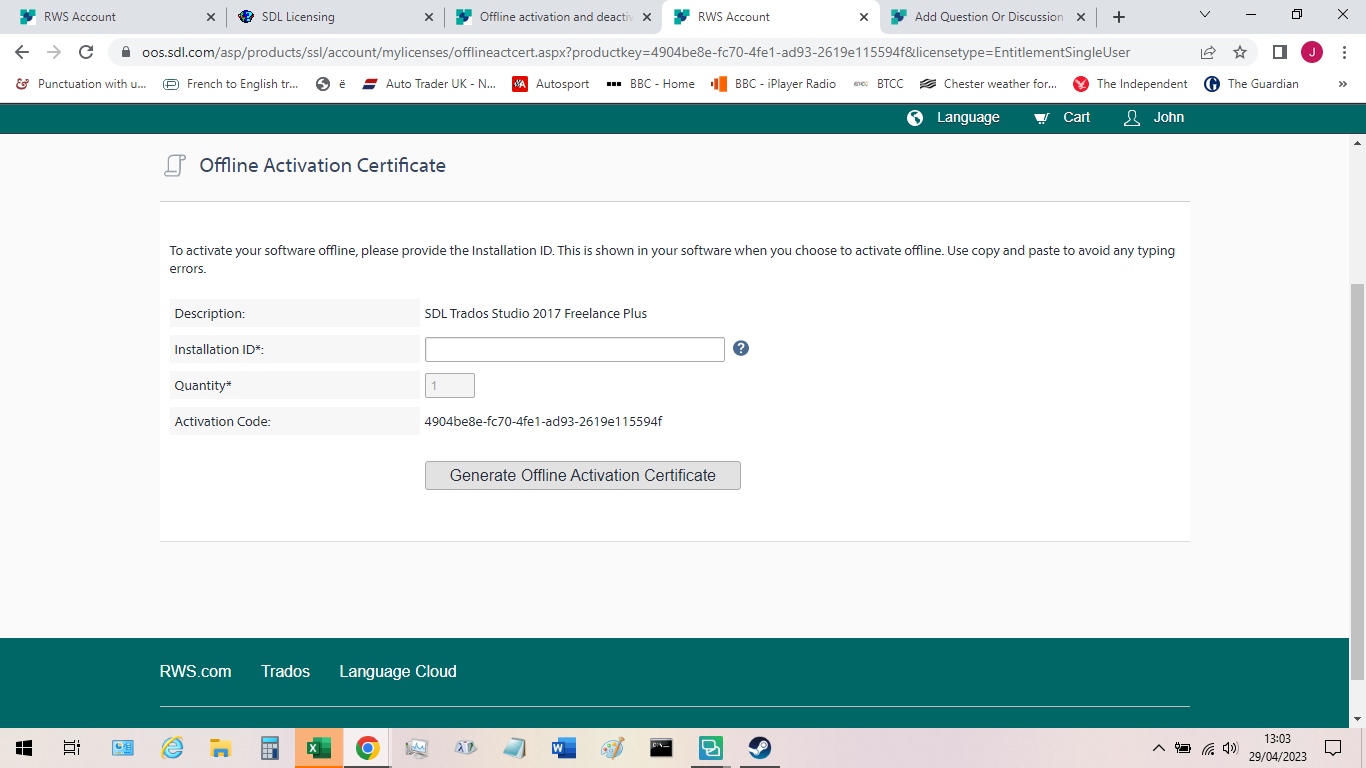
To bypass this, I am asked to Deactivate Offline. I have followed the steps for this via My Licenses in my RWS Account, until I reach the screen below asking me for my Installation ID. Since I activated my product back in 2017, I no longer have this Installation ID. Please can you show my where this Installation is available, as I cannot locate it in my RWS SDL account.
Thanks!
John
Generated Image Alt-Text
[edited by: RWS Community AI at 10:58 PM (GMT 0) on 14 Nov 2024]


