 Translate



Hallo everybody,
I have a Trados Professional Network license. Recently I had to reset a PC and now I have to istall Trados again on that PC (which is not the server).
Can you kindly remind me the procedure?
Thanks,
Serena Valentino


Hallo everybody,
I have a Trados Professional Network license. Recently I had to reset a PC and now I have to istall Trados again on that PC (which is not the server).
Can you kindly remind me the procedure?
Thanks,
Serena Valentino
Hello Serena Valentino
You can download and install Studio from this link: https://downloadcentercdn.sdl.com/TP/Trados/T2021/CUs/SR2_CU12/TradosStudio2021_SR2_CU12_9338.zip
After Studio is installed, lick on Activate > Alternative activation options > Use a license server > type the server name where the license is activated> click "Activate".
Thank you,
Sorin
Hi Sorin,
I thank you for your kind reply.
I followed the procedure that you kindly suggested, but when I tried to open the programme an error message appeared (unfortunaely I didn't screenshot it, but it was about the ProgetManagement of projects, something like that...). I followed the procedure suggested in the community issues to solve this problem, that means that I delated the Project.xml file which was in the Project folder.
Than I restarted the PC and tried to open Trados again but this time I got this error message:
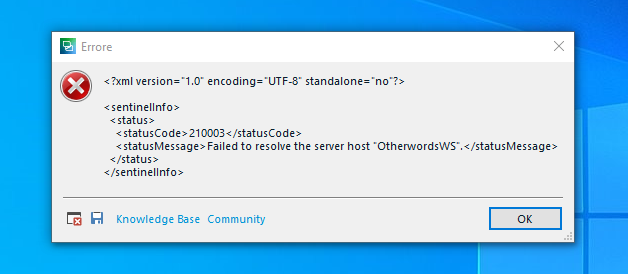
Do you think I should recover the xml file? Can you hepl me?
Thanks again for your precious support.
Best,
Serena

Hello Serena Valentino
I don`t think that the issue is caused by the projects.xml file so if you can, recover it from Recycle bin.
In this case I think that the issue is caused by an outdated version of License Manager installed on the server. Please download and install this version (it is not necessary to uninstall the previous one or to deactivate / reactivate the license): https://downloadcentercdn.sdl.com/tp/Trados/T2022/Licensing/SR2_CU10/LicenseServerManager17.0.134.exe
More details in this article: https://gateway.sdl.com/apex/communityknowledge?articleName=000018693
Thank you,
Sorin
Hi again Soris,
thanks for your quick reply.
I installed the new licence manager on the server, than restored the project.xml file and tried to open the software again, but I got the same error message that I got at the beginning, which is:
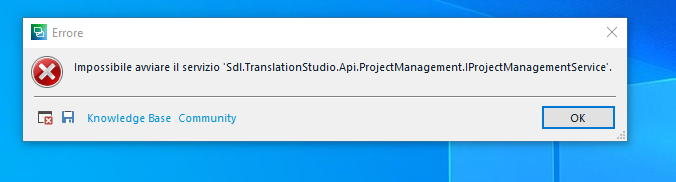
Can you help me wth this?
Thanks again,
Serena
Hello Serena Valentino
In this case try to rename the projects.xml file to old_projects.xml. If it works then just reopen the projects in Studio.
Thank you,
Sorin
Hi Sorin,
sorry to bother you again, I renamed the file and tried again, but this time I got the other error message:
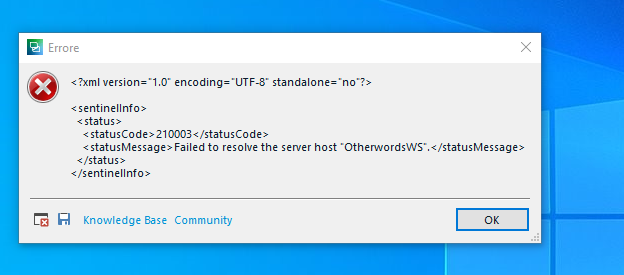
Any idea?
Thanks,
Serena Valentino We will be pleased to help you with this problem so have logged a support case on your behalf. We do prioritise customers who have a support contract so please keep in mind it could take up to 48 hours, especially over a weekend, but rest assured we will contact you as soon as we can. You will be contacted at the email address used for this Community. Support Case Id : 00809341 .

Ok Sorin,
I thank you for your kind collaboration and your help so far.
Best regards,
