Problem with Trados Studio 2022

Former Member
Former Member

Hello, my name is Andrii Nikisha, I am a student of the Central Ukrainian State University Volodymyr Vynnychenko, Kropyvnytskyi, Ukraine, I have a problem with the Trados Studio 2022 program, that is, I downloaded and installed it on my laptop, I am using Windows software, but the program itself does not want to start, I would like to know what it could be, thank you.
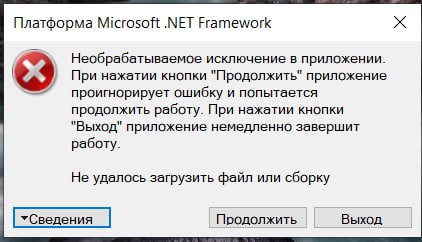
Error dialog from Microsoft .NET Framework with a red cross icon, indicating an unhandled exception in the application. Options to view details, continue, or exit are provided.

Microsoft .NET Framework
X
Unhandled exception in the application.
When you click Continue, the application
will ignore the error and
try to continue. Clicking the Exit
button will immediately exit the
application.
Failed to load file or assembly
▼Information
Continue
Exit
X


Generated Image Alt-Text
[edited by: RWS Community AI at 10:24 PM (GMT 0) on 14 Nov 2024]

emoji
Parents Reply
  • Former Member
    0 Former Member in reply to Elisa Maxim

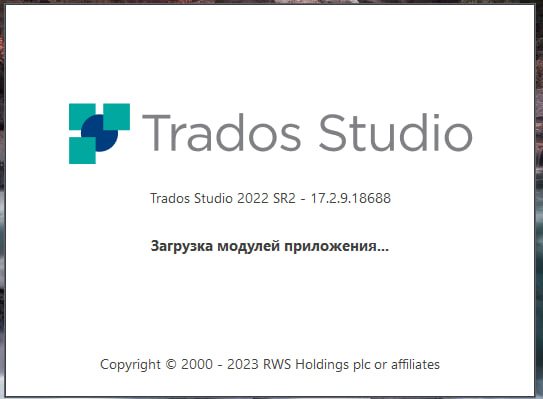
    Hello, I am having trouble with Trados Studio 2022. I downloaded and installed it on my Windows laptop, but the program does not start. I received a letter from your technical support with a few workarounds to fix it. However, the only change I noticed is that I now see a loading screen that says 'loading plugins,' but then it disappears and nothing happens. Do you have any suggestions for what might be causing this issue? Thank you. Trados Studio 2022 loading screen with version number 17.2.9.18688 and a message in Russian that translates to 'loading application modules'.

    emoji


    Generated Image Alt-Text
    [edited by: Trados AI at 6:27 AM (GMT 0) on 26 Feb 2024]
Children