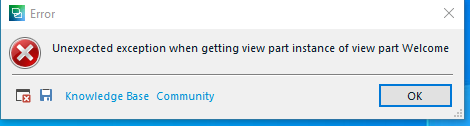
Error when opening Trados Studio 2021

Hello!

This afternoon when opening Trados to work on a new proyect, I got the message attached. Then I got message No. 2 also attached.  I unistalled and reinstalled the app, but the two messages keep popping up.  HELP!

Regards,

Isabel
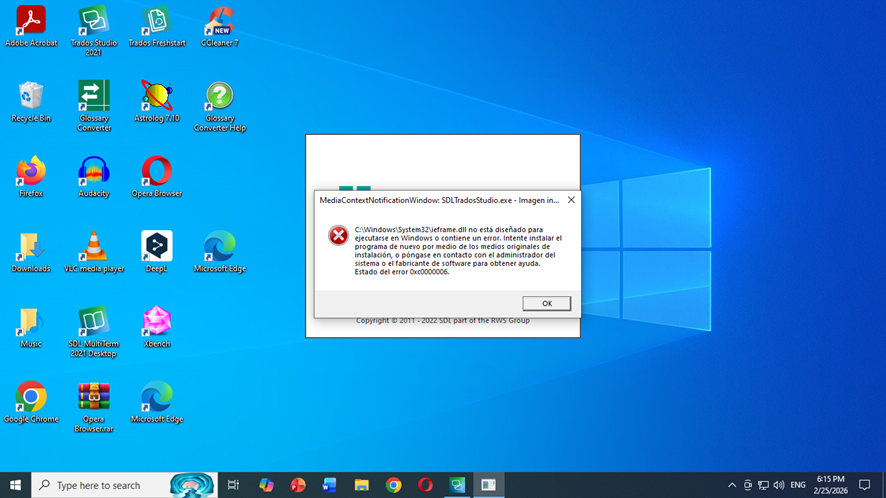
A Windows desktop with an error message in Spanish stating that SDLTradosStudio.exe is not designed to run on Windows or contains an error, with error code 0xc0000006.

A pop-up error message stating 'Unexpected exception when getting view part instance of view part Welcome' with options for Knowledge Base, Community, and an OK button.


Generated Image Alt-Text
[edited by: RWS Community AI at 12:13 AM (GMT 0) on 26 Feb 2026]

emoji
Parents Reply Children
  • Hi again!  I still CANNOT open Trados.  I was able to solve the following error: 

    C:\Windows\System32\ieframe.dll no está diseñado para ejecutarse en Windows o contiene un error. Intente instalar el programa de nuevo o póngase en contacto con el administrador del Sistema o el fabricante de software para obtener ayuda. Estado del error 0xc0000006.

    However, although I unistalled and reinstalled Trados I get the following error: 

    Unexpected exception when getting view part instance of view part Welcome

    After this message appears, Trados shuts down.

    I will try resetting Trados (again).  

    My case is being analyzed by the RWS Comunity under number CS0041386.

    I am missing out on on projects because I cannt open Tados, let alone download projects and work on them.

    Please HELP me!

    Regards,

    Isabel

    emoji