
 Translate



Hi!
We are using a license server for our Trados Studio and since last week I've been unable to retrieve a license on my computer. The other users of the license server have no problems retrieving one.
The only error I get is this:
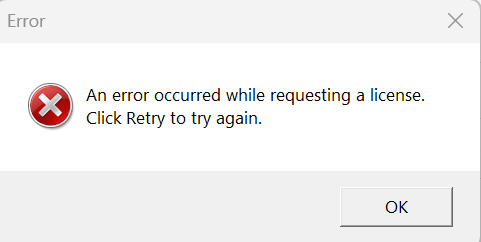
I have Trados Studio 2021 SR2, 16.2.8.9097.
I've tried the following and none of them have helped.
- I've removed and then reinstalled Trados several times.
- We tried removing Trados using Revo Uninstaller that removes every related file.
- I've tried installing other Trados versions (2017, 2022, 2024) so the problem seems to be global.
- I downloaded a Windows registry changing file from one of the forum topics that updated and added entries to the registry.
- I've changed the registry manually.
- I've tried to open the program in Windows compatibility mode.
- We checked my network and there didn't seem to be any problems.
- I've tried using a different network.
- I've added inbound and outbound rules for port 5093 in the Windows Defender Firewall.
- We have restarted the license server computer.
- We have updated our license server.
We're using LicenseServerManager 18.0.79 and I'm using Windows 11.
Is there anything else I can do? Thank you in advance.
Generated Image Alt-Text
[edited by: RWS Community AI at 11:20 AM (GMT 0) on 17 Mar 2026]


