Bug after latest update SDL Trados Studio 2021 SR1 - 16.1.3.4096

To start with, I'm using the desktop version on a MacBook Pro, on Windows via Parallels software.

Problems after updating to SDL Trados Studio 2021 SR1 - 16.1.3.4096:

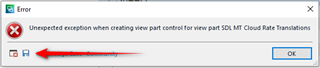
I'm repeatedly (but not always) receiving the following error message when launching a file for translation or review.
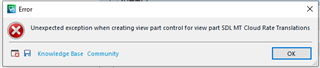
Everytime I start working after this error message, there are parts of the interface that don't work properly, e.g.

  • the "complete review "button is not present
  • unable to confirm a change in a translation (choice not present after right click and no change of confirmation status after confirming with shortcut. Yet when closing, saving and reopening, all changes have been taken into account.  
Parents
  • This seems to be due to the SDL MT Cloud plugin.  It was updated twice in quick succession so please can you make sure you have the latest version?  If you do then it could also be a problem related to CU3 that was released today as we have not tested any of the plugins against this release.

    First it's worth doing a View -> Reset Window Layout when the file is open in the editor. Then as a final catch all try this.  Remove the plugin and reset Studio, then reinstall through the appstore integration in Studio.  

    You could use this app for the reset and this will also explain what you will lose by carrying out a reset before you do it:

    appstore.sdl.com/.../

    But if you'd rather do this manually then rename this folder (just add _old to the end or something, it's not important what you rename it to) and restart Studio:

    c:\Users\[USERNAME]\AppData\Roaming\SDL\SDL Trados Studio\Studio16

    So the path would become this:

    c:\Users\[USERNAME]\AppData\Roaming\SDL\SDL Trados Studio\Studio16_old

    If you can't find this folder then you need to unhide your hidden files/folders:

    www.howtogeek.com/.../

    If that doesn't help please save the full error report and attach it here so we can review the details.

    And of course remove the plugin so you can work without errors.  Just use the out of the box Language Cloud MT... unless you were using custom engines perhaps or a different login mechanism?

    Paul Filkin | RWS Group

    ________________________
    Design your own training!

    You've done the courses and still need to go a little further, or still not clear? 
    Tell us what you need in our Community Solutions Hub

  • Hi Paul, 

    Thank you for your help. This is the situation now:

    1. Resetting Window Layout from within the programme doesn't work, because the program freezes, there were it bugs (in the editor view). You have to force quit it via the Windows task manager. (FYI: I'm using Windows via Parallels on MacOS Catalina)

    2. The manual resetting is resolving the problem, but only temporarily.

    3. I.e, the programme bugs again, as soon as starting a review (in the meanwhile, I'm reviewing in the translation mode, that seems to be working all right)

Reply Children
  • 2. The manual resetting is resolving the problem, but only temporarily.

    3. I.e, the programme bugs again, as soon as starting a review (in the meanwhile, I'm reviewing in the translation mode, that seems to be working all right)

    I think I'd investigate any security software I had running that might be interfering with Studio.  If this keeps reoccurring then something on your system is conflicting with Studio.  Try turning off anything you have like backup software, anti-virus software, clean up utilities etc. and see if the problem continues.

    Did you make sure you have the latest version of the plugin or have you removed it altogether?  Is this problem occurring without the plugin installed?

    Paul Filkin | RWS Group

    ________________________
    Design your own training!

    You've done the courses and still need to go a little further, or still not clear? 
    Tell us what you need in our Community Solutions Hub