
 Translate



Hi there,
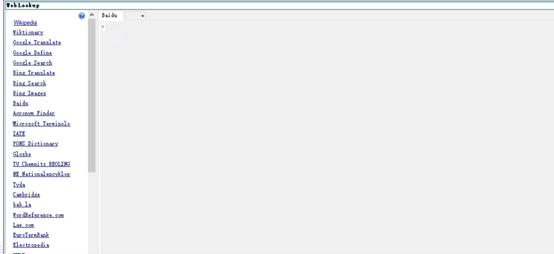
A customer tried web lookup feature in Trados Studio 2022 (latest version), but only gray page shows no matter what website is chosen. What is the possible cause and the solution to solve it? Thank you!

Hi there,
A customer tried web lookup feature in Trados Studio 2022 (latest version), but only gray page shows no matter what website is chosen. What is the possible cause and the solution to solve it? Thank you!
Hi Jack Li
I tested this using Trados Studio 2022 SR1 - 17.1.8.17828 and plugin version <Version>3.22.1.0</Version>
It worked error free for me. That said I dont have IE installed as a browser. Could you try make a different browser as your default - such as Microsoft / FireFox?
Lyds
Lydia Simplicio | RWS Group
_______
Design your own training!
You've done the courses and still need to go a little further, or still not clear?
Tell us what you need in our Community Solutions Hub

Hi Lydia Simplicio ,
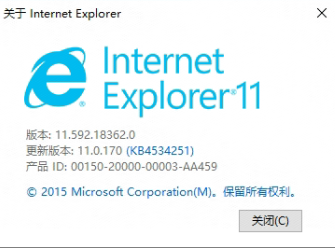
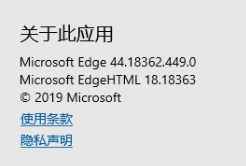
Sorry for late reply. The customer is using Microsoft edge as the default browser, but it doesnot work. Is it possible that some urls should be added to the whitelist? The websites are accessible through the browser.
Lydia Simplicio To update the environment, they have encryption software but provided the permission to Trados Studio. Every uppacked files of Web Lookup were renamed with suffix .ipgsd. I tried rename them back, but web lookup still doesn't work and a new IPGSD file is created as below. 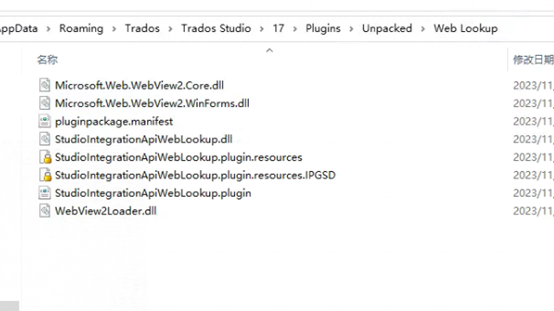

Lydia Simplicio To update the environment, they have encryption software but provided the permission to Trados Studio. Every uppacked files of Web Lookup were renamed with suffix .ipgsd. I tried rename them back, but web lookup still doesn't work and a new IPGSD file is created as below.
