
 Translate



Hi all,
I'm trying to compare the translated and edited files for a project in Trados Studio 2022 using Post-Edit Compare. However, Post-Edit Compare is not showing any segments as changed in the actual report despite initially showing that the file was changed:

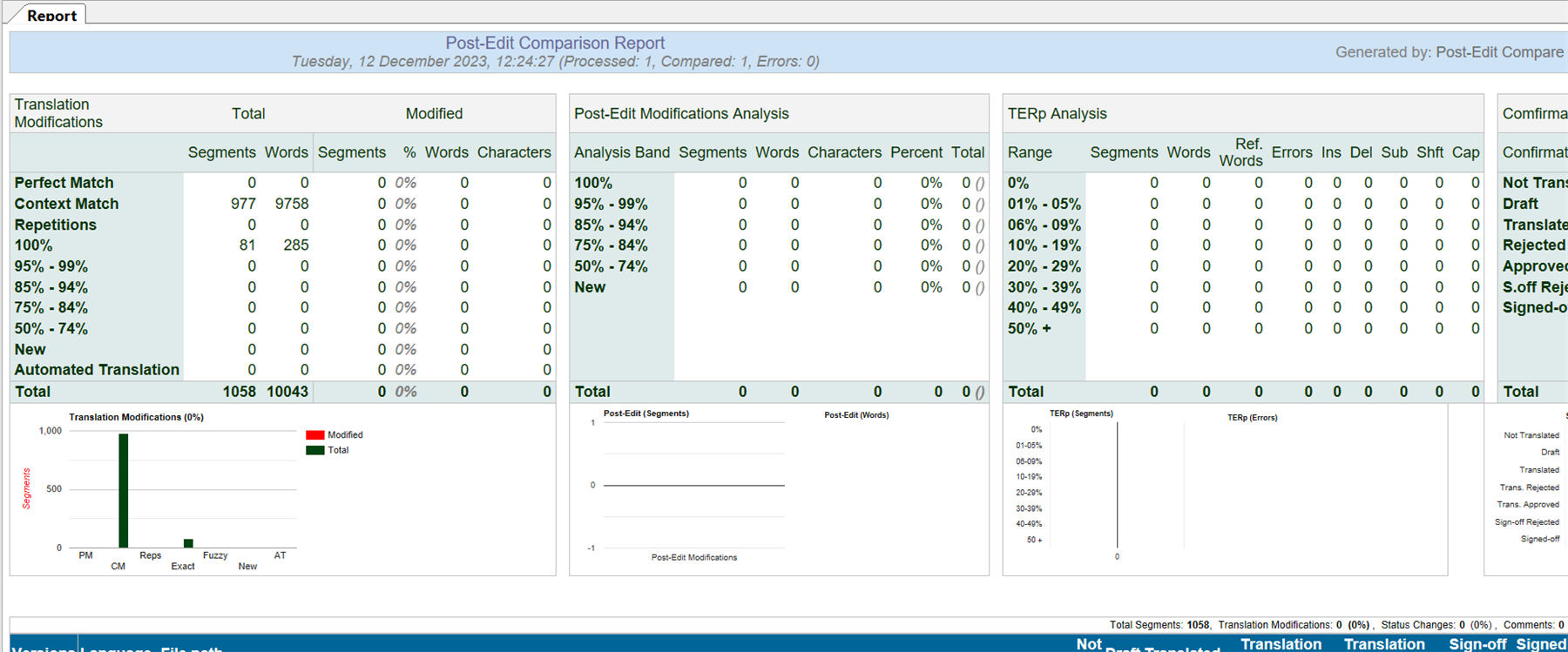
I've tried fiddling with the settings to no avail. The only time I could get it to show a segment in the report is when there was a comment on an empty segment in a project and even then, that's all it showed.
I basically need a tool to compare translated and edited .sdlxliff files. With this seeming like the only currently supported option in Trados, I'm not sure where else to turn without extra paid solutions like TQAuditor.
Any help is much appreciated! Thanks!
Generated Image Alt-Text
[edited by: RWS Community AI at 4:47 PM (GMT 0) on 14 Nov 2024]


