
 Translate



We use the DeepL plugin for machine translation (MT) in Trados, combined with custom glossaries. However, we've noticed that glossary terms are occasionally overridden when translating in Trados, something that doesn't happen when using DeepL directly in the browser.
This issue has consistently occurred when translating into English, with the target language set to EN-GB. Our glossary uses Oxford spelling, so terms like characterized (with a "z") are intentionally included. The problem is that these terms are being "corrected" in the output to use an "s" instead, such as characterised, despite the glossary specifying the "z" spelling.
How can we solve this? Has anyone encountered a similar problem? What could cause this to happen? Thank you in advance.
Below a few screenshots of examples including the Task History in Trados.
Example glossary entries:

The output in Trados overruling the glossary when target language EN-GB is selected:

Same segment when target language EN-US is selected:

Glossary in Browser works just fine:
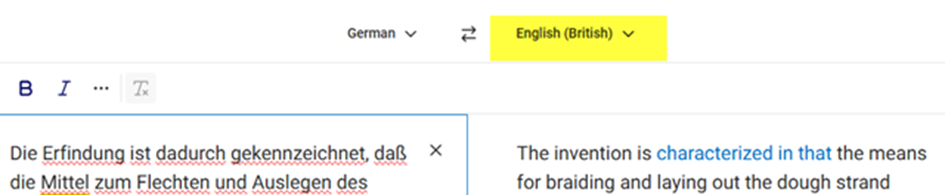
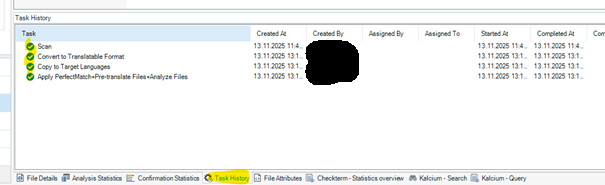
No hints to some kind of spelling correction by Trados in the Task History:
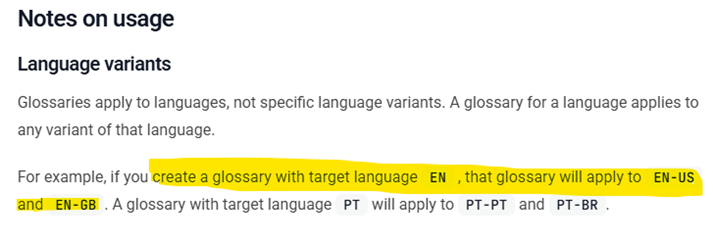
Handling of glossaries according to DeepL:
https://developers.deepl.com/api-reference/multilingual-glossaries#language-variants
Generated Image Alt-Text
[edited by: RWS Community AI at 8:37 AM (GMT 0) on 20 Nov 2025]




