


Under Community Review

Show TM Warning and Result Details at the Same Time

Currently, the Translation Results window displays the warning “Different target in translation memory” on top of the result details. Because of this, I have to click the Information icon to view the result details, which is quite inconvenient.
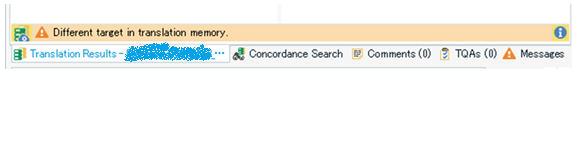
Screenshot of the Translation Results window showing a warning message 'Different target in translation memory' at the top, with tabs for Concordance Search, Comments, TOAs, and Messages.

I would like to be able to see both the warning and the result details at a glance, without clicking anything.

It could be helpful if the warning and the result details were displayed either vertically (one above the other) or side by side.

Thank you for considering this suggestion.

  • Thank you for your comments.

    I think the term “warning” I used may have caused some confusion. I was not referring to QA Check warnings, but to the message that appears at the bottom of the Translation Results window.

    What I would like is to see the message “Different target in translation memory” and the TM details (which TM, who updated it, when, etc.) at the same time, without needing to click anything.

    Thank you again for taking the time to reply.

  • Translation Results above warnings

    Alternatively above one another. The tabbed view is certainly more useful if you are using a laptop screen and don't want to lose so much space for this.

  • Translation Results next to Results details

    I think that already is possible (Screenshot showing from Studio 2022 - you would just need to customise your view by dragging the "Messages" / "Meldungen" Tab and selecting that it should be in the same pane on the right of the Translation Results and other tabs.

  • Good idea. I think that for the warning it would be enough to get an icon with a tooltip, and just leave the result details as usual, maybe maintaining the orange background.