 Translate



Last Friday I bought (upgraded) and installed Trados Studio 2022. I can't use it since it does not appear in my license history.


Last Friday I bought (upgraded) and installed Trados Studio 2022. I can't use it since it does not appear in my license history.
Hi Mats Linder
Can you please log in into your RWS account - orders - outstanding orders and please check if the payment went through ok, as this might be the issue.
If you need any help please dont hesitate to reply here or contact me via live chat .
best regards,
Loredana

Hi Mats Linder
Can you please log in into your RWS account - orders - outstanding orders and please check if the payment went through ok, as this might be the issue.
If you need any help please dont hesitate to reply here or contact me via live chat .
best regards,
Loredana

You're correct -- it says "Awaiting payment". I paid from my bank account; it seems that in these days, when payment can be made instantaneously, the banks still insist on delaying payment for days in order to gain interest money. Well, live and learn, I suppose...

I finally got an email confirming payment and with this message: "Your upgrade licenses are now available to be activated in Licenses. Please visit the RWS Account area of our website to access Licenses, and follow the instructions." However, the 2022 license is still nowhere to be seen.

Hi Mats
Did you click on 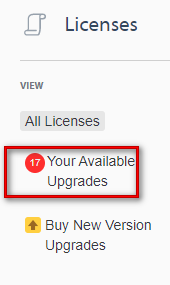
?

Indeed I did. This is the result:
I also tried to click the "Upgrade (1)" button, but nothing happened.
...Or, actually, something did happen eventually. This:
It's a bit unclear: Does it mean that I can still use the previous (2019) version (as it was with previous upgrades) but only while I have it installed -- I can't uninstall and then re-install it. (Is that the meaning of "This process can not be reversed"?)
I suppose it does. So I'll go on with Process upgrade. But I think simply adding the new license in the list of licenses would have been clearer. Was that not how it was done before?
Hi Mats
You need to return your 2021 license before you can click on 'Upgrade'. Once you have returned the 2021 license, you can then click on 'Upgrade' and you will receive the new license key for 2022. Activate Studio 2022 with this key and this will at the same time reactivate your Studio 2021 copy (it will say that it runs on the 2022 license).
This means that you can run both versions in parallel as long as you don't uninstall 2021.
Please make sure you have updated Studio 2021 to the latest CU before you return its license in order for the process to work smoothly.
Actually the process (described in the red box above) means that I don't need to return the 2021 license; it is done automatically (as can be inferred from that text). To be honest, I don't remember how this has been done in the past (I have gone through it from Studio 2009 and onwards), but I have the feeling it was a bit simpler/more intuitive, with exactly the same result.


Are you sure you are looking in the right account? You do have two. I just checked your account and I can see the licence for 2022 in there. I can also see it was released at 23/06/2022 15:33:08.
I don't remember how this has been done in the past (I have gone through it from Studio 2009 and onwards), but I have the feeling it was a bit simpler/more intuitive, with exactly the same result.
It's the same, if not easier. We've learned from the past and added "helpful" messages like the one in red you saw to explain to users the things they used to ask questions about.
Paul Filkin | RWS
Design your own training!
You've done the courses and still need to go a little further, or still not clear?
Tell us what you need in our Community Solutions Hub
Maybe your last caveat should be mentioned also in the instructions on the upgrade page.
