Trados Studio 2021 installation on Windows 11 failed

Hi.

I purchased a new computer recently and installed Trados Studio 2021 and it was installed fine on my computer.

However, my Windows 11 crashed and I had to reinstall Windows 11 but this time, it did not work and the activation dialog box pops up constantly asking to enter my activation key.

I did enter my activation key in the first place but something went wrong and the dialog box keeps popping up now asking to enter the key.

I logged in my RWS webpage and checked my license information and found out that my license has been used.

What should I do now?

Sincerely,

Eunsuk Park

emoji
Parents Reply
  • Hi Sorin again,

    I tried to install the Studio 2021 on my computer with the reset activation key that you provided but failed again.

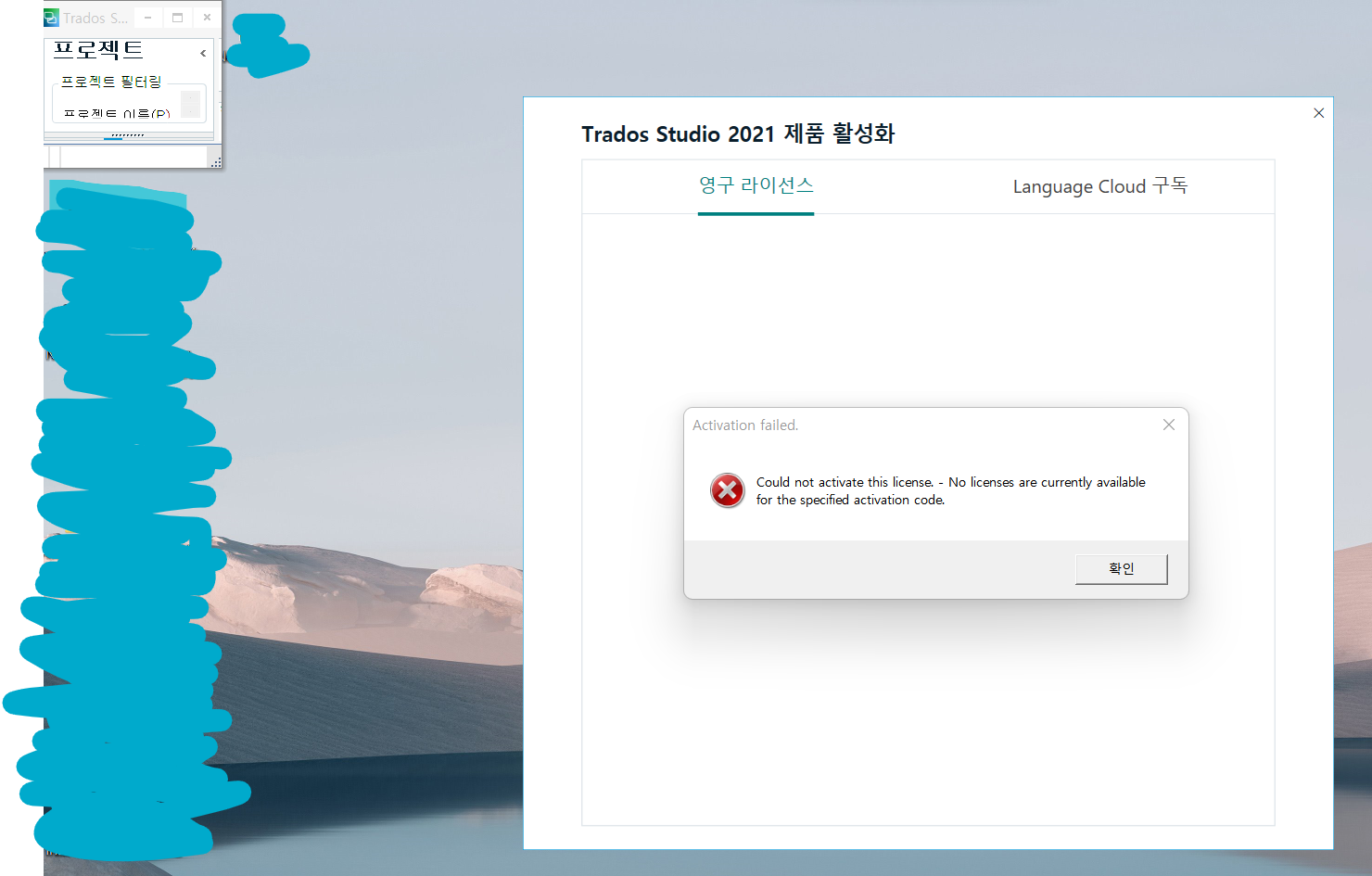
    Please see the pop up message below.

    You can see the dialog box in both English and Korean and extra box on the top left which I don't understand (and my license has been used according to RWS webpage again).

    Is it possible that I am having this issue because of hacking?

    I suddenly received 4 offers from one translation agency from China (it's not a small agency) for 4 days which never happened for about a year.

    Maybe I am wrong but it happened right after I installed the app, so I am worried.

    Can they search me when I use Trados Studio?

    Is it possible to change my email address on RWS and still use my activation key?

    By the way, could you reset my key again so that I can try to install on a different computer this time?

    Thank you.

    Screenshot of Trados Studio 2021 activation error message in English and Korean, stating 'Activation failed. Could not activate this license. - No licenses are currently available for the specified activation code.' with an extra unidentified box in the top left corner.

    Sincerely,

    Eunsuk Park

    emoji


    Generated Image Alt-Text
    [edited by: Trados AI at 1:24 PM (GMT 0) on 4 Mar 2024]
Children