
 Translate



Hi,
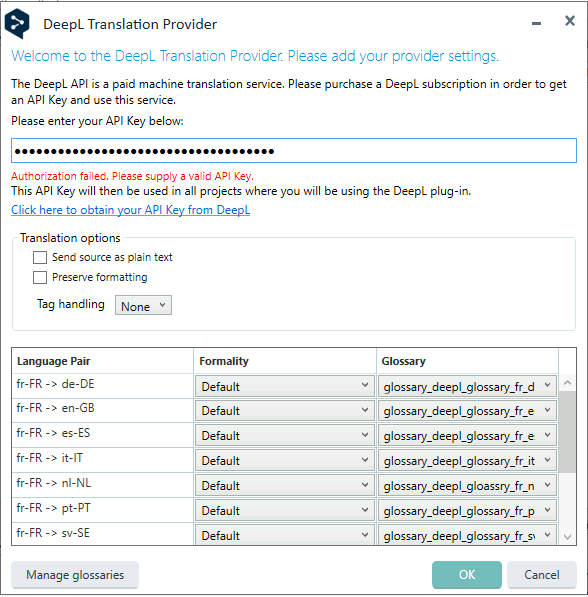
we are using the DeepL Translation Provider plugin (v6.2.5.0) with Trados Studio 2022 SR2 and we have a issue when entering the API key in the ProjectTemplate configuration.
The API key is copied and pasted onto the API key field yet it says the key is invalid
- we do have a valid DeepL API Pro account
- API call are working in Postman or cURL cmd execution
- When can see and set the glossaries in the plugin (proving connection is working)
But with the error message, we cannot save the configuration and use DeepL translation.
Does anyone have the same issue ?
Best regards.
Removed AI Suggestion
[edited by: Cyriel Meille at 1:57 PM (GMT 0) on 4 Mar 2026]




