Target language file (word) can't be opened

Hi everyone,


I use Trados 2017 Freelancer version.

I imported a Word file into Trados to translate it. After having translated I created a target language file (in Word). There was no error message. So, I tried to open this Word file. I was waiting, and waiting, and waiting. The file can't be opened! Word had no reaction. 

What's wrong here?

Parents Reply
  • Dear Paul, 

    I have a similar problem. I can't open the generated target file in MS Word.

    File format was docx, suggested "Repair and open" solution didn't work, but I could open the target file after creating it again and using TM to generate translation. This solution was a workable fix in my case, but it still causes delays and extra stress, especially in the case of a longer translation.

    I hope there is a way to make sure this doesn't happen without frequently testing the project. Is there maybe something to pay attention to during the project setup? 

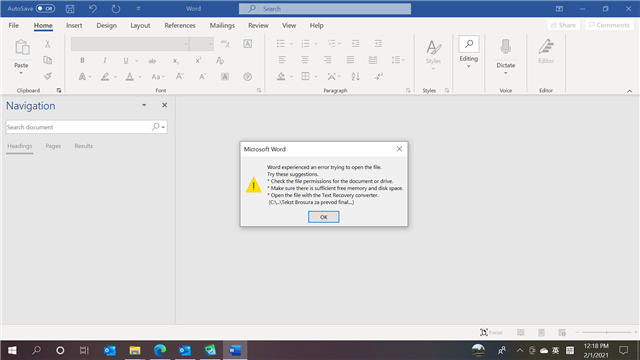
    I am sending you the prompt I am receiving from the MS Work when I try to open the damaged file for referenece.

    Kind regards, 

    Una  

Children
No Data