Trados is changing key code in the HTML

Hello,

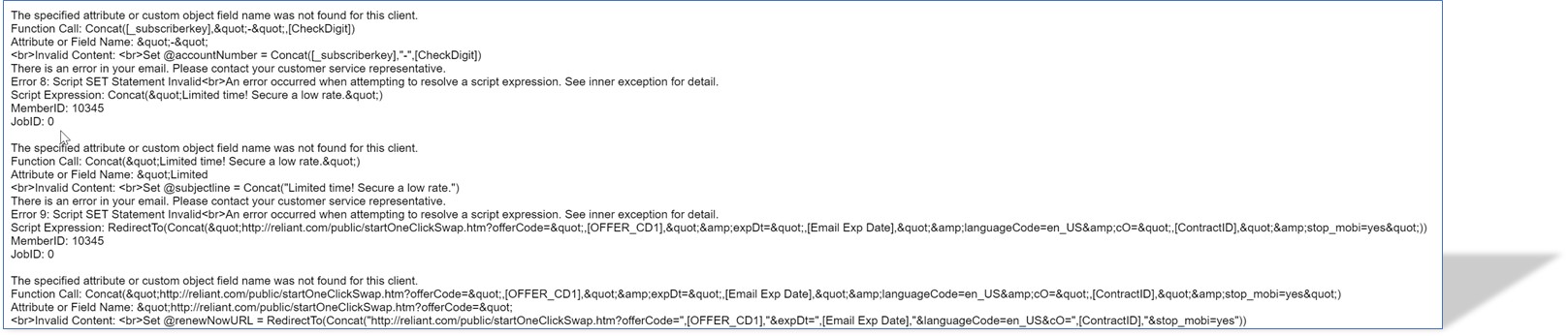
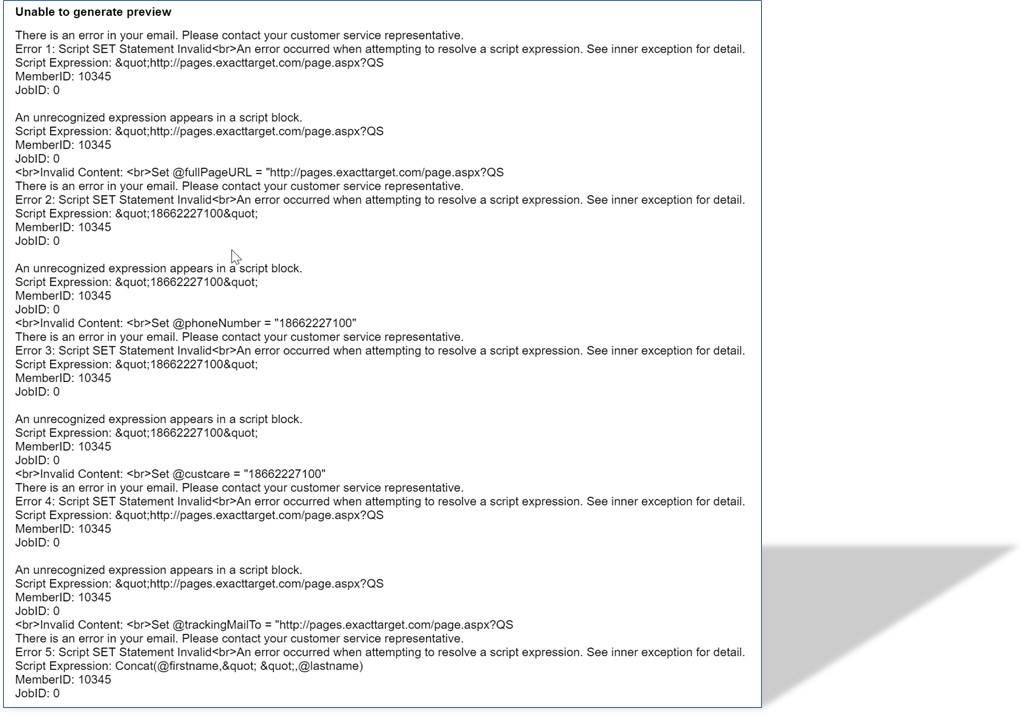
Our email specialist is having issues with the HTML files I translate in Trados Studio 2017. He says that Trados is changing key code on the HTML. He sent me a screenshot of the errors, which I shared below. Any ideas on what may be causing the problem?  
 

Parents
  • Hello,

    It seems I'm dealing with similar issue.

    I've noticed that Trados Studio (2019 Professional) is changing the key code in the generated HTML files. The source file says: <meta http-equiv="Content-Type" content="text/html; charset=UTF-8" />, whereas the generated target files states: <meta charset="UTF-8">. There are two issues here: the code has been changed and <meta> tag is not self-closed, which generates an error in Adobe RoboHelp 2020 (where the source HTML file was created). It requires manual adjustment of the code (<meta charset="UTF-8" />) from me. I have hundreds of files to be processed, so I'd rather avoid any manual modifications in the target files.

    Can I fix it in the settings or is it a bug? I'd be grateful for some tips!

Reply
  • Hello,

    It seems I'm dealing with similar issue.

    I've noticed that Trados Studio (2019 Professional) is changing the key code in the generated HTML files. The source file says: <meta http-equiv="Content-Type" content="text/html; charset=UTF-8" />, whereas the generated target files states: <meta charset="UTF-8">. There are two issues here: the code has been changed and <meta> tag is not self-closed, which generates an error in Adobe RoboHelp 2020 (where the source HTML file was created). It requires manual adjustment of the code (<meta charset="UTF-8" />) from me. I have hundreds of files to be processed, so I'd rather avoid any manual modifications in the target files.

    Can I fix it in the settings or is it a bug? I'd be grateful for some tips!

Children