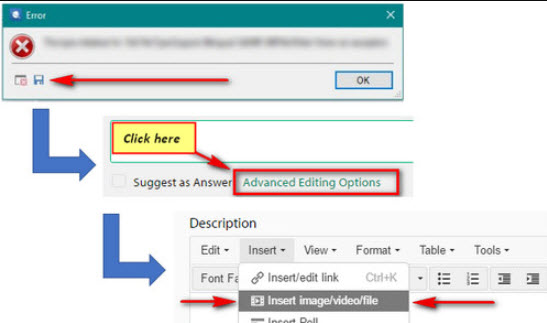
"Cannot validate SDL plug-in" Studio 2015

Studio 2015 keeps crashing. It started with a message saying "out of memory server" and then I got blank Windows when I tried to use Studio commands. I decided to save my work, but then came the message "cannot validate SDL plug-in: sdl.desktop.Platform. implementation.... dll".

I went to the Windows control panel and launched a repair procedure but it didn't fix my problem.

Someone to help me out of this? I'm starting a very large assignment and can't afford to loose days before fixing this.


Thanks,


Ariane

Parents
  • Hello ,

    I suspect this may have something to do with the 'Web Lookup' App.

    Please remove the providers Linguess/Pons and Dilbert- then restart Studio
    Do you still have the same issues or has this now resolved the problem?

    If problems persist- please try the following

    Close Studio, then delete these:

    c:\Users\[USERNAME]\AppData\Roaming\SDL\SDL Trados Studio\12\Plugins\Packages\Web Lookup.sdlplugin

    c:\Users\[USERNAME]\AppData\Roaming\SDL\SDL Trados Studio\12\Plugins\Unpacked\Web Lookup\

    Then double click the plugin you downloaded and install again. Restart Studio and see if this helps. You do have to select a word or phrase before it will do anything and then you should see a new window introduced somewhere in the interface... it's movable and you can place it wherever you like.

    Please let me know how you get on.

    Oana Nagy | QA Engineer | RWS Group

Reply
  • Hello ,

    I suspect this may have something to do with the 'Web Lookup' App.

    Please remove the providers Linguess/Pons and Dilbert- then restart Studio
    Do you still have the same issues or has this now resolved the problem?

    If problems persist- please try the following

    Close Studio, then delete these:

    c:\Users\[USERNAME]\AppData\Roaming\SDL\SDL Trados Studio\12\Plugins\Packages\Web Lookup.sdlplugin

    c:\Users\[USERNAME]\AppData\Roaming\SDL\SDL Trados Studio\12\Plugins\Unpacked\Web Lookup\

    Then double click the plugin you downloaded and install again. Restart Studio and see if this helps. You do have to select a word or phrase before it will do anything and then you should see a new window introduced somewhere in the interface... it's movable and you can place it wherever you like.

    Please let me know how you get on.

    Oana Nagy | QA Engineer | RWS Group

Children