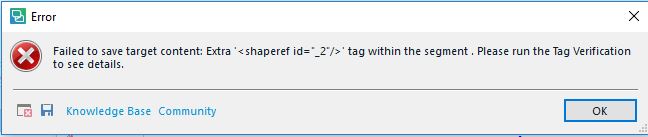
Error message: Extra '<shaperef id="_2"/>' tag within the segment . Please run the Tag Verification to see details.

Hello everyone!

I'm getting this error message when using “Save Target As” to create a Word document. It won't let me save the target at all.
When I run Tag Verification as instructed, the segment it goes to is a segment without a number that is at the top of the document. I'm including a screenshot

The orange “bar” is the “segment” with the supposed error. It's hard to read, but it says Word 2007 v.2.0.0.0 (WS:Inc 18226).

The file originally came as a package from WorldServer. When I tried uploading the translation back, it kept getting hung up halfway through the process (the status bar). But it is getting uploaded, since I can see the translation in WorldServer's “Browser Workbench". When I tried downloading the “Target” file back from WorldServer, so I can do the proofreading, it gave me an error. I can't post a screenshot because of client confidentiality.

I think the original file was some sort of website, and the client converted it into a docx Word file to put it in WorldServer.

Please help if possible!

thanks!

Becky

  • Hello Becky Katz (BeckyKatz) ,

    (Edited) 

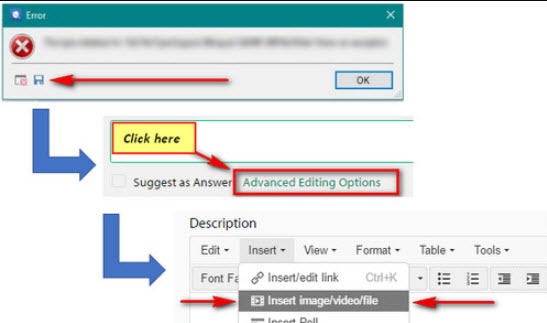
    It would indeed be helpful if you could post the error message (this does not contain any private/confidential client data) but can help us identify the problem(s)

    Your user name does appear in the error, but you can edit this or erase this line before posting.  


    However I believe the main problem here is the incompatibility between the various file types/conversions and systems used. 

    The 'browser workbench' you mentioned is a legacy product which would (I am informed) be unable to handle newer docX formats (and may explain why you cannot save target). The browser workbench was replaced a number of years ago by SDL Studio 'EXPRESS' licenses (distributed free of charge by the WS client).

    However saying that, your current Studio 2017 Freelance license should handle WS packages without problem.

    I would in this situation, contact your client directly to clarify exactly what needs to be done, as I think once you have uploaded the file back to WS- you would need new rights assigning to you if you need to access the file again.


    Oana Nagy | QA Engineer | RWS Group