Translate



I'm using Studio 2015. Recently I had a problem where I reviewed / edited a translated file, created a return package and then was told that the file in the return package was the original file I had been sent, without my changes. I tried to correct this and again was told the same thing.
I do not know what I'm missing. Here is how I did it: I opened the project package I was sent in Trados, went to Files, went to Open file for review, used Track Changes to make my edits, saved and closed the file, went to Projects, clicked on Create Return Package.
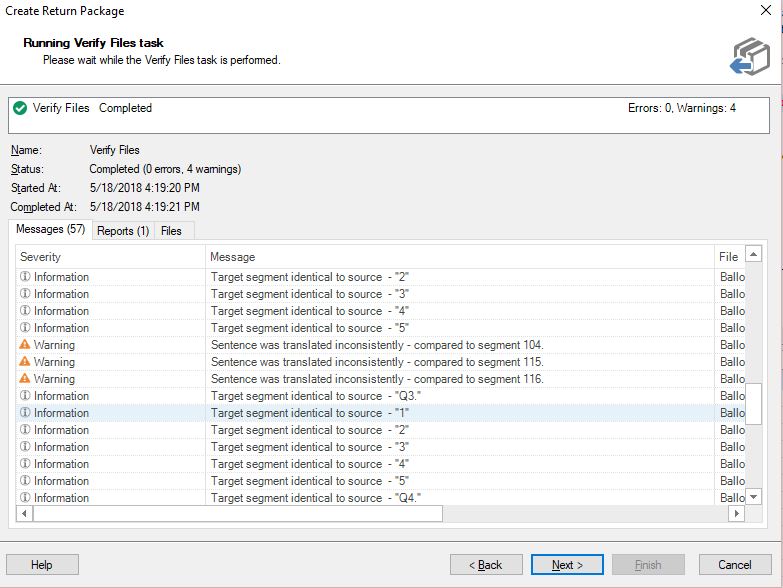
The only problem I encountered was that I got some warnings (see screenshot). Could that possibly be why the file in the return package didn't include my changes?
Another problem is that I don't know how to verify the changes myself before sending back the return package. When I try to open the return package, I am told that I cannot open it because I created it myself. So I'm afraid that this will happen again in the future because I have no way of verifying the return package.
So my first question is:
1. What am I doing wrong?
Also:
2. How can I actually make use of these warnings? They don't tell me which segments they refer to so I find them useless. Thoughts?