Translate



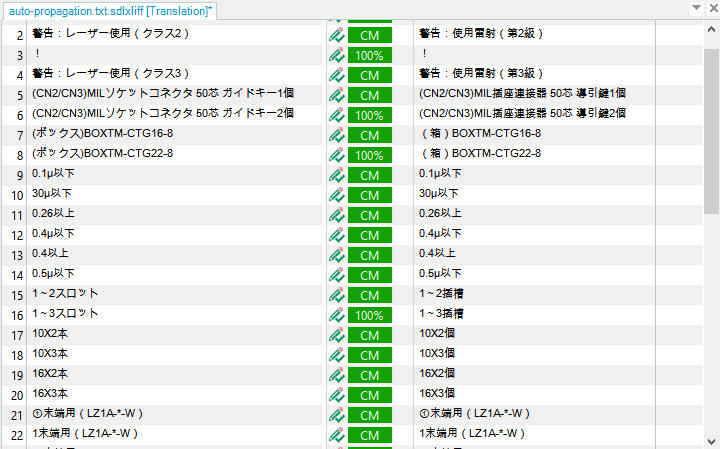
I have been using Trados 2015 freelance and upgraded to 2017 a few days ago, and I really regretted it. I didn't know I should not have deactivated 2015 before upgrading to 2017; this is not reversible and SDL refused to let me "downgrade" to 2015, but this is another story. Here I have a bigger issue. I was working on a file with approx. 4K segments, with supposedly many 100% and CMs which could be auto-propagated in 2015, i.e. I only had to work on first occurrences and Trados could deal with the 100%/repetitions. However, 2017 didn't auto-propagate those; instead, the match values were below 100% and I had to confirm every single segment, which was really time-consuming. Here's the comparison:
Trados 2017/2015 auto-propagation comparison
I have made sure all the settings are identical in the global options and project settings of both Trados 2015 and 2017. Can anyone help please? Many thanks.
Regards,
Peggy