 Translate



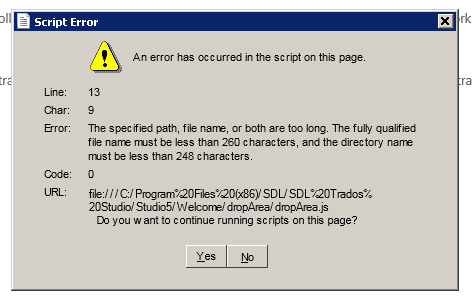
after setting up the TM for the single file sample.docx project - would appreciate input how to go about the error
Generated Image Alt-Text
[edited by: Trados AI at 9:09 PM (GMT 0) on 28 Feb 2024]


after setting up the TM for the single file sample.docx project - would appreciate input how to go about the error
Put your files in a shorter path, e.g. D:\test or similar.

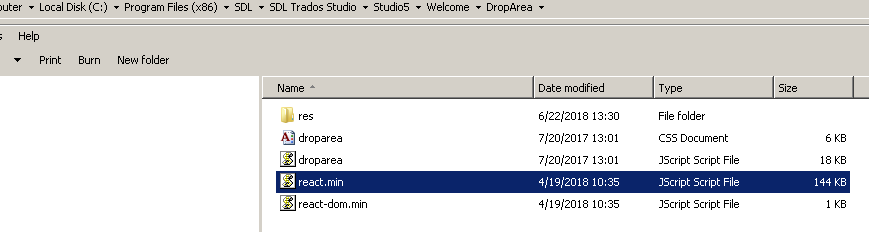
thank you - however, it appears that this path is not to be changed as it is set by studio 17 for the react.min JScript File in the ProgramFiles(x86)/SDL/SDLTradorStudio/Studio5/Welcome/DropArea


Paul Filkin | RWS
Design your own training!
You've done the courses and still need to go a little further, or still not clear?
Tell us what you need in our Community Solutions Hub

Hi Paul,
this is the path to source files that are dropped
Local Disk (C:) ■* Users ■* PhilNat ■* My Documents ■* Studio 2017 ■* Projects ■* Ubungen ■* Science
all worked fine since the initial install SDL17 5 weeks ago.
in desparation I removed all (~15) projects from the list; closed and opened the program multiple times, logged out of the computer, rebooted ...
Tataaa - the error did not re-occur - - so far ...
thank you, wolfram
Unknown said:the same error occured with the path shorted to < Local Disk (C:) ■* Users ■* PhilNat ■* Science >
Then it probably wasn't a single file, but entire folder structure of files, where the folders, files or both had long names.
The entire error is simply about the fact that in certain situations the COMPLETE file path, i.e. disk location, path AND filename plus extension must not exceed 260 characters.
More about this limitation at https://docs.microsoft.com/en-us/windows/desktop/FileIO/naming-a-file#maximum-path-length-limitation or with more elaboration e.g. here: https://stackoverflow.com/questions/1880321/why-does-the-260-character-path-length-limit-exist-in-windows
Long path tool can solve your problem easily. It can delete,
copy, move and bulk rename long path files or locked files
easily. Try it, It is very useful.