


The Trados cloud platform will be undergoing maintenance on Saturday, 9th May 2026 between 05:00 to 17:00 UTC. During this time, you will not be able to log in to the Trados platform.

Unable to save target content in Excel due to a mismatch with the source document

Hi

I have just received a Trados package from a customer which includes a source file in Excel. I (still) use Trados Studio 2017 for my translation jobs, and I uploaded the package to Trados without any problems. The 'challenges' occurred when I wanted to save the target content as I received this error message:

'Error message in Trados Studio stating 'Failed to save target content. The target document cannot be created because a mismatch with the source document has been detected.'
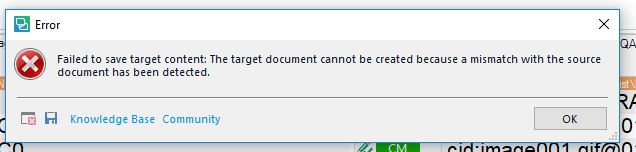
Below is the full view of the error message:
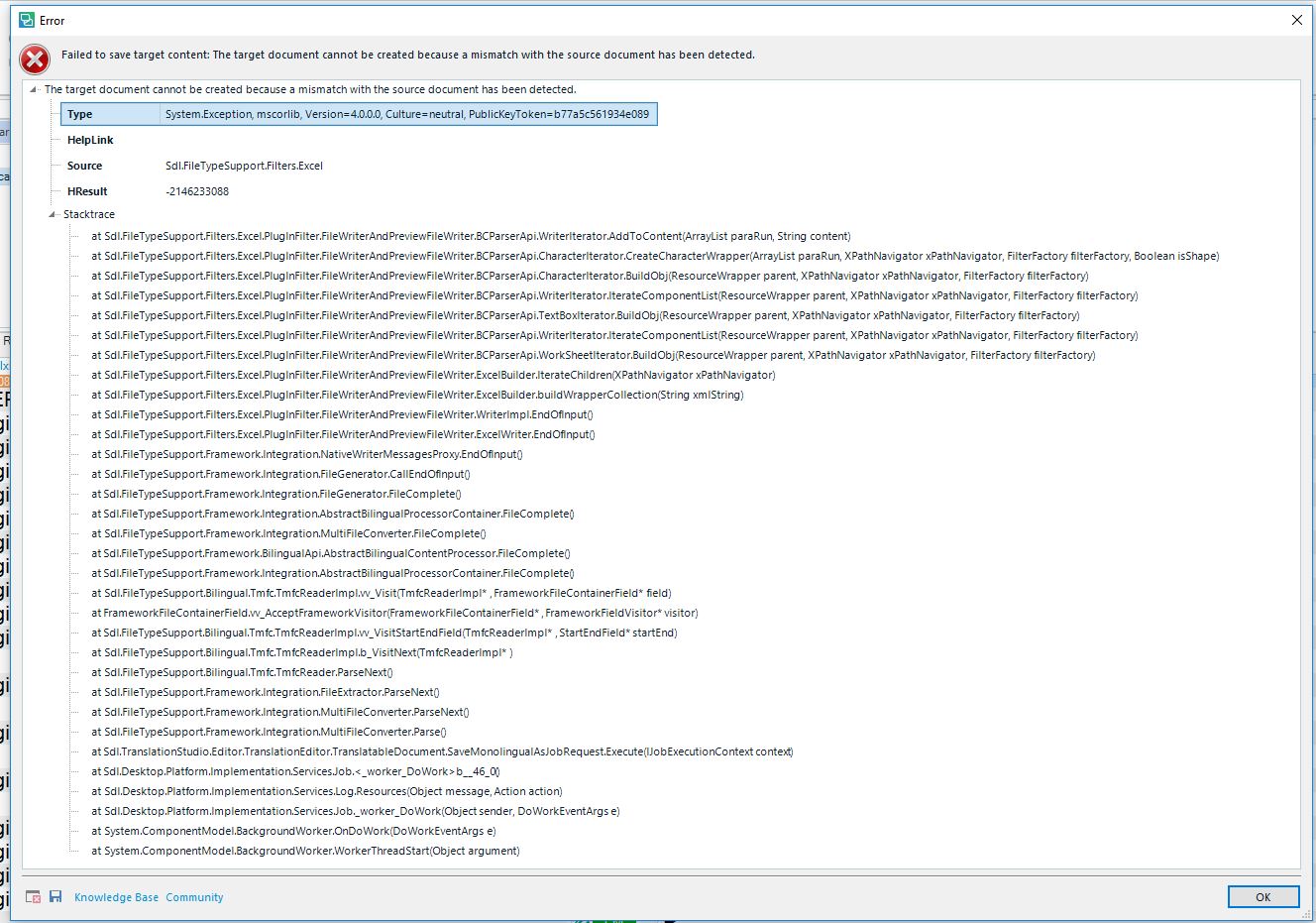
Detailed error log in Trados Studio showing multiple file paths and error codes indicating issues with saving the target content.

As I have to deliver the completed translation on Wednesday, the 29th of August in the afternoon, I really would appreciate a quick tip on how to solve this issue as soon as possible.

Best regards 

Susan Murphy Lamprecht


Generated Image Alt-Text
[edited by: Trados AI at 2:07 PM (GMT 0) on 28 Feb 2024]
emoji
Parents
  • Hi 

    Can I suggest that you first try the following things:

    With the sdlxliff open, click on File>Advanced Save>Save source as. If it will not save as a source Excel file AND the client provided you with the original source file then one solution would be to open the source Excel file and look for unusual content and eliminate that before you retranslate with a new translation memory you have cleaned the sdlxliff to as Anthony suggested. 

    If, however, you can save an Excel source file with no error message, it's not the Excel file itself that is faulty. This normally means there is something wrong in the Target translations in the sdlxliff. This can be due to various things such as tags missing or added, or incorrectly ordered. Have you run a tag verification? Ask if you don't know how.

    Another simple thing - did you translate the Excel Sheet names (for example, Sheet1, Sheet2, etc.)? If so, copy the source to the target on these in the sdlxliff and try to save as target again.

    There are other possible causes for this error. I can't read the stacktrace so hopefully when someone who can comes online they'll check that out for you.

    All the best

    Alison

  • 6507.sdlerror-2018827-17h20m48s.sdlerror.xml

    Hi Alison. Thank you for your reply. I did try to follow your first instruction of saving the sdlxliff file as a source Excel file, and I received the same error message as yesterday. So it must be the Excel file which is faulty. For your information, I have uploaded the stack trace, so I would be very grateful if you could have a look at it. You mentioned something about a tag verification, and as I do not know how to run that feature, please explain it to me.

    Best regards Susan 

  • Hi Susan,

    Tag verification is one of the things you can do after you've translated a job, to check that any tags in the source content have been correctly copied across to the target content. It is explained here in Studio Help:

    Verifying translations

    If the source Excel file itself has content that is stopping Studio from saving to the original format then the chances are that verification won't make a difference.

    If you received a package from the client without the original Excel file, I suggest you ask the client to check their Excel file and if they have the know-how, to send you an 'uncorrupt' version of the Excel file which you could then pretranslate using a new translation memory to which you have 'cleaned' your first translation.

    If someone else who knows how to read the stack trace could help here, that would be great.

    All the best,

    Ali

Reply
  • Hi Susan,

    Tag verification is one of the things you can do after you've translated a job, to check that any tags in the source content have been correctly copied across to the target content. It is explained here in Studio Help:

    Verifying translations

    If the source Excel file itself has content that is stopping Studio from saving to the original format then the chances are that verification won't make a difference.

    If you received a package from the client without the original Excel file, I suggest you ask the client to check their Excel file and if they have the know-how, to send you an 'uncorrupt' version of the Excel file which you could then pretranslate using a new translation memory to which you have 'cleaned' your first translation.

    If someone else who knows how to read the stack trace could help here, that would be great.

    All the best,

    Ali

Children