Problems with TermExcelerator plugin

 Hi,

On my search for a faster termbase tool (when adding them to a termbase) I already used RyS one which is very fast but lacks very important term list overview without mouse clicks so I just installed TermExcelerator, but there seem to be a few bugs.

(settings are per project not globally)

When I restart Trados standard termbank switches from Excel-file (TermExtractor) to the first Multiterm termbase in the list.

I also cannot add any term via “Quick add new term”, it’s greyed out and the shortcut does not do anything.
If I try adding it the slow way, I get an error: The sequence does not contain any matching Element. (freely translated from German: Die Sequenz enthält kein übereinstimmendes Element.)
also since I added this addin, whenever I double click a word on the left in the editor I get this error: An element with the same key has already been added. (freely translated from German: Ein Element mit dem gleichen Schlüssel wurde bereits hinzugefügt.)

Any ideas?

regards,
Pascal

Parents
  • Former Member
    0 Former Member

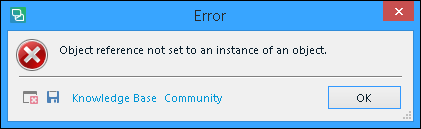
    Error message in Trados Studio saying 'Object reference not set to an instance of an object' with Knowledge Base and Community buttons.

    I just downloaded it

    It gives me an error only, when I double clicked a source word to make it as 'Source' part.

    I am with SDL Trados Studio 2017, MS Office 2013 32Bit

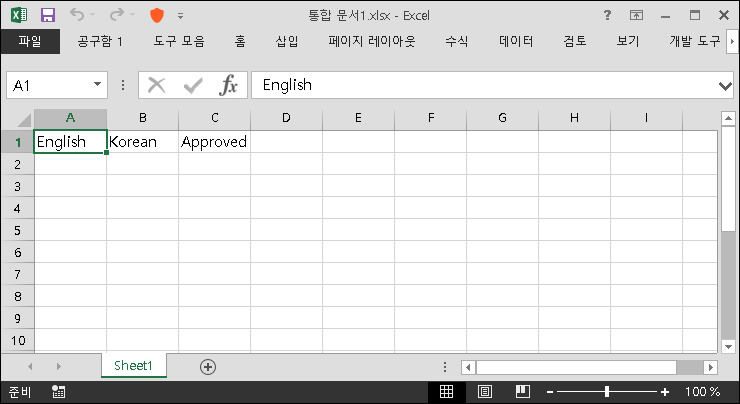
    Excel spreadsheet with 'English' in cell A1 and 'Korean' in cell B1, with 'Approved' in cell C1.


    [EDIT]

    I just have found the cause of above error.
    SDL made an erratic UI.....

    Why all the PlugIn's UI have the same problem ?
    It cuts some part of it. ALWAYS.
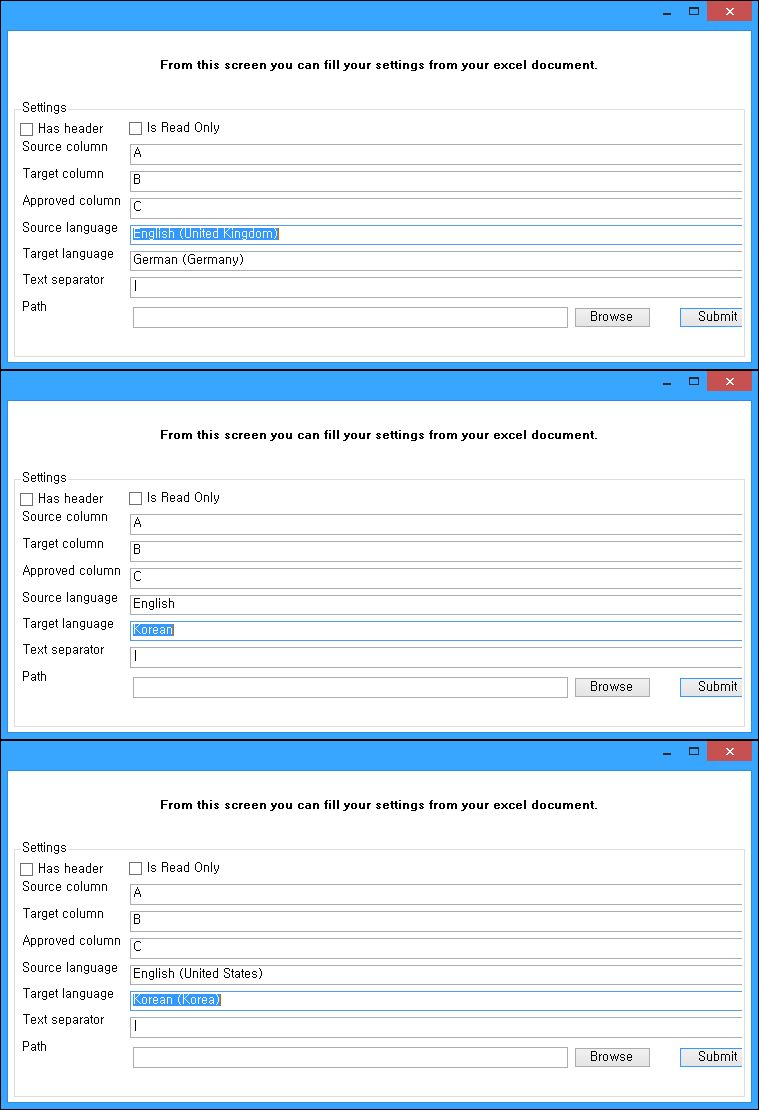
    Now it cuts out right side.

    So, I could not select proper languages (and, proper language name field is SO complex too. Why do I have to use Country name ?)

    First
    I Typed_In "English" and "Korean"
    This made a Error of above mentioned.

    Now
    I press down arrow and find "English(United States)" and "Korean(Korea)", so it works.

    Trados Studio plugin settings window cut off on the right side, unable to display full language options.

    "Suggestion" it should consider current projects Source/Target language pair, Automatically.


    And

    it does not update properly, yet. When you add a new term pair, it does not recognize it. Only after you moved another segment and come back then it rekon it.  

    it overwrites Excel "A1" and "B1" the language name cells. It is not a serious problem though..  silly.  

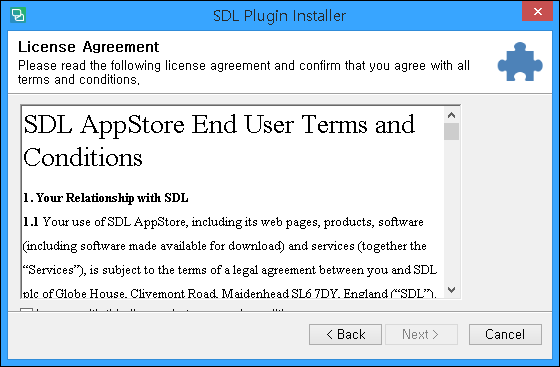
    Lastly I post the PlgIn's installation window. It cuts lower part "Always". I should be changed. I can not make check mark.   SDL Plugin Installer window with License Agreement text cut off at the bottom, missing 'Accept' checkbox.

    emoji


    Generated Image Alt-Text
    [edited by: Trados AI at 4:56 PM (GMT 0) on 28 Feb 2024]
Reply
  • Former Member
    0 Former Member

    Error message in Trados Studio saying 'Object reference not set to an instance of an object' with Knowledge Base and Community buttons.

    I just downloaded it

    It gives me an error only, when I double clicked a source word to make it as 'Source' part.

    I am with SDL Trados Studio 2017, MS Office 2013 32Bit

    Excel spreadsheet with 'English' in cell A1 and 'Korean' in cell B1, with 'Approved' in cell C1.


    [EDIT]

    I just have found the cause of above error.
    SDL made an erratic UI.....

    Why all the PlugIn's UI have the same problem ?
    It cuts some part of it. ALWAYS.
    Now it cuts out right side.

    So, I could not select proper languages (and, proper language name field is SO complex too. Why do I have to use Country name ?)

    First
    I Typed_In "English" and "Korean"
    This made a Error of above mentioned.

    Now
    I press down arrow and find "English(United States)" and "Korean(Korea)", so it works.

    Trados Studio plugin settings window cut off on the right side, unable to display full language options.

    "Suggestion" it should consider current projects Source/Target language pair, Automatically.


    And

    it does not update properly, yet. When you add a new term pair, it does not recognize it. Only after you moved another segment and come back then it rekon it.  

    it overwrites Excel "A1" and "B1" the language name cells. It is not a serious problem though..  silly.  

    Lastly I post the PlgIn's installation window. It cuts lower part "Always". I should be changed. I can not make check mark.   SDL Plugin Installer window with License Agreement text cut off at the bottom, missing 'Accept' checkbox.

    emoji


    Generated Image Alt-Text
    [edited by: Trados AI at 4:56 PM (GMT 0) on 28 Feb 2024]
Children