SDL Analyse and IRIS technology

 Hello, 

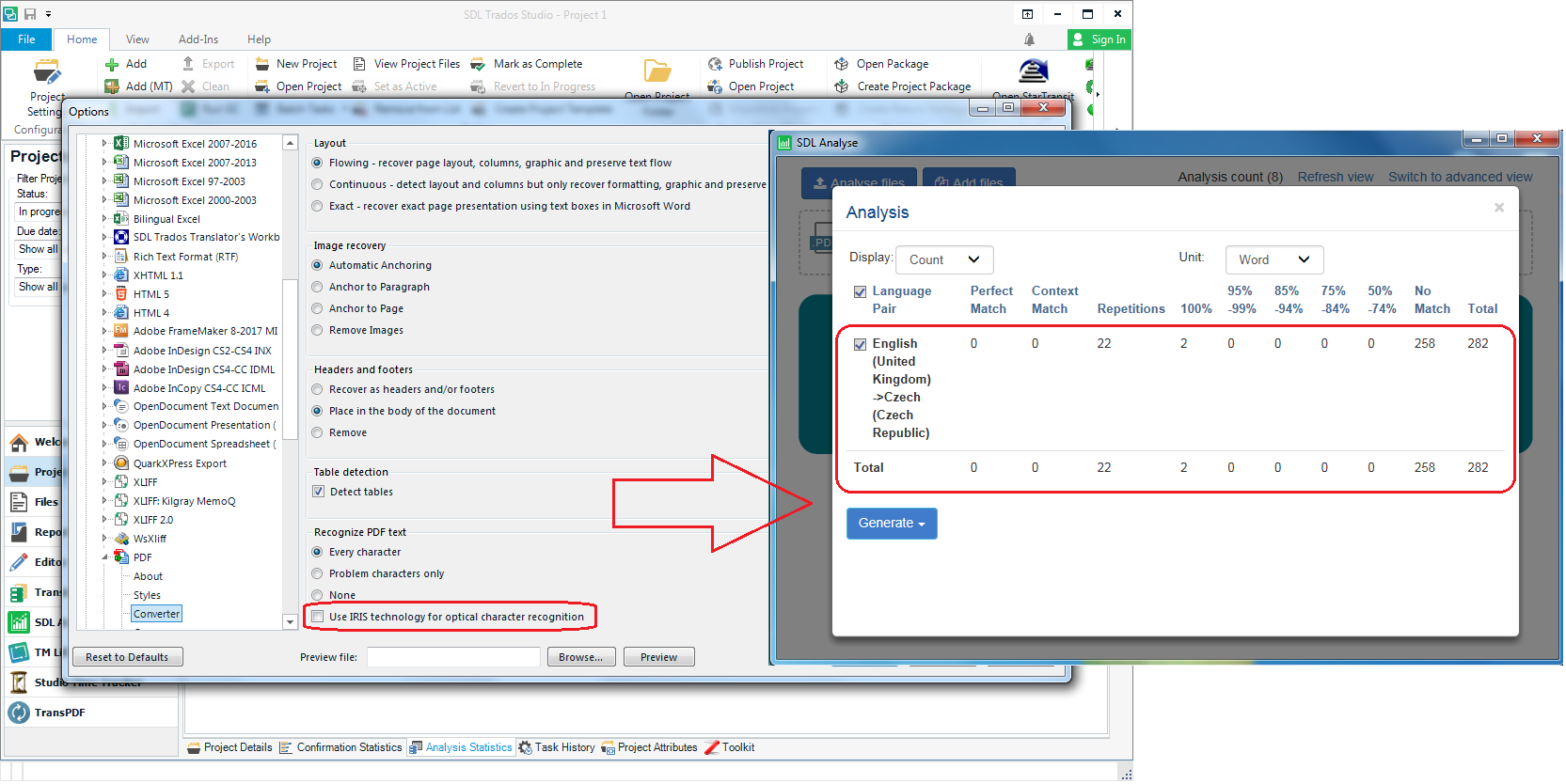
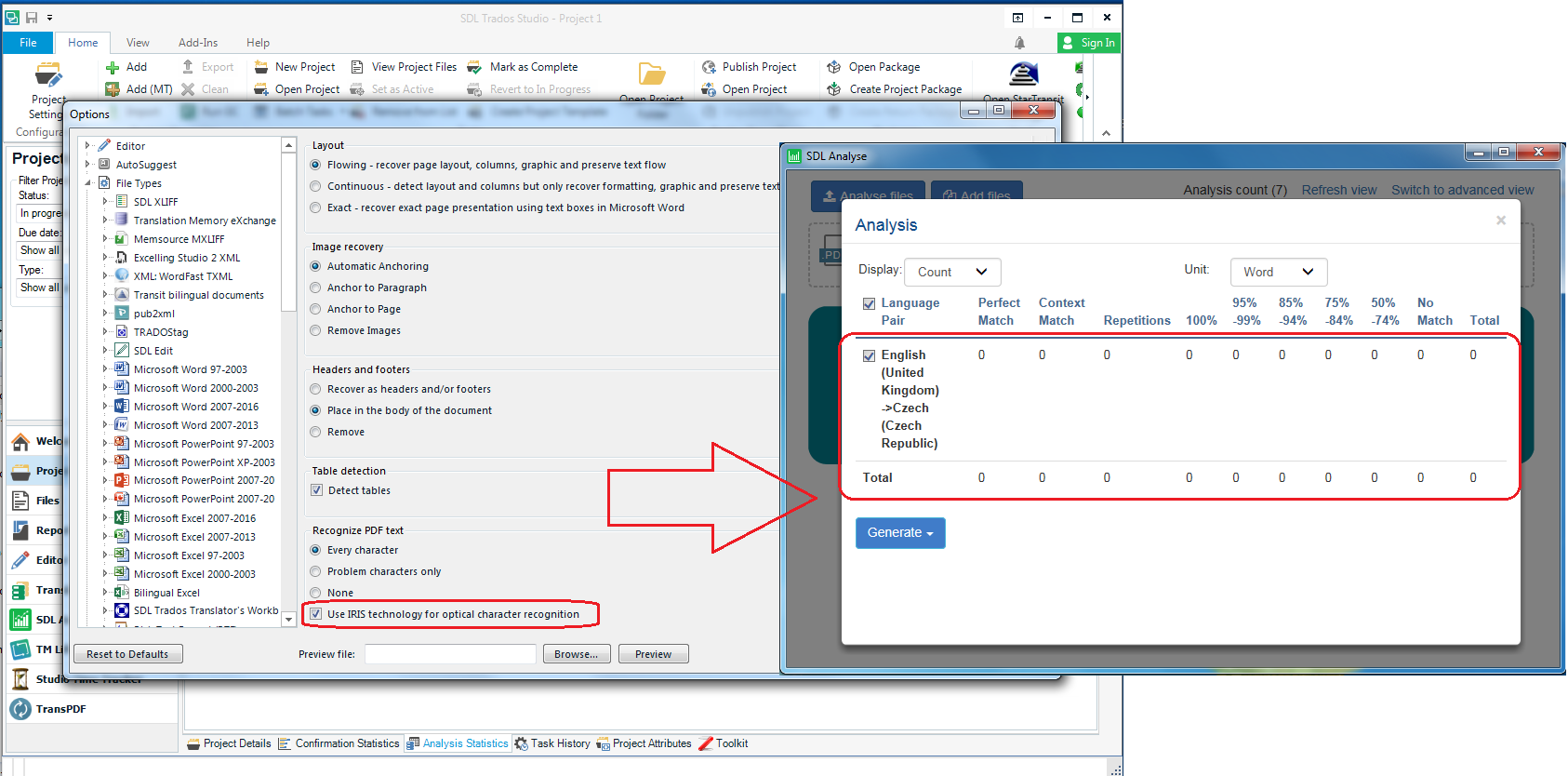
Is it possible use IRIS technology in SDL Analyse? When IRIS is enabled, all my scanned PDF are converted as images without any words. But when I disable IRIS, conversion is successful. 

IRIS Enabled:
Screenshot of Trados Studio with IRIS enabled showing scanned PDF converted as images without words in SDL Analyse.

IRIS Disabled:

Screenshot of Trados Studio with IRIS disabled showing successful conversion of scanned PDF in SDL Analyse.

I already download and reinstall last version of SDL Analyse and result is same.

Jakub Vlcek


Generated Image Alt-Text
[edited by: Trados AI at 2:17 PM (GMT 0) on 28 Feb 2024]

emoji
Parents Reply
  • Hi

    I still can't reproduce this problem which makes me think there is a problem with your template, probably using an old one that didn't have IRIS in the first place. Please try a Studio reset and also allow Studio to reset your templates. Then test again.

    You could use this app for the reset and this will also explain what you will lose by carrying out a reset before you do it:

    appstore.sdl.com/.../

    But if you'd rather do this manually then rename this folder (just add _old to the end or something, it's not important what you rename it to) and restart Studio:

    c:\Users\[USERNAME]\AppData\Roaming\SDL\SDL Trados Studio\15.0.0.0

    So the path would become this:

    c:\Users\[USERNAME]\AppData\Roaming\SDL\SDL Trados Studio\15.0.0.0_old

    If you can't find this folder then you need to unhide your hidden files/folders:

    www.howtogeek.com/.../

    Also rename this one:

    c:\Users\[USERNAME]\Documents\Studio 2019\Project Templates

    So it becomes this:

    c:\Users\[USERNAME]\Documents\Studio 2019\Project Templates_old

    Then restart Studio and the SDL Analyse application.

    Paul Filkin | RWS

    Design your own training!
    You've done the courses and still need to go a little further, or still not clear? 
    Tell us what you need in our Community Solutions Hub

Children