


Extract specific text from Excel cell to Translate

 Hello

how to extract these texts (Yellow) from excel cells to translate

screenshot:
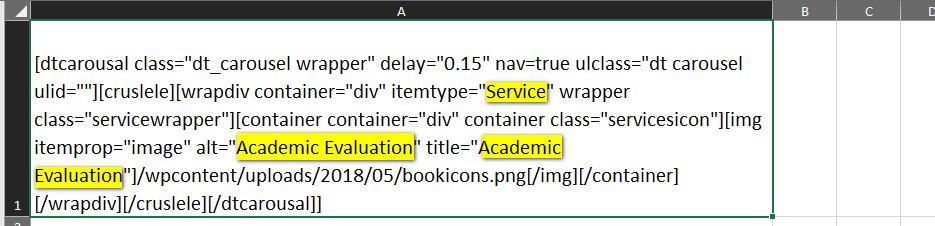
Screenshot of an Excel cell containing code for a carousel feature with highlighted text 'Service' and 'Academic Evaluation'.


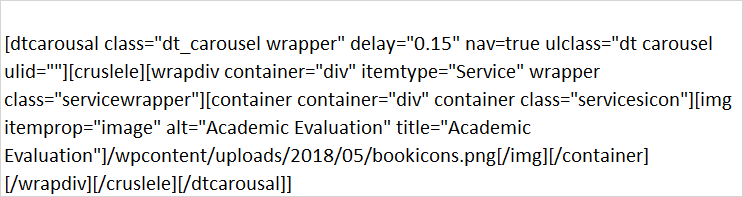
Zoomed-in view of Excel cell showing code with highlighted 'Service' and 'Academic Evaluation' indicating areas to extract for translation.

code:

[dtcarousal class="dt_carousel wrapper" delay="0.15" nav=true ulclass="dt carousel ulid=""][cruslele][wrapdiv container="div" itemtype="Service" wrapper class="servicewrapper"][container container="div" container class="servicesicon"][img itemprop="image" alt="Academic Evaluation" title="Academic Evaluation"]/wpcontent/uploads/2018/05/bookicons.png[/img][/container] [/wrapdiv][/cruslele][/dtcarousal]]

regards


Generated Image Alt-Text
[edited by: Trados AI at 4:41 PM (GMT 0) on 28 Feb 2024]
emoji
Parents
  • try this couple of codes
    it is VBA
    that is a good language you have to learn when you have to deal with MS Excel

    regards


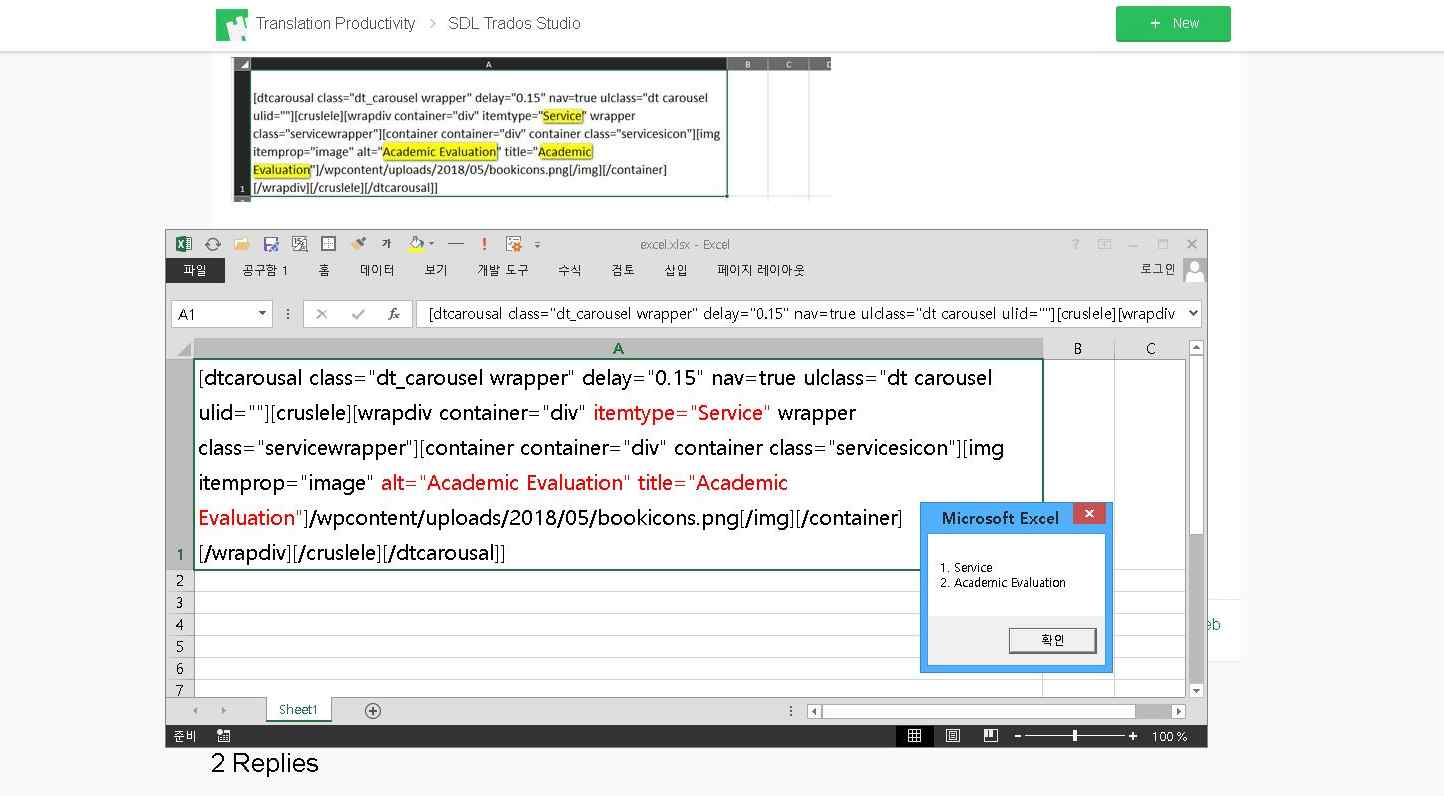
    Screenshot of Trados Studio with a VBA code snippet in the foreground and a Microsoft Excel 'Compile error' dialog box in the background indicating a syntax error.

    Dim myVar: myVar = "itemtype, alt, title"
    Dim myEach, myArray, myDI, myRE, myCell, myMatches, myEl, myResult, myKey
    myArray = Split(myVar, ", ")
    Set myDI = CreateObject("Scripting.Dictionary")
    Set myRE = CreateObject("VBScript.RegExp")
    myRE.Global = True
    For Each myCell In ActiveSheet.UsedRange.Cells
    myRE.Pattern = myRE.Replace(myVar, "|")
    If myRE.Test(myCell.Text) Then
    For Each myEach In myArray
    myRE.Pattern = myEach & "=""(.+?)"""
    Set myMatches = myRE.Execute(myCell.Text)
    If myMatches.Count = 0 Then GoTo myError
    For Each myEl In myMatches
    If Not myDI.Exists(myEl.SubMatches(0)) Then myDI.Item(myEl.SubMatches(0)) = myDI.Count + 1
    Next
    Next
    End If
    myError:
    Next
    For Each myKey In myDI
    myResult = myResult & myDI.Item(myKey) & ". " & myKey & vbCr
    Next
    MsgBox myResult

    emoji


    Generated Image Alt-Text
    [edited by: Trados AI at 4:41 PM (GMT 0) on 28 Feb 2024]
Reply
  • try this couple of codes
    it is VBA
    that is a good language you have to learn when you have to deal with MS Excel

    regards


    Screenshot of Trados Studio with a VBA code snippet in the foreground and a Microsoft Excel 'Compile error' dialog box in the background indicating a syntax error.

    Dim myVar: myVar = "itemtype, alt, title"
    Dim myEach, myArray, myDI, myRE, myCell, myMatches, myEl, myResult, myKey
    myArray = Split(myVar, ", ")
    Set myDI = CreateObject("Scripting.Dictionary")
    Set myRE = CreateObject("VBScript.RegExp")
    myRE.Global = True
    For Each myCell In ActiveSheet.UsedRange.Cells
    myRE.Pattern = myRE.Replace(myVar, "|")
    If myRE.Test(myCell.Text) Then
    For Each myEach In myArray
    myRE.Pattern = myEach & "=""(.+?)"""
    Set myMatches = myRE.Execute(myCell.Text)
    If myMatches.Count = 0 Then GoTo myError
    For Each myEl In myMatches
    If Not myDI.Exists(myEl.SubMatches(0)) Then myDI.Item(myEl.SubMatches(0)) = myDI.Count + 1
    Next
    Next
    End If
    myError:
    Next
    For Each myKey In myDI
    myResult = myResult & myDI.Item(myKey) & ". " & myKey & vbCr
    Next
    MsgBox myResult

    emoji


    Generated Image Alt-Text
    [edited by: Trados AI at 4:41 PM (GMT 0) on 28 Feb 2024]
Children