
 Translate



Hello,
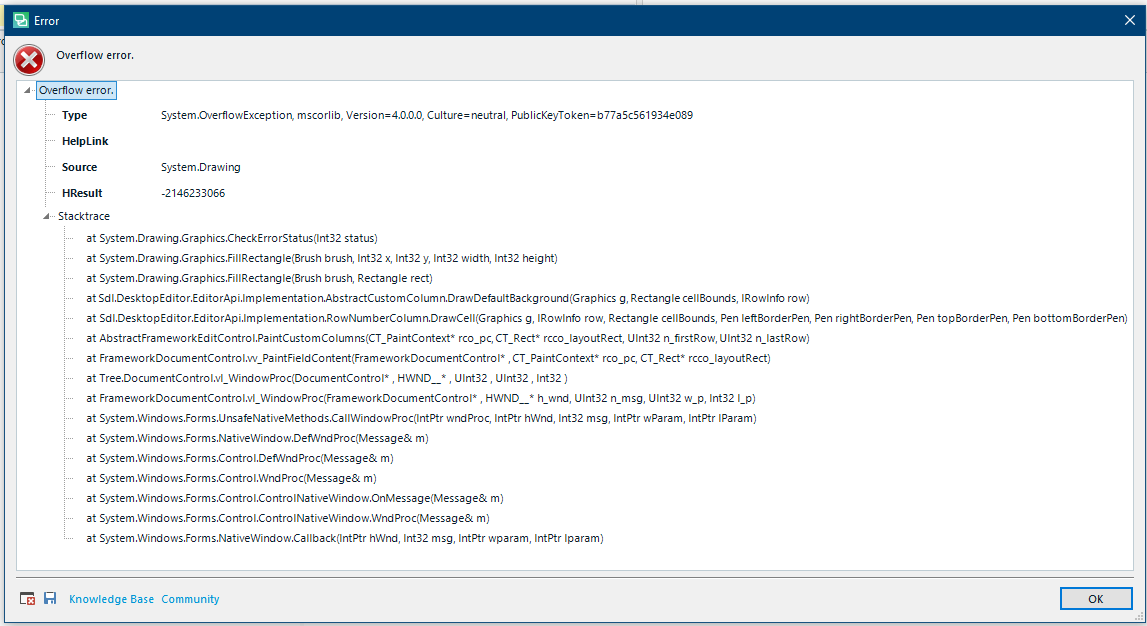
I received a WorldServer package today from a client, and everything went smoothly with the package import. When I opened the file to translate it in the editor, however, the cursor looked strange, some of the content was missing and numerous segments were infinitely large. I tried to scroll around to see if it might correct itself and eventually an "Overflow error" box appeared. The client sent me a normal Studio package and the same thing happened.
Background: I just recently upgraded from Windows 7 to Windows 10. And following this I also upgraded from Studio Freelance 2015 to Studio Freelance 2019.
It has been two days and I have already imported and exported other packages without a problem. I didn't notice any problems with the Editor until today.
For fear that this might be hardware related, I checked to make sure all of my drivers were up to date. They are.
One other thread on this topic says it has to do with improperly installed fonts. I don't think that is the case here.
Does anyone know what this means or how to solve it?
Here is a screenshot of the error description:
Many thanks,
Ben
Generated Image Alt-Text
[edited by: Trados AI at 2:45 PM (GMT 0) on 28 Feb 2024]

