
 Translate



Hello,
I received the below error message when tried to close the xliff with segments status "translation confirmed".
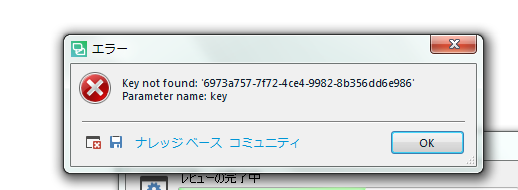
This error message appreared after re-installation of Studio 2019.
Please let me know how I can fix this issue!
Thank you and best regards,
Haruko
Generated Image Alt-Text
[edited by: Trados AI at 3:01 PM (GMT 0) on 28 Feb 2024]

