 Translate



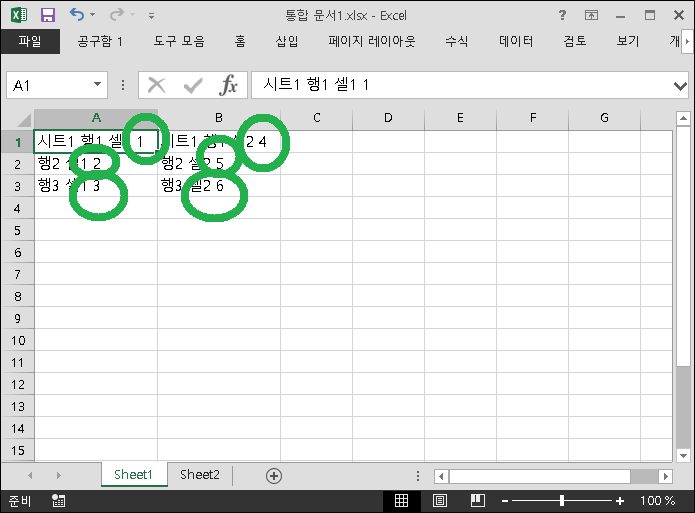
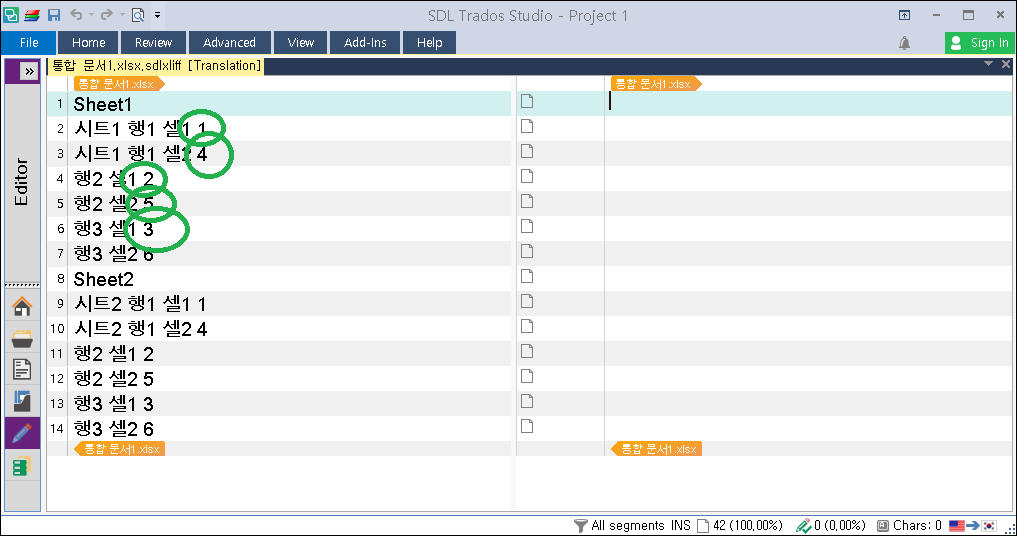
I'd like to process cells this order.
1, 2 , 3, 4, 5, 6...
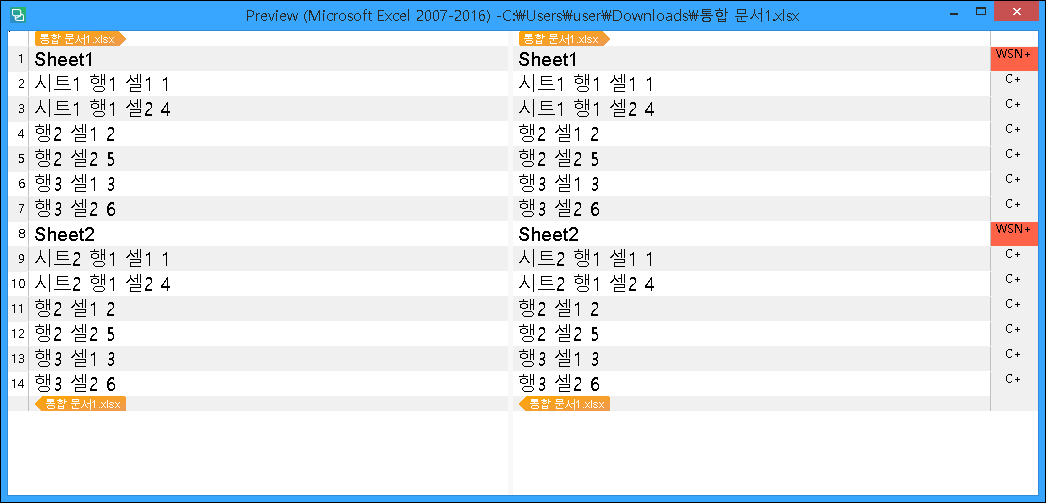
But, SDL Trados Studio refuses to follow my order.
It insists this order.
1, 4 , 2, 5, 3, 6...
Tips, Please

Generated Image Alt-Text
[edited by: Trados AI at 3:07 PM (GMT 0) on 28 Feb 2024]


I'd like to process cells this order.
1, 2 , 3, 4, 5, 6...
But, SDL Trados Studio refuses to follow my order.
It insists this order.
1, 4 , 2, 5, 3, 6...
Tips, Please
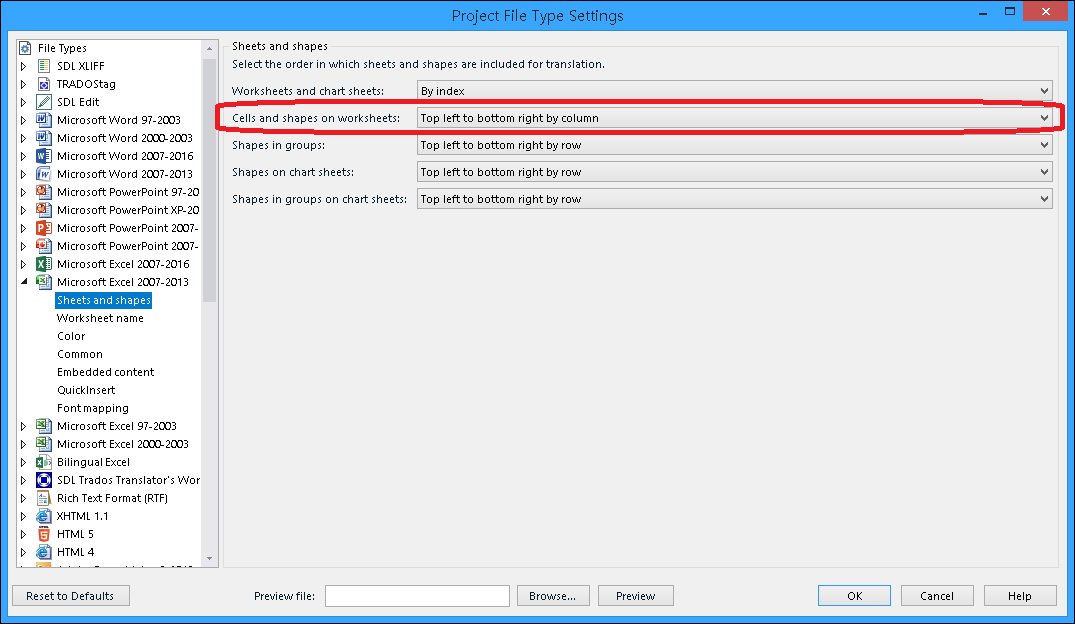
Nagoya Kita, you should define the 'by column' setting before you prepare your Excel file.
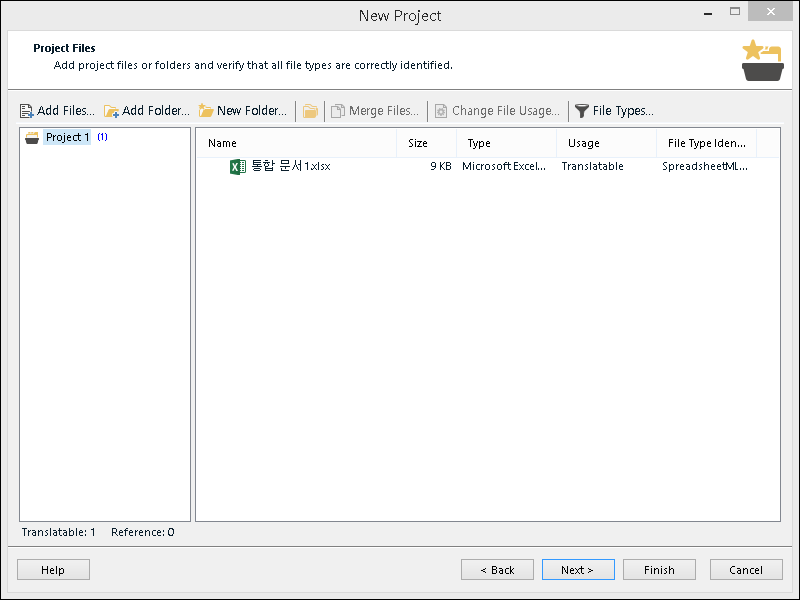
Also important: the SpreadsheetML v.1 file type ID on your screenshot means that Studio applied the Excel 2016 filter to your Excel 2013 file.
You have to move up the Excel 2013 filter (where this setting is available) above the Excel 2016 filter (where this setting is not available at all) and uncheck the latter.
In your case the file type must read "Excel 2007 v. 2.0.0.0", but I can see it is "SpreadsheetML v.1"
This will work.
Another question to SDL:
It seems SDL chose to remove this superfluous feature for newer versions.
Is it no longer available for Excel 2016? 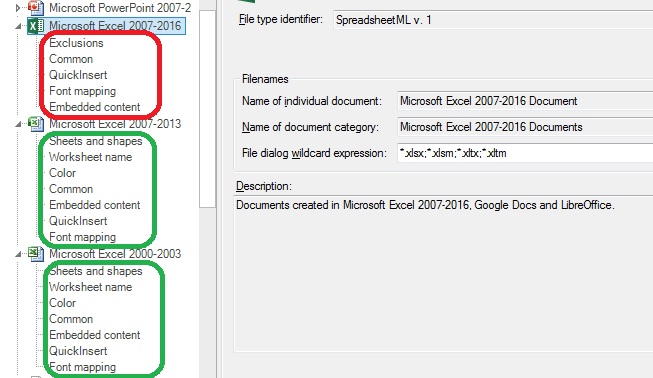
At the same time, if you try to select Excel 2013 filter for Excel 2016 files, Studio just will drop an error when saving target: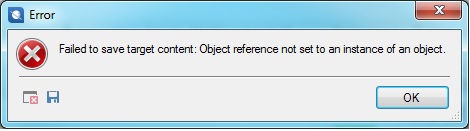
How do I select the processing sequence for Excel 2016?



It is not about SDL Trados Studio 2019. I use 2017 at the moment.
I've edited my reply. This explains why it does not work for you.
what do you mean "It" ? I am with version 2017
"...Your Studio uses a filter that does not support what you want to get."
Oh Very Nice Comment
I... just pretend to not read this comment at all.
Thanks lot.
I need replys who know what exactly
OR
SDL's responsible peoples reply
Not this kind..