


Aligner stumbles over complex alignments

Hello,

I am aligning two Word files with Studio 2019 SR1. Initially the matching was quite poor because the files differ quite a bit on the first pages. I disconnected all, connected some segments (Table of contents - Inhaltsverzeichnis) to give the Aligner a better starting point and clicked on "Realign". Voilá! It realigned a large stretch of the files quite well.

A bit further down there are passages where the alignment is poor again, so I disconnect the whole stretch, and reconnect and confirm one end point (e.g. the following chapter heading) and click "Realign". This time, I get the message that some passed alignments are "complex". Since this carries the severity of an error, I guess Studio is trying to express that they are "too complex". This comes with a second error: "Object reference..."
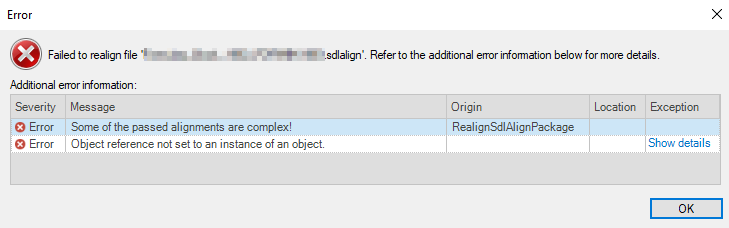
Error message in Trados Studio stating 'Failed to realign file' with details showing two errors: 'Some of the passed alignments are complex' and 'Object reference not set to an instance of an object'.

From that point on, the alignment will not save anymore, neither as sdlxliff nor as sdlalign and I can't import into TM either.
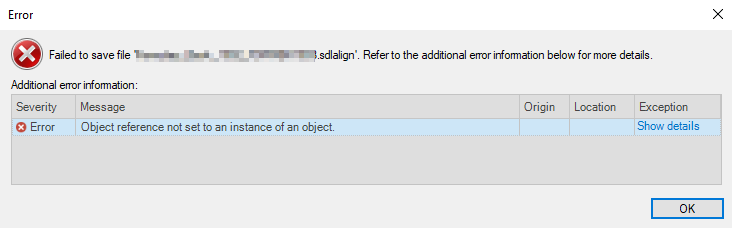
Error message in Trados Studio stating 'Failed to save file' with details showing an error: 'Object reference not set to an instance of an object'.

The "remedy" for now is to save before attempting to realign, to close the file if the "complex" error message came and re-open for further work.

What is actually happening? Why can't I realign disconnected segments anymore? Am I making a mistake or is there something I can avoid that would enable the aligner to realign remaining non-confirmed segments?

Daniel


Edit: Looks similar to this case: https://community.sdl.com/product-groups/translationproductivity/f/90/t/14032


Generated Image Alt-Text
[edited by: Trados AI at 7:16 PM (GMT 0) on 28 Feb 2024]

emoji
Parents Reply Children
  • I've got another case of this: DIsconnect all, reconnect a few "pillar segments" go help Studio understand the structure, then realign, and the error occurs, repeatedly. What can I do?

    <SDLErrorDetails time="11/25/2019 2:20:05 PM">
      <ErrorMessage>Object reference not set to an instance of an object.</ErrorMessage>
      <Exception>
        <Type>System.NullReferenceException, mscorlib, Version=4.0.0.0, Culture=neutral, PublicKeyToken=b77a5c561934e089</Type>
        <HelpLink />
        <Source>Sdl.TranslationStudio.AlignmentEditor</Source>
        <HResult>-2147467261</HResult>
        <StackTrace><![CDATA[   at Sdl.TranslationStudio.AlignmentEditor.Jobs.RealignJobRequest.ExecuteJob(IJobExecutionContext context)
       at Sdl.TranslationStudio.AlignmentEditor.Jobs.AlignmentJobRequest.Execute(IJobExecutionContext context)]]></StackTrace>
      </Exception>
      <Environment>
        <ProductName>SDL Trados Studio</ProductName>
        <ProductVersion>15.0.0.0</ProductVersion>
        <EntryAssemblyFileVersion>15.2.4.1693</EntryAssemblyFileVersion>
        <OperatingSystem>Microsoft Windows 10 Enterprise</OperatingSystem>
        <ServicePack>NULL</ServicePack>
        <OperatingSystemLanguage>1033</OperatingSystemLanguage>
        <CodePage>1252</CodePage>
        <LoggedOnUser>USERNAME</LoggedOnUser>
        <DotNetFrameWork>4.0.30319.42000</DotNetFrameWork>
        <ComputerName>ABCD</ComputerName>
        <ConnectedToNetwork>True</ConnectedToNetwork>
        <PhysicalMemory>8387556 MB</PhysicalMemory>
      </Environment>
    </SDLErrorDetails>

    Daniel