
 Translate



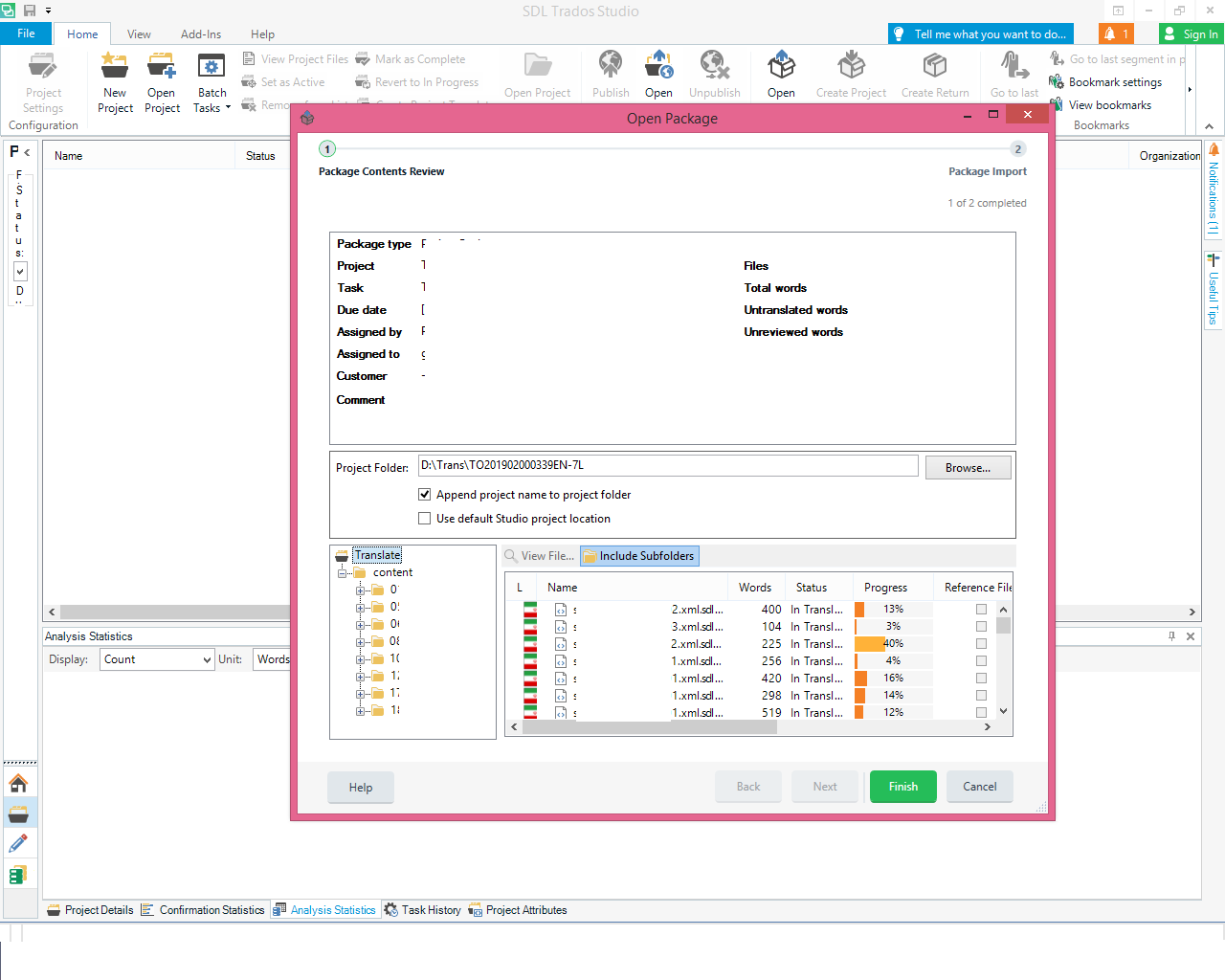
I’ve got a package which contains a main subfolder (with 8 subfolders within the main subfolder). When I open the package from the path “File > Open > Open Package”, I see the subfolders in the lower left pane. So, I choose “include subfolders” from the right bar and all the translatable files are listed in the lower right pane. Then, I click “Finish” and the package is imported with no errors.
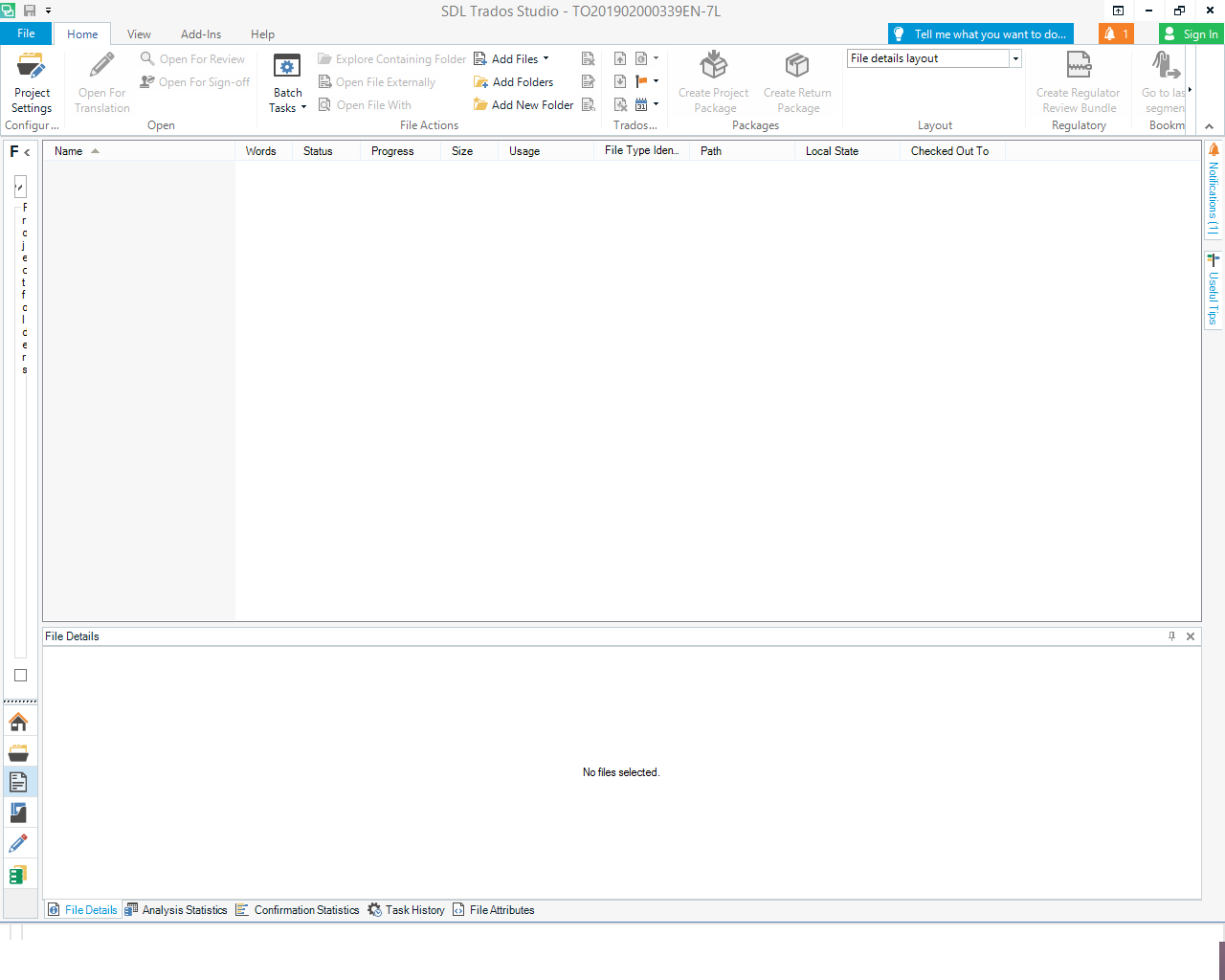
However, when I double click on the package’s name in the “Projects View”, Trados does not show any translatable file in the “Files View”. It is completely blank.
For fixing the problem, I decided to manually add the folders to the “Files View”. I clicked on “Add Folders” from the “Home” tab. But when I chose the main subfolder, an error message appeared which said “This project already contains a source file named XXX”. So, I think the translation files are already there but the problem is that they are not visible to me. I also opened the location of the extracted package. I checked the source and target folders and found that all the XLIFF files were there. But I do not know why they are not visible in Studio.
I use SDL Trados 2019, and have posted the pictures of the process below.
I’d be grateful if you could help me with opening this type of package which contains subfolders?
Thanks in advance
Shiva
Generated Image Alt-Text
[edited by: Trados AI at 3:33 PM (GMT 0) on 28 Feb 2024]


