


Splitting of segments DITA files

Hi,

I'm translating DITA files and full sentences are split into several segments. We used to translate XML files and have switched to DITA files now. Due to this issue with the segmentation, the TM cannot find text that we have certainly translated in the past.

I've tried to merge the segments but Studio 2019 doesn't let me do it...

Any suggestion?  
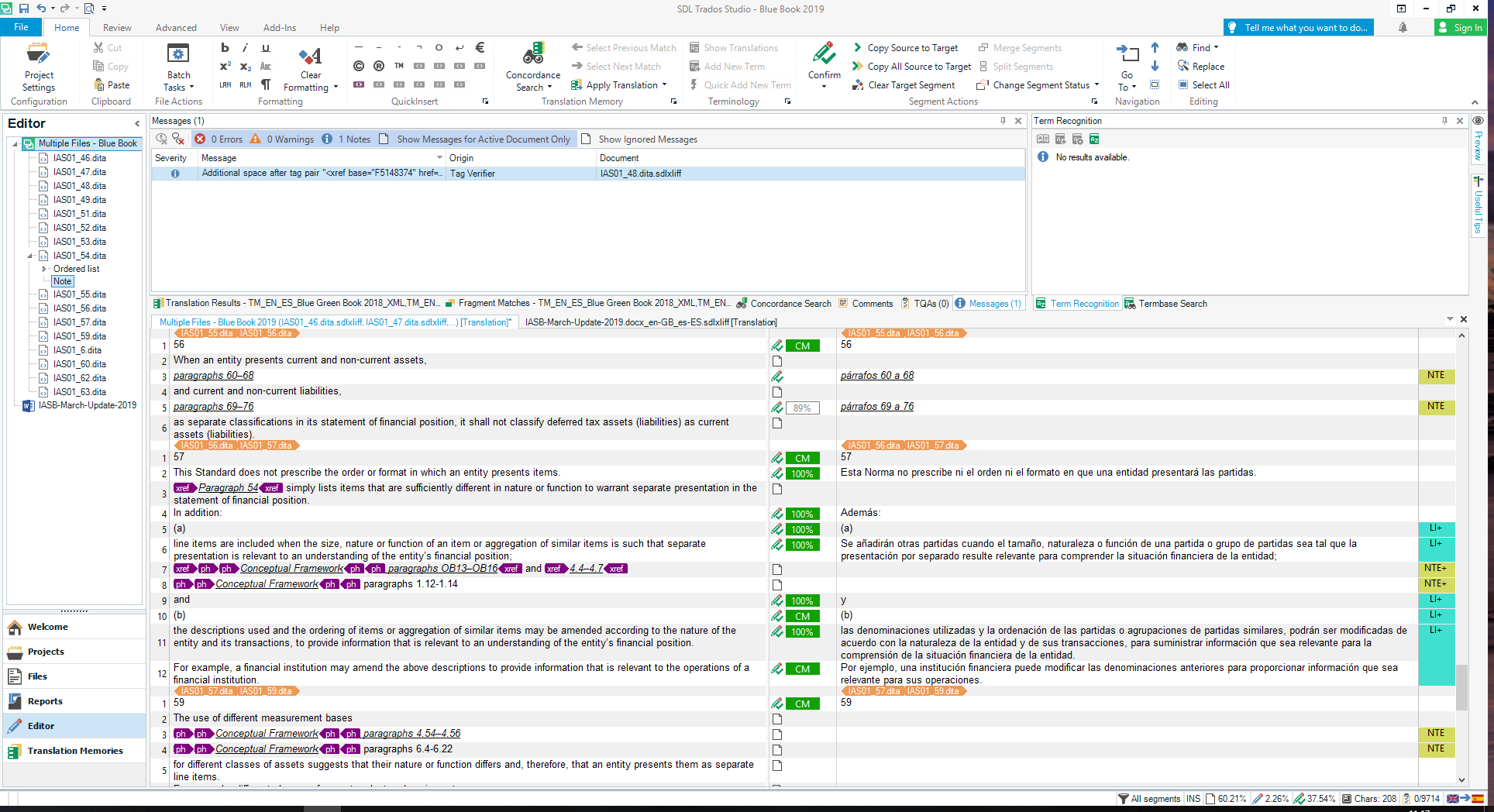
Trados Studio interface showing DITA file translation with segmented sentences in the translation memory editor.


Generated Image Alt-Text
[edited by: Trados AI at 4:02 PM (GMT 0) on 28 Feb 2024]

emoji
Parents
  • Hi ,

    To edit the source and merge the segments in there you can do the following:

    1. Go to Project Settings.
    2. In the Project window check the first option in there "Allow source editing" and the second option as well "Enable merging segments across paragraphs".
    3. Confirm the changes with OK.

    Go back to your document opened in Editor and try again to select the segments to be merged.

    To merge segments:

    In the Editor window, hold down the Ctrl key and click on the segment number column to select rows you want to merge.

    Right-click in the segment number column of the last selected row and select Merge Segments from the shortcut menu. If there are any translations for the merged segments, those translations are merged.


    Hope it helps!


    Oana Nagy | Developer Experience | QA Engineer | RWS Group

Reply
  • Hi ,

    To edit the source and merge the segments in there you can do the following:

    1. Go to Project Settings.
    2. In the Project window check the first option in there "Allow source editing" and the second option as well "Enable merging segments across paragraphs".
    3. Confirm the changes with OK.

    Go back to your document opened in Editor and try again to select the segments to be merged.

    To merge segments:

    In the Editor window, hold down the Ctrl key and click on the segment number column to select rows you want to merge.

    Right-click in the segment number column of the last selected row and select Merge Segments from the shortcut menu. If there are any translations for the merged segments, those translations are merged.


    Hope it helps!


    Oana Nagy | Developer Experience | QA Engineer | RWS Group

Children
No Data