Translate



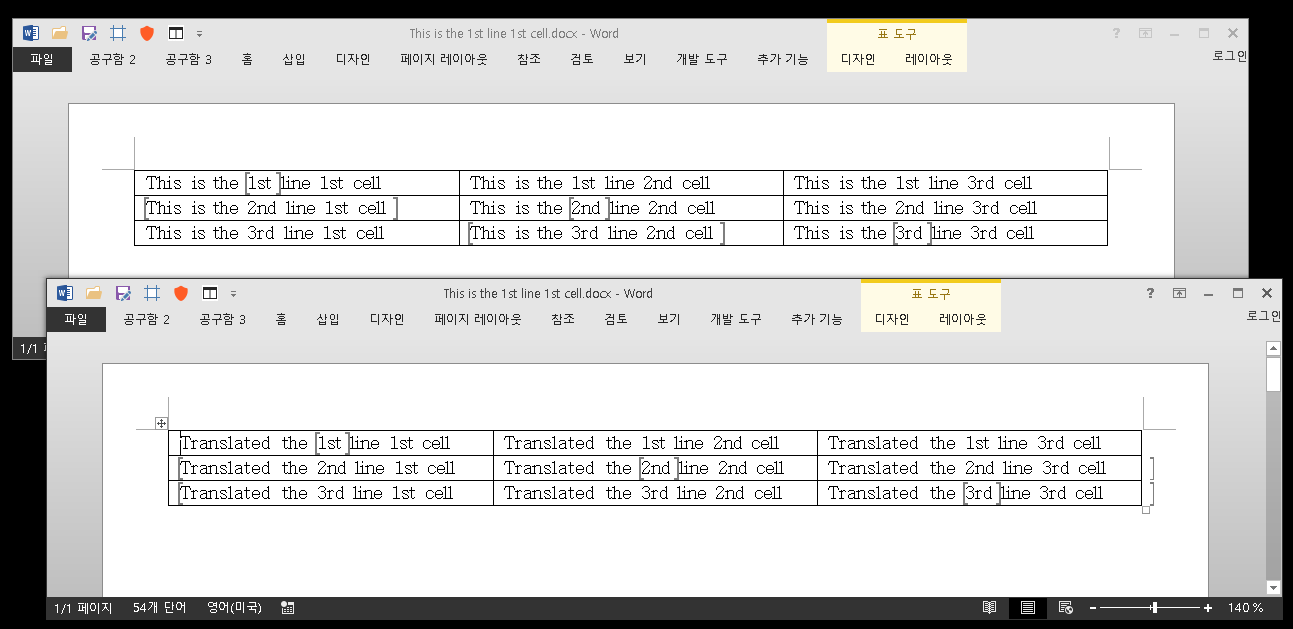
When translating certain docx files (using the WordML filter) in Studio 2017 and 2019, some bookmarks in the exported result are misplaced.
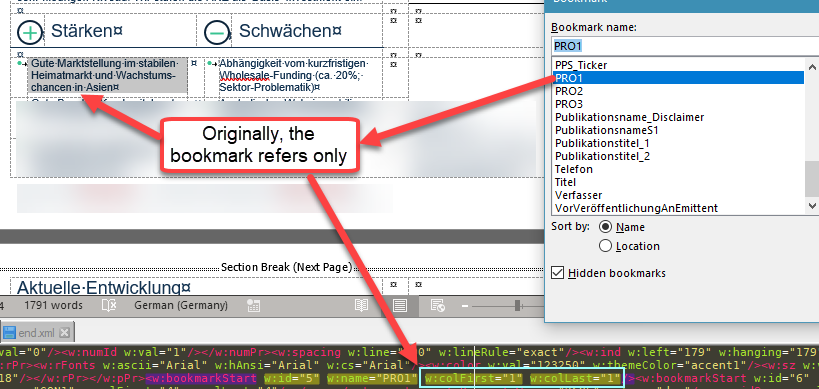
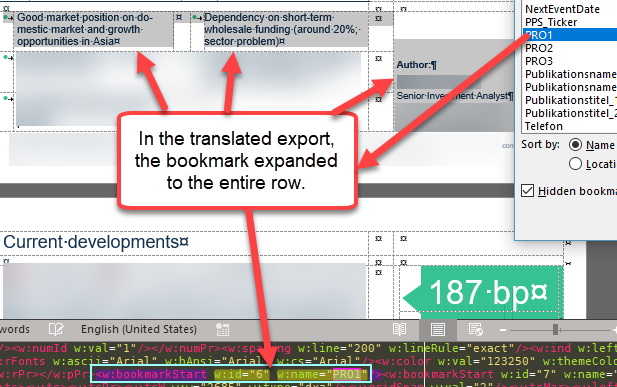
This seems to happen when the bookmarks are placed around a table cell. As long as the bookmark is around text in the original, it is handled properly in the export. If the bookmark is set to a table cell, Studio places the exported bookmark incorrectly, including a larger area than it should (e.g. the whole row instead of the cell).
The bookmarks were not visible in the editor in Studio and did not show up in the tag check. No errors were thrown. The exported file doesn't have any visible problems, unless you try to use the bookmarks, which now refer to the wrong information.
Here are a couple of screenshots (sorry, had to blur a lot of content) to illustrate.
Has anyone else seen this? Any ideas how we can fix it?
Thanks!
Generated Image Alt-Text
[edited by: Trados AI at 4:13 PM (GMT 0) on 28 Feb 2024]