Translate



Hi,
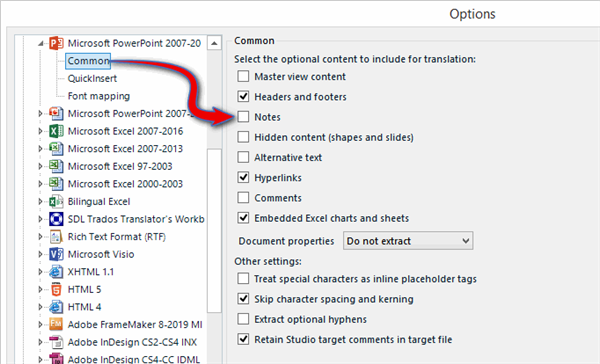
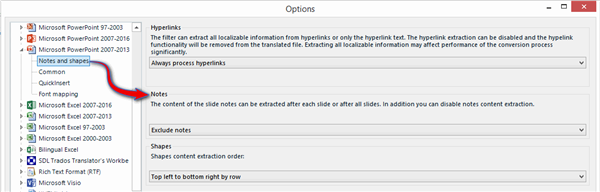
I have to translate a PPT presentation and when I create the new project on Trados Studio 2017, I check that the project settings are fine (i.e "note pages after each slide" is ticked in the "files types / Powerpoint" category), but actually the note pages remain excluded and Studio will only take into account the slides content, without their note pages.
For the moment, as I am in a hurry, the only solution I found is the following:
1/copy-paste each note page on a Word document
2/create another project for this document
3/translate both PPT (slides only) and Word (note pages only) on Studio
4/ save destination files
5/copy-paste the Word content on each slide before delivering to the customer.
Quite annoying and absolutely not time saving unfortunately...
Shall anyone have a clue, it would be highly appreciated!
Thx a lot!