All the projects disappeared from Studio 2019 Projects folder!!!

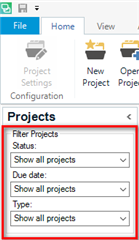
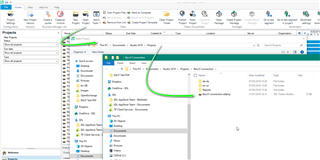
How could it happen that all Studio 2019 projects disappeared from Projects folder. Not just from the Projects view (it would not be a problem). They disappeared from the computer. All of them! Project folder is empty! It happened after I tried to create a new project with a template based on a previous project. When I was entering the project name, the program issued error message "such name exists" several times. Then, after I added a file to translate, I received an error message about non-existent folder. And after I cancelled the project creation and restarted Studio, I find no 2019 project in the Projects view and NO project in the Projects folder. They are not also in the Recycling Bin. Such a bug is really disastrous!

Parents Reply Children
  • Hello everyone,

    "Trados doesn´t remove the folders on its own" but IT HAS JUST ALSO HAPPENED TO ME.

    It would be very nice if you could stop denying the problem and would begin looking for a solution for it. Users are experiencing a bug with your not exactly affordable software. I only could recover the files thanks to the backup, but they are nowhere else. 

    Trados started, as always, having problems by recognising the TM (after having worked in the project for two days with no trouble). Suddenly, TM stops working and when trying fixing it and trying to close and open the project from scratch: surprise! The projects folder is empty. I have recovered the project from my backup but, when trying to open it, this message appears: (translated from German) This project can't be opened in the Studio version you are using... Excuse me?

    Please, as mentioned above, look for a solution for this real bug.

    Kind regards

    Isabel